
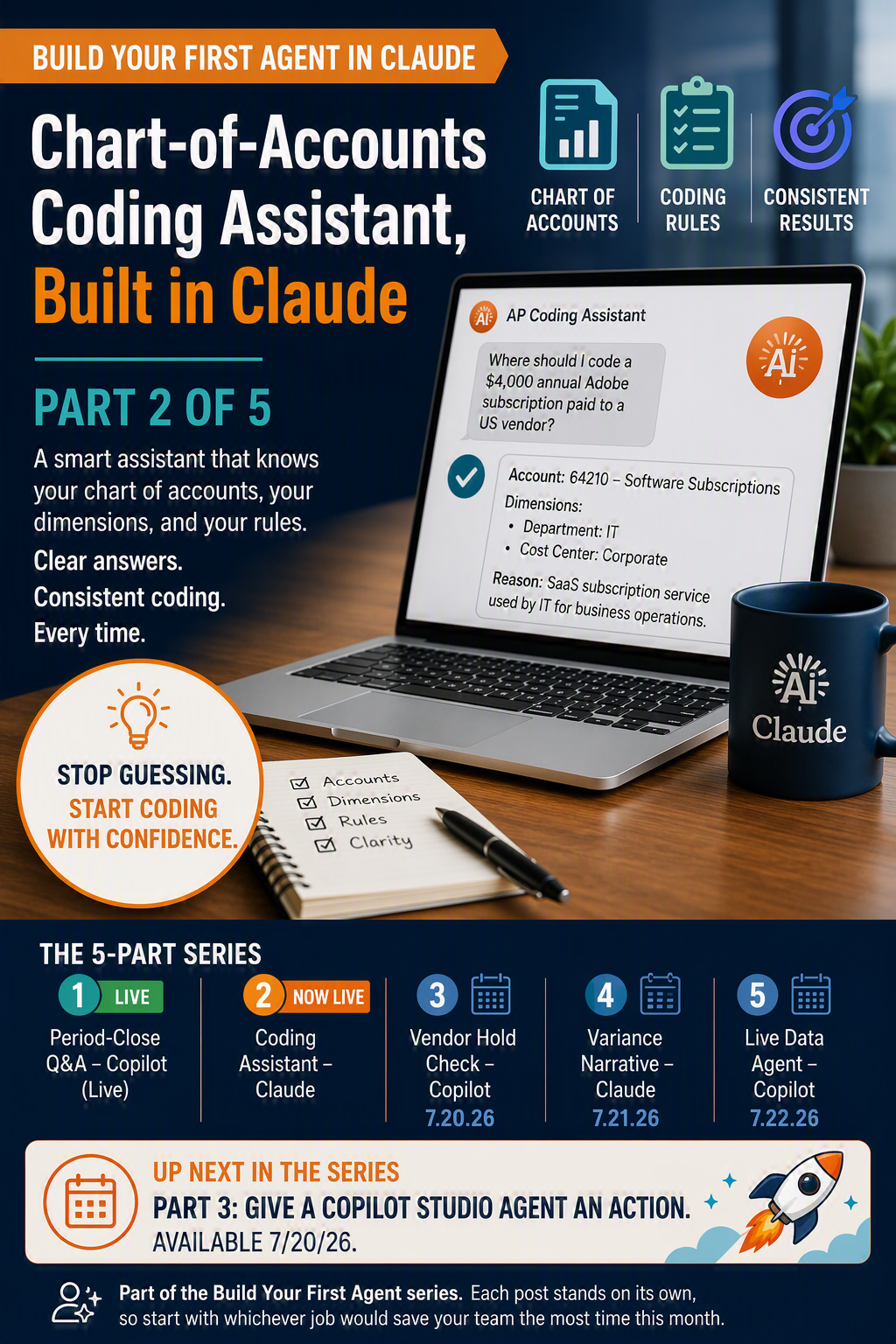
Build Your First Agent in Claude – Part 2 of 5
The 5-part series
- Period-Close Q&A – Copilot (Live)
- Coding Assistant – Claude (Now Live)
- Vendor Hold Check – Copilot (7.20.26)
- Variance Narrative – Claude (7.21.26)
- Live Data Agent – Copilot (7.22.26)

A new AP clerk asks which account a software subscription should hit. Next week, someone asks which financial dimension a shop-floor cost belongs to. You wrote the rules down once, in a memo nobody can find, and the questions keep coming.
Coding decisions are a good fit for an assistant because the logic is stable, the source of truth is small, and the cost of a wrong guess is real. We will build this one in Claude, using a feature called Projects. Think of a Project as a saved workspace with its own standing instructions and its own reference files, so you set it up once instead of re-explaining yourself in every chat.
What you are building
A Claude Project that acts as a coding helper. It knows your main accounts, your dimension structure, and your coding rules, and for any transaction it returns the account, the required dimensions, and a one-line reason. If a transaction does not map cleanly, it says so rather than forcing an answer.
Before you start
- A Claude Account on a Paid Plan:
- Projects are available on Pro, Max, Team, and Enterprise.
- If you want the whole AP or GL group to use it, a Team plan lets you share the Project so everyone works from the same setup.
- Two short files:
- An export of your chart of accounts (main account numbers and descriptions, a CSV is fine)
- One-page coding guide that captures your rules: what goes where, how dimensions get applied, and the mistakes people make most.
- A quick data check:
- A chart of accounts structure is usually low-sensitivity, but confirm with whoever owns data governance before uploading anything you would not casually email. Keep customer and vendor specifics out of the reference files.
Step by step
- In Claude:
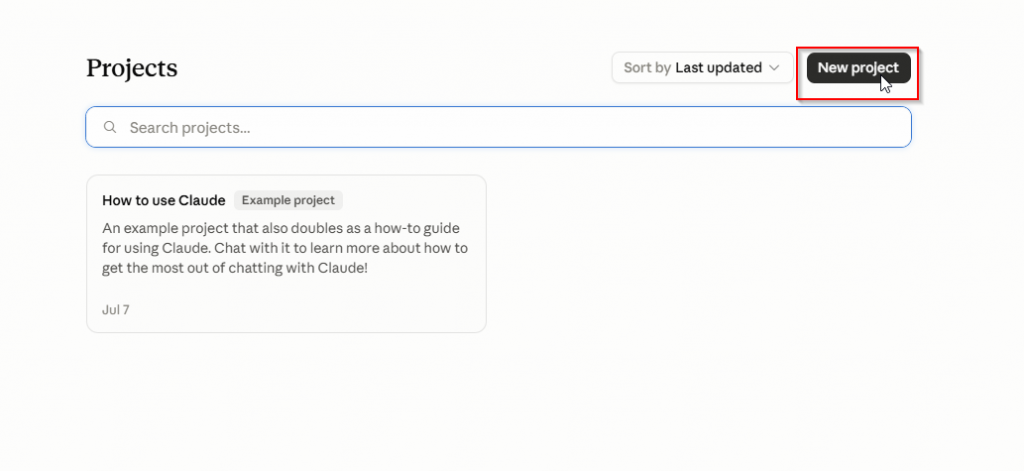
- Select New project in the left sidebar.
- Name it specifically, “AP Coding Assistant,” not “Finance.”
- A vague name becomes a junk drawer.
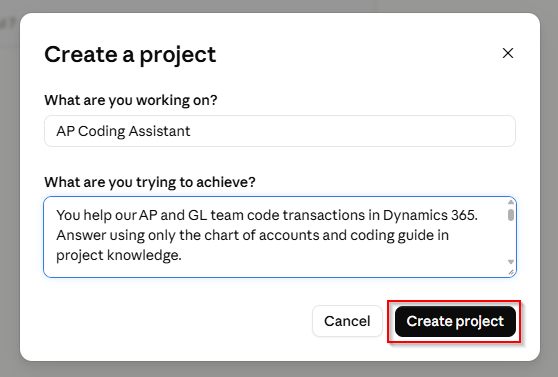
2. Write the custom instructions.
- This is the agent’s brief, and it loads into every chat in the Project.
- Use something like the italicized instructions below:
- You help our AP and GL team code transactions in Dynamics 365.
- Answer using only the chart of accounts and coding guide in project knowledge.
- For every transaction, return:
- The main account (number and name)
- The required financial dimensions
- A one-line reason
- Rules:
- If a transaction does not map cleanly, say so and list what you would need to decide it.
- Never invent an account number. If it is not in the COA, say it is not there.
- Keep answers short and plain. No filler.
- You help our AP and GL team code transactions in Dynamics 365.
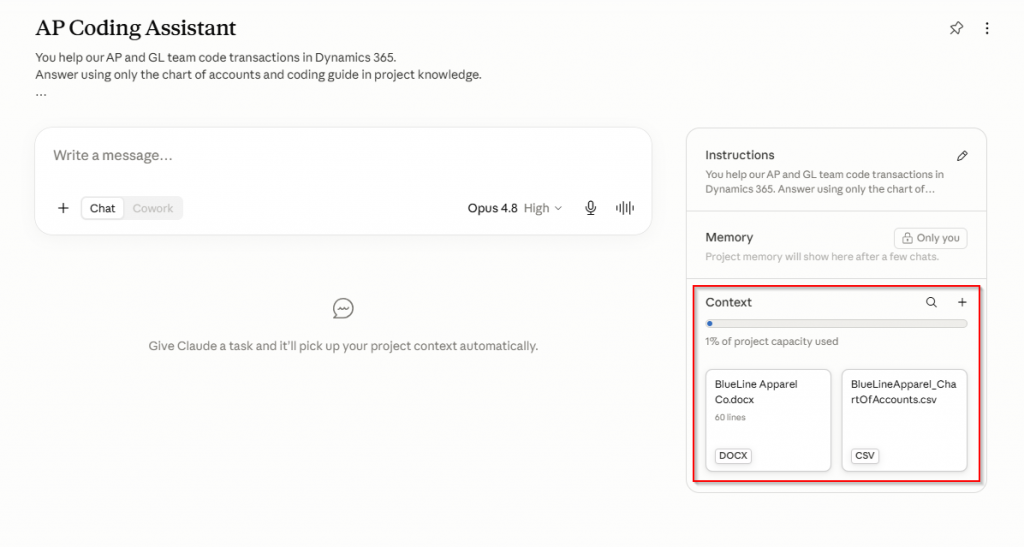
3. Upload your reference files to the Project knowledge panel.
- Name them clearly so it is obvious what each one is.
- On Pro, Max, and Team you can add multiple files, so both the COA export and the coding guide can live there together.
4. Confirm it can see the files.
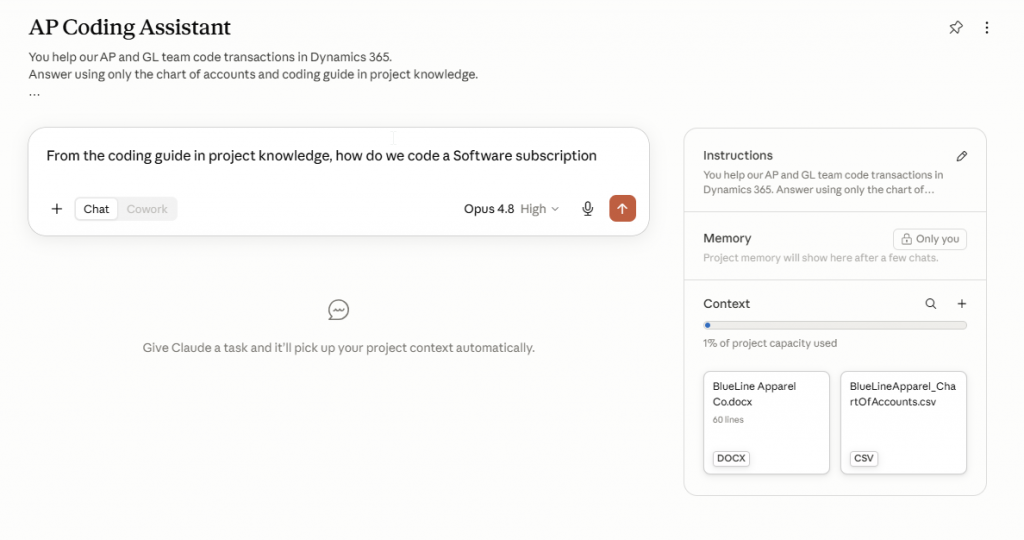
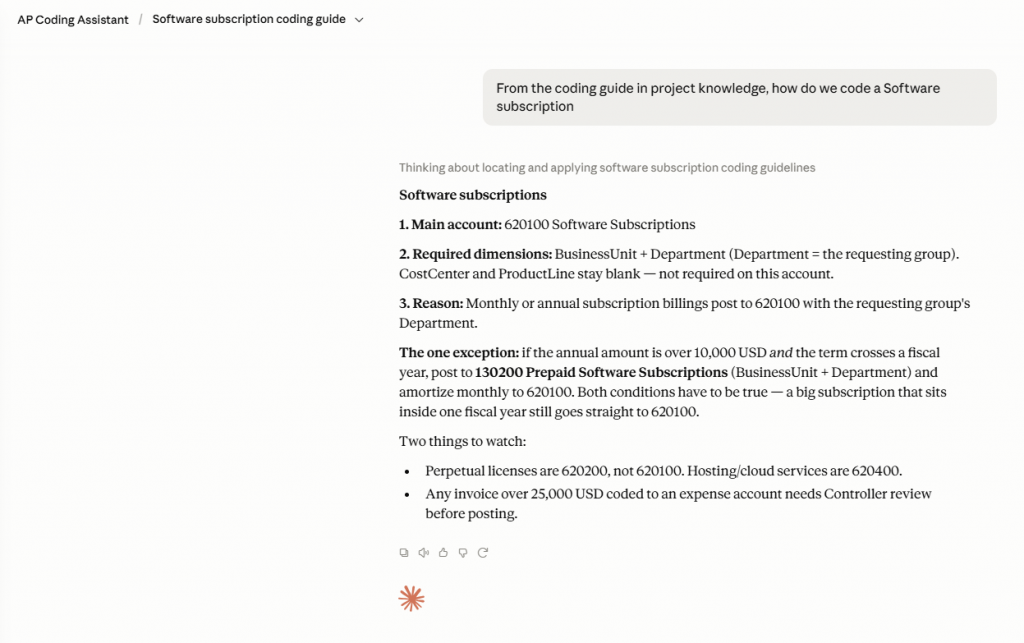
- Start a chat inside the Project and ask: “From the coding guide in project knowledge, how do we code a Softare subscription?”
- If it answers from your guide, retrieval is working.
Input:
Results:
5. Put it to work on real questions from your team.
6. Tune it. After a handful of chats you will notice a pattern, maybe it keeps forgetting a required dimension. Add that rule to the instructions. Each fix makes every future answer better.
Give it a real test
- Try: Coding a 4,000 dollar annual Adobe subscription paid to a US vendor.
- Try: Shop supplies used on one production line. Which dimensions?
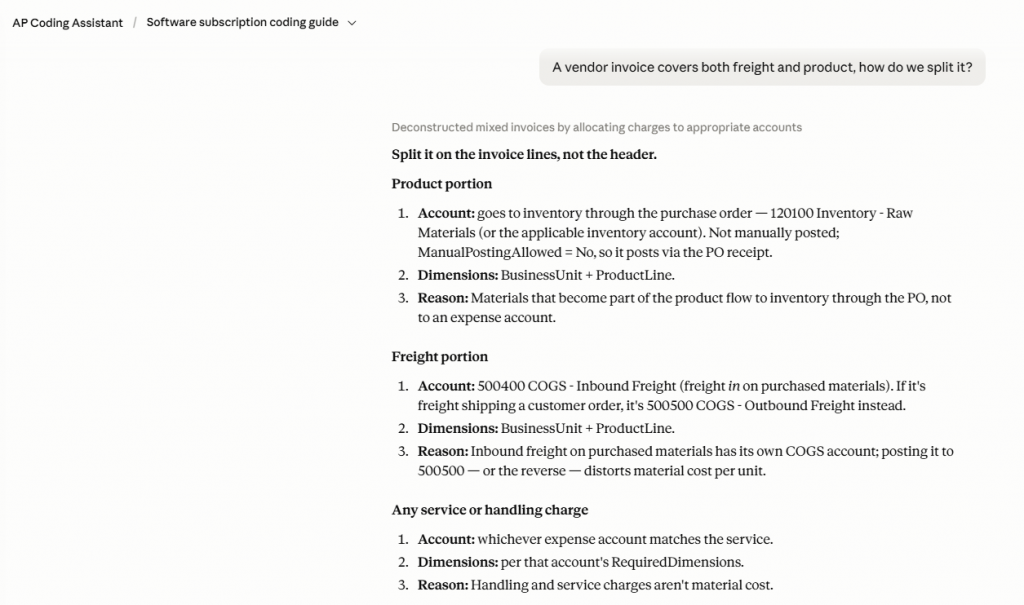
- Try: A vendor invoice covers both freight and product. How do we split it?
The last one is the good test. If your coding guide covers mixed invoices, the agent should follow your rule. If it does not, that gap just told you what to add to the guide.
Make it better
- Add a “common mistakes” section to the coding guide. Telling the assistant what to avoid often works better than only telling it what to do.
- Add a few example postings. Claude follows patterns it can see more reliably than rules it only reads.
- Share it with the team on a Team plan (Can use for most people, Can edit for you) so everyone codes the same way.

Next we head back to Copilot Studio and take a bigger step: giving an agent an action, so it can look something up in a live system instead of only reading a document.
Part of the Build Your First Agent series. Each post stands on its own, so start with whichever job would save your team the most time this month.
Up Next In the Series – Part 3: Give A Copilot Studio Agent An Action. Available 7/20/26.
Thank you for reading!
Interested in learning more? Below are some of my latest posts:
Leave a Reply