

Most organizations use about twenty percent of what D365 F&O’s collections module can actually do. Here’s what the other eighty percent looks like — and why it matters for your DSO, your audit, and your team’s sanity.
Why Collections Management Gets Underimplemented
Before we get into the how, I want to spend a moment on the why — because understanding why this module gets shortchanged in implementations helps you avoid repeating the pattern.
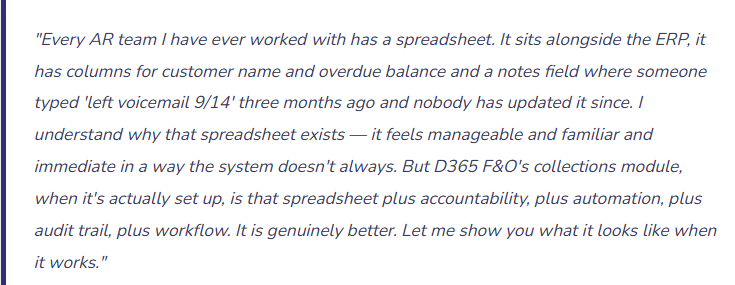
Collections management in D365 F&O typically gets scoped as a Phase 1 item and then quietly deferred to Phase 2 in the rush to get AR invoicing and cash application live. The logic sounds reasonable: get the transactional functionality working first, then configure the collections tools once the team has settled in. In practice, Phase 2 never quite arrives, and the AR team is left managing collections the way they always have — with a spreadsheet and a prayer.
The other reason is that collections management configuration requires decisions that are harder than most transactional setup. Who owns which customers? What’s the escalation sequence? When do we charge interest? When do we write off? These are policy questions that require Finance leadership to be in the room, and they’re easier to defer than to answer.
I am going to make the case that those decisions are worth having now — during implementation — because every month you operate without a structured collections process is a month your DSO is higher than it needs to be and your collections documentation is thinner than your auditors would like.
The Architecture: How Collections Management Is Organized in F&O
Collections management in D365 F&O is built around a few key concepts that work together. Understanding the structure before diving into configuration makes the individual pieces make more sense.
| Concept | What It Is | Why It Matters |
|---|---|---|
| Collections Agent | A user in the system who is assigned responsibility for a portfolio of customers. The Collections workspace shows each agent only their customers — their worklist, their overdue balances, their activity queue. | Without agent assignment, every collector sees the entire AR aging and nobody has clear ownership. Accountability requires assignment. |
| Customer Pool | A defined group of customers that share a common characteristic — industry, geography, size, risk level, or any other criteria you define. Pools are assigned to collectors and form the basis of the worklist. | Pools let you segment your customer portfolio intentionally. A collector who handles your top 50 accounts has a very different job than one who handles small-balance regional accounts. The pool design reflects that difference. |
| Collections Case | A formal record attached to a customer that documents the collections effort — activities logged, promises made, escalations taken. Cases can be opened, progressed through statuses, and closed. | Cases are the audit trail. When a balance gets written off and your auditor asks what collection effort preceded it, the case is the answer. No case means no documented effort, which creates both audit risk and internal accountability gaps. |
| Collections Activity | A logged interaction against a customer — a phone call, an email, a promise-to-pay, a note. Each activity has a date, a type, a result, and optionally a follow-up date that puts the customer back on the collector’s worklist. | Activities are what turns a collections process from “someone called them once” into a documented, reviewable sequence of contact attempts and customer responses. |
| Interest Code | A configuration that defines how interest on overdue balances is calculated — the rate, the basis (daily, monthly, fixed), the minimum days before interest applies, and which customers it applies to. | Interest charges are a collections tool, not just a revenue line. A customer who knows your organization charges interest on overdue balances has a financial incentive to pay that a customer who faces no consequence does not. |
| Write-Off | The formal process of removing an uncollectable balance from AR and posting it to bad debt expense, with workflow and documentation requirements built in. | Write-offs need authorization and documentation. A structured write-off process ensures both — the balance doesn’t disappear from AR until someone with appropriate authority approves it and the collection effort is documented. |
The Collections Workspace — Your Team’s Home Base
The Collections workspace in D365 F&O is a purpose-built interface for collectors — not a page in the AR module that happens to show overdue balances, but a real workspace designed around the daily workflow of someone whose job is to get customers to pay.
What the workspace gives your collector in one place: their prioritized customer list sorted by risk and aging, a full aging snapshot for each customer with a single click, all open invoices with their due dates and amounts, a complete history of every activity that’s been logged against that customer, the ability to log a new call, email, or promise-to-pay without leaving the workspace, and access to send a statement or dunning letter directly from the customer record.
That’s the spreadsheet, replaced. The reason AR teams keep their spreadsheets isn’t that the system can’t do this — it’s that nobody showed them it could, or it was never configured to surface the right customers in the right order for the right person.
Setting It Up: The Configuration Sequence That Works
01 Define Your Customer Pools
Segment your customer portfolio before assigning anyone
Customer pools in F&O are groupings of customers that share something in common — and they’re what makes the Collections workspace show each collector only their customers instead of the entire AR aging. Pools can be defined by any criteria that makes sense for your business: account size, geographic region, industry segment, risk tier, or simply which collector has historically managed the relationship.
The pool design should reflect how your collections team is actually organized. If you have two AR specialists and they split the customer base by region, create two regional pools. If you have a dedicated collector for your top twenty accounts by revenue, create a “key accounts” pool for those twenty. If your collections manager handles any account that goes past 90 days regardless of who the primary collector is, that’s a separate escalation pool.
Keep pool design simple enough to maintain. Overly granular pool structures — twenty pools for two collectors — create administrative overhead that outweighs the organizational benefit. Three to six pools for a typical mid-market AR team is usually the right range.
Pool Design Questions to Answer First
- How is your collections team organized today — by geography, account size, industry, or simply alphabetically?
- Do you have a separate escalation path for accounts that reach a certain aging threshold?
- Are intercompany customers managed differently from external customers? They probably should be in a separate pool if so.
- Will pool assignments change when staff turns over? Define a process for reassigning pools before you need it.
02 Create Collections Agents and Assign Pools
The assignment that creates accountability
A Collections Agent in D365 F&O is a system user who has been designated as a collector and assigned to one or more customer pools. Setting up an agent is straightforward — you associate a user account with the collections agent role and assign their pool or pools. Once assigned, the Collections workspace automatically filters to show that agent only their customers.
This is the configuration step that transforms the Collections workspace from a system-wide aging view into a personal, actionable worklist. Without it, every collector sees everything — which means nobody owns anything, priorities are unclear, and the same customer might get contacted by multiple people or not at all.
One agent can be assigned to multiple pools. The AR manager, for example, might be assigned to all pools so they have visibility across the entire portfolio while individual collectors only see their own. That’s a useful oversight structure that the pool assignment model supports naturally.
Agent Setup Considerations
- Create a “Manager” pool assignment for your AR manager or Controller so they have full portfolio visibility without being the primary collector on any pool
- When a collector leaves or changes roles, update their pool assignments promptly — unassigned pools mean customers with no active owner
- Collections agent setup requires both the system role assignment and the pool assignment — one without the other results in a workspace that shows nothing or everything, neither of which is useful
03 Configure Aging Period Definitions
Make the system speak your organization’s language
The aging buckets in your Collections workspace and aging reports are configurable — you define what “current,” “1–30 days,” “31–60 days,” “61–90 days,” and “90+ days” mean, and you can add as many buckets as your reporting requires. The aging definition you configure here should match exactly the buckets your leadership reviews in AR meetings and the buckets your Controller uses for the allowance for doubtful accounts calculation.
This sounds like a minor formatting detail. It isn’t. If your board-level AR reporting uses 30/60/90 buckets but your system aging uses 15/30/45/60/90 buckets, someone is reconciling between them every period. That reconciliation doesn’t add value — it’s just work created by a configuration mismatch. Match the aging periods to your reporting requirements from day one.
F&O supports multiple aging period definitions simultaneously, so you can have one definition for the Collections workspace worklist, a different one for external customer statements, and a third for the Controller’s monthly AR review. This flexibility is genuinely useful for organizations where different audiences need different views of the same data.
Before You Configure Aging
- Pull your current AR aging report format and match the buckets exactly
- Ask your Controller what aging buckets they use for their allowance for doubtful accounts calculation — configure those specifically
- If you send aging statements to customers, confirm whether the customer-facing aging matches the internal aging — they can and sometimes should differ
04 Set Up Interest Codes
The carrot and stick your payment terms alone can’t provide
Interest codes in D365 F&O define how the system calculates and posts interest charges on overdue customer balances. You configure the rate (daily or monthly percentage, or a fixed fee), the minimum number of days past due before interest begins accruing, and whether interest compounds on unpaid interest charges. The interest code is then assigned to customers — either individually or through the customer posting profile — and when you run the interest calculation process, F&O calculates and creates interest note transactions automatically.
A word on philosophy before getting into the mechanics: interest charges are most effective as a collections tool when customers know about them in advance. If your standard customer terms include interest on overdue balances, that should be stated on your invoices and in your customer agreements. A surprise interest charge that a customer didn’t know was coming damages the relationship. A clearly communicated interest policy that gets enforced consistently creates an incentive structure that improves payment behavior over time.
You don’t have to charge interest to every customer. F&O allows you to assign different interest codes to different customers or customer groups. Your top strategic accounts might have a policy of no interest charges. Your smaller accounts or historically slow payers might be subject to a monthly rate. That nuance is configurable — use it intentionally.
Interest Configuration Decisions to Make
- What rate? Work with your Controller and legal team — rates may be subject to state usury laws in some jurisdictions
- How many days grace period before interest starts? Thirty days past due is common; immediate from due date is aggressive but used in some industries
- Does interest compound on unpaid interest? Simple interest is more common and generates less customer friction
- Which customers are subject to interest and which are exempt? Document this policy before configuring it
05 Configure Dunning (Collections Letters)
Automated outreach that doesn’t require your team to remember who to contact
Dunning in F&O is a sequence of escalating collection letters that the system can generate automatically based on the aging of customer balances. You define dunning codes — Level 1 (gentle reminder), Level 2 (firmer notice), Level 3 (final notice before escalation) — and for each level, you configure the minimum number of days past due, the letter template, and whether the sequence should continue or stop after a response.
The dunning sequence is assigned to customers at the customer record level or inherited from the customer group. When you run the dunning process, F&O evaluates every customer’s open balances, determines which dunning level applies based on the aging, and generates the appropriate letter. That output can be printed, emailed, or archived — depending on how you’ve configured your document management and customer communication preferences.
Two configuration details that are easy to overlook and important to get right: the minimum balance threshold below which dunning letters are suppressed (you don’t want to send a dunning notice for a $2.17 balance), and the customer exclusion logic for accounts where a payment plan, legal hold, or relationship exception means automated dunning is inappropriate. Build those exceptions in explicitly — don’t rely on your team to manually remove customers from every dunning run.
Dunning Setup That Actually Works
- Have Finance leadership approve the dunning letter templates — the language represents your organization, and dunning letters have a legal dimension in some jurisdictions
- Test the dunning process in sandbox with real customer scenarios before enabling it in production — confirm the right customers get the right level at the right time
- Configure a minimum balance threshold — sending dunning letters for trivial balance amounts wastes goodwill and credibility
- Build an exception list for customers who should never receive automated dunning — strategic accounts, accounts in dispute, accounts with active payment plans
Collections Activities — Making the Work Visible and Accountable
Collections activities in F&O are the logged record of every interaction your collections team has with a customer around an overdue balance. They’re not optional documentation — they’re the accountability mechanism that turns collections from an informal effort into a managed process.
Phone Call
Log the date, the contact name, the outcome, and any commitments made. If the customer promised to pay by a specific date, that date becomes a follow-up trigger on the collector’s worklist. If there was no answer, the log records the attempt — which matters for documentation even when the call didn’t connect.
Email Contact
Record that an email was sent, to whom, and what it contained. F&O can store the email content in the activity record. For customers who claim they never received an invoice or a collections notice, this documentation settles the dispute quickly with a dated record of exactly what was sent.
Promise to Pay
When a customer commits to a payment date and amount, that promise is recorded as a specific activity type in F&O. The system tracks whether the promise was honored — if the payment date passes without a matching cash receipt, the broken promise surfaces automatically on the collector’s next review. No spreadsheet required to track this.
Dispute / Case Note
When a customer disputes an invoice — wrong price, goods not received, service quality issue — that dispute is documented as an activity and can be escalated to a formal collections case. The case status tells the collections team that this balance is in active dispute and shouldn’t be dunned or referred for further action until the dispute is resolved.
Payment Plan
For customers who can’t pay the full balance immediately but are willing to commit to a structured payment schedule, a payment plan activity documents the agreed schedule, the installment amounts, and the dates. F&O can track plan compliance and surface missed installments for follow-up.
Credit Hold
When a collections decision is made to place a customer on credit hold — blocking new sales orders until the balance is resolved — that action is logged as an activity with the date, the authorizing party, and the reason. Removals of credit holds are equally documented. The hold history is part of the customer’s collections record.
The cumulative effect of consistently logged activities is a collections history that tells a complete story for every customer — what was attempted, when, what the customer said, and how the situation progressed. That story is what a Controller reviews before authorizing a write-off. It’s what an external auditor examines when they test your bad debt allowance methodology. It’s what your AR manager uses when a collector transfers a portfolio and the next person needs to understand the history without starting from scratch.
Interest Notes — Running the Calculation and Understanding What Happens
The Interest Calculation Process — What F&O Does and When
1. You Run the Interest Calculation Process
This is a manual or batch-scheduled process — F&O does not automatically generate interest notes without being triggered. You set the calculation date range, select which customers or pools to include, and run the process. F&O evaluates every overdue invoice for those customers against the interest code rules configured on their account.
2. F&O Calculates the Interest Amount
For each qualifying overdue balance, F&O calculates interest based on the rate, the number of days overdue, and any grace period configured in the interest code. The result is a proposed interest note — not posted yet, just calculated and staged for review. If the calculated amount is below the minimum amount threshold on the interest code, no note is generated for that invoice.
3. Review Before Posting
Calculated interest notes should be reviewed before they’re posted. Check for customers who should be excluded — accounts in active dispute, accounts with payment plans, strategic accounts with a relationship exception. Remove any notes that shouldn’t go out. This is the moment to exercise judgment before the transaction posts and the customer receives a notice.
4. Post the Interest Notes
Once reviewed, approved interest notes are posted — creating a new receivable on the customer’s account for the interest amount, posting the interest income to the account configured in your AR posting profile, and generating a customer-facing interest document. The customer’s AR balance increases by the interest amount, and that interest balance is now subject to your standard collections process.
5. Send the Interest Notice to the Customer
The interest note can be printed and mailed, emailed directly from F&O, or included in the customer’s next statement. How you send it depends on your customer communication setup. What matters is that the customer receives clear documentation of what was charged, why, and how to remit. An interest charge with no accompanying explanation generates a dispute — clear documentation minimizes that friction.
The Write-Off Process — When You’ve Exhausted Every Option
Write-offs are the last step in the collections lifecycle, and they deserve a formal, documented process — not because they’re common, but because when they happen, your auditors will ask very specific questions about what preceded them. F&O’s write-off process is designed to provide exactly that structure.
The Right Way to Write Off a Balance in F&O
1. Document the Collection Effort in the Collections Case
Before a write-off can be justified, there must be a documented record that collection was genuinely attempted. The collections case for this customer should show: multiple contact attempts, dates, outcomes, any payment commitments that were broken, and the escalation steps that were taken. “We sent an invoice and never heard back” is not a documented collection effort. A case with six activities over ninety days is.
2. Confirm the Balance Is Genuinely Uncollectable
Before initiating a write-off, confirm with your AR manager or Controller that the decision to write off is warranted. Is the customer truly unreachable? Have they gone out of business? Has legal determined that pursuit is not cost-effective? The decision criteria should match your organization’s write-off policy — which should exist as a documented policy, not an informal judgment call made in the moment.
3. Initiate the Write-Off from the Collections Workspace
In F&O, write-offs can be initiated directly from the Collections workspace or from the customer’s open transactions. You select the specific invoices to write off, confirm the amount, and the system routes the request through any write-off approval workflow you’ve configured. For amounts above a threshold, this may require Controller or CFO authorization — which should be enforced by the workflow, not by a manual email approval chain.
4. The System Posts to Bad Debt Expense
When the write-off is approved and posted, F&O debits the bad debt expense account configured in your AR posting profile and credits the AR summary account, removing the balance from the customer’s ledger. If you maintain an allowance for doubtful accounts, your period-end process should reconcile actual write-offs against the allowance balance. That reconciliation is a standard audit procedure.
5. Close the Collections Case
After the write-off posts, close the collections case with a final note documenting the write-off date, the amount, the authorization, and the reason. This closes the loop on the documented collection effort. If the customer ever reappears — reopens the account, is acquired by a larger entity that wants to clear the history — that case record tells the full story of what happened.
On the allowance for doubtful accounts: F&O doesn’t automatically calculate your bad debt allowance — that’s still a judgment-based estimate that your Controller owns. But the data is all in the system: aged AR by customer, write-off history, promise-to-pay tracking, dispute status. A Controller who uses F&O’s collections data for their allowance calculation has a much more defensible estimate than one who’s working from a summary aging report alone. Make sure your Controller knows what data is available and how to access it — because it makes their job materially easier and your allowance methodology materially stronger.
Collections Metrics Worth Tracking in F&O
Once your collections process is running in the system rather than in spreadsheets, you have access to metrics that weren’t easily measurable before. Here are the ones that matter most and why.
Days Sales Outstanding (DSO)
The average number of days between invoice date and payment receipt. The most fundamental AR health metric. F&O’s AR analytics can surface this by customer, by pool, by collector, and by period — giving you trend data that a static aging report can’t provide.
Promise Kept Rate
The percentage of customer payment promises that were honored on time. A metric that only exists when you’re logging promises-to-pay in the system. Low promise kept rate for a particular customer segment is a leading indicator of worsening credit risk — visible before the aging deteriorates.
Write-Off Rate
Write-offs as a percentage of revenue. Trending upward is a signal worth investigating — new customer segments with different credit profiles, industry-level distress, or collections process gaps that are allowing balances to age past recoverable.
Average Days to First Contact
How quickly does your collections team make first contact after an invoice goes overdue? This metric only exists when activities are logged in the system. Teams that track it typically find that earlier first contact correlates strongly with faster payment resolution.
Collected on Promise
The dollar amount actually collected following a promise-to-pay, as a ratio of total promises. Distinguishes between customers who intend to pay and are just slow from customers who are making commitments they don’t honor — two very different risk profiles that require different responses.
Accounts on Credit Hold
The number and total exposure of accounts currently on credit hold. Trending upward signals either worsening customer credit quality or under-enforcement of credit terms in prior periods. Trending downward after hold enforcement typically precedes DSO improvement.
The Mistakes That Keep Collections Management Underperforming
No Customer Pool Assignments — Every Collector Sees Everything
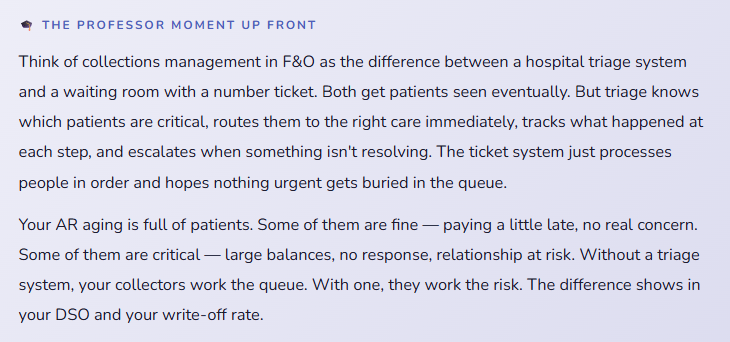
The single most common collections configuration gap. Without pool assignments, the Collections workspace is a list of every customer in the system for every collector. Nobody has ownership. Priority is unclear because there’s no “my list” — only “the list.” Collectors end up working the accounts they know, ignoring the ones they don’t, and duplicating effort on the ones that are visibly urgent. The system’s capability is present but the structure that makes it useful isn’t.
→ Before anything else in collections configuration, define your pools and assign every active customer to exactly one pool. Then assign each pool to a collector. This fifteen-minute configuration step is what makes the Collections workspace actually function as a productivity tool instead of a fancy aging report.
Configuring Interest Codes and Then Never Running the Calculation
Interest codes get set up during implementation as a best practice item. The implementation ends. Nobody adds “run interest calculation” to the monthly AR close checklist. Six months later, the interest codes are configured and completely dormant — customers with overdue balances are accruing interest on paper and getting charged nothing in reality. The control exists in theory. It does nothing in practice.
→ Add interest calculation to your monthly AR close checklist as a required step, with a designated owner and a documented review process before posting. Schedule it as a recurring task in the system if your environment supports batch scheduling. Interest is only a collections tool if it’s actually charged — configuration without execution is configuration theater.
Collections Activities Logged Inconsistently — or Not at All
This is the adoption failure that keeps the spreadsheet alive. When collections activities aren’t logged in the system — because the team is busy, because logging feels like extra work on top of the actual collections call, because nobody explained that the log is the accountability mechanism — the Collections workspace shows aging and balances but no history. The workspace looks like a static report, not a working tool. New collectors who take over a portfolio have no context. Write-off requests have no supporting documentation. The audit trail is the spreadsheet, and the spreadsheet belongs to whoever created it.
→ Make activity logging a non-negotiable procedural standard — every customer contact gets logged before the end of the business day, every promise-to-pay gets a follow-up date, every dispute gets a case opened. This standard needs to come from the AR manager as a management expectation, not from the implementation team as a system recommendation. Systems don’t enforce soft requirements. Managers do.
Dunning Letters Sent Without Exception Logic
Automated dunning is powerful until it fires indiscriminately. An account in active dispute that receives a dunning letter while the dispute is pending is a damaged relationship and sometimes a legal risk. A strategic account that gets a third-level dunning notice because the AP team on their side was slow to process a payment is an embarrassment. Automated processes that don’t account for exceptions aren’t actually controlled — they’re just faster at generating problems.
→ Before enabling automated dunning, build your exception logic explicitly: accounts in open dispute status are suppressed, accounts with active payment plans are suppressed, accounts designated as “relationship managed” require manual review before any dunning fires. Review the proposed dunning output before it goes to customers for the first several cycles until you’re confident the exception logic is working correctly.
Write-Offs Without a Documented Collections History
A write-off request that arrives at the Controller’s desk with no collections case, no activity log, and no documentation of pursuit is a request that should be returned. Not because the balance isn’t genuinely uncollectable — it may well be — but because the documentation that justifies writing it off doesn’t exist. External auditors testing your bad debt allowance will ask to see the collection effort that preceded each write-off. “We couldn’t reach them” is not documentation. A case with dated activity logs is.
→ Establish a write-off policy that explicitly requires a minimum collections documentation standard — a minimum number of logged contact attempts, a minimum number of days in overdue status, an open collections case with activities. Enforce this standard through the write-off approval workflow, not informally. The policy protects both the organization’s audit position and the integrity of your AR data.
No Collections Metrics Reviewed at Management Level
Collections management data in F&O is only as valuable as the attention paid to it. If DSO, write-off rate, and collections activity metrics aren’t reviewed in a regular management meeting — monthly at minimum, weekly for AR-intensive businesses — the data accumulates without generating decisions. The collections team logs activities but nobody reviews trends. Interest is charged but nobody monitors whether it’s changing behavior. Disputes are open but nobody escalates unresolved ones. The system is tracking everything and informing nothing.
→ Add a standing AR health review to your monthly close agenda. DSO trend by customer pool, promise kept rate, write-off rate versus allowance, accounts on credit hold. This review doesn’t need to be long — fifteen minutes of focused metrics discussion creates accountability and surfaces patterns that need management attention before they become material problems.
Quick Reference: Do’s and Don’ts
✓ Do This
- Define customer pools before assigning any collectors — segment deliberately
- Assign every active customer to a pool and every pool to a collector
- Give your AR manager visibility across all pools without making them the primary collector
- Configure aging periods to match your internal reporting and allowance methodology exactly
- Add interest calculation to your monthly AR close checklist as a required, owned step
- Build exception logic into dunning before enabling automated distribution
- Make activity logging a management-enforced standard, not a suggested best practice
- Require a collections case with documented activities before any write-off is approved
- Configure write-off approval workflows with appropriate dollar-threshold authorization
- Review DSO, promise-kept rate, and write-off rate in monthly management meetings
- Document your write-off policy and enforce it through the workflow, not informally
- Have Finance leadership approve dunning letter language — it represents your organization legally
✗ Don’t Do This
- Leave pool assignments unconfigured and let every collector see the entire AR aging
- Configure interest codes and never add the calculation step to your close process
- Enable automated dunning without exception logic for disputes, payment plans, and relationship accounts
- Allow collections activities to live in spreadsheets alongside the system
- Approve write-offs without a documented collections history in the case
- Treat write-offs as informal decisions — they require policy, documentation, and workflow authorization
- Run dunning for the first time in production without testing it in sandbox first
- Skip the collections metrics review in your monthly close agenda
- Send interest notes without reviewing them first for accounts that should be excluded
- Let the collections module go live without training collectors specifically on the workspace
- Defer collections configuration to Phase 2 — it will not arrive in the timeline you expect
The real case for building this now: Your DSO is a number that tells a story about how well your finance operations are running. It shows in your cash flow. It shows in your working capital. It shows to investors and lenders who look at your financial health. A structured collections process in F&O — with pool assignments, logged activities, interest enforcement, and a documented write-off policy — consistently produces lower DSO than an informal process running alongside a spreadsheet. Not marginally lower. Measurably lower, in ways that compound over time.
The configuration takes a few days. The training takes a few hours. The habit formation takes a few months. The payoff — in collected cash, in audit defensibility, in a collections team that knows exactly what they own and what they need to do today — runs indefinitely.
It is worth doing now. I have never met an AR team that wished they’d waited longer to put structure around their collections process.
Up Next:
We’ve walked the full AR and collections lifecycle. Next, we’re moving into the module that sits at the intersection of finance and operations in every product-based business: Inventory Accounting in D365 F&O — how inventory value flows through the general ledger, what costing methods mean in practice, and what goes wrong when the inventory and finance teams aren’t aligned on how the system is configured. If you’ve ever had a month-end where your inventory value and your GL didn’t agree, that post is for you.
Until then — assign your pools, log your activities, and please don’t defer collections configuration to a Phase 2 that isn’t actually scheduled yet.
— Bobbi
D365 Functional Architect · Recovering Controller
Leave a Reply