
Directed put-away and pick, license plate tracking, wave and work management, location directives, the Finance implications of a WMS-enabled warehouse, and the reconciliation controls Finance must own when the warehouse runs on directed work rather than manual transactions.
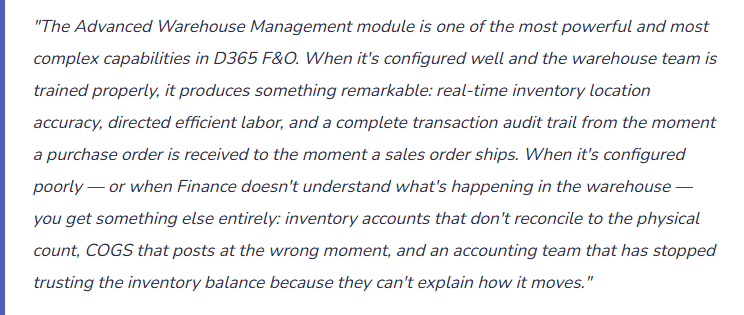
Basic vs. Advanced WMS — The Decision That Changes Everything
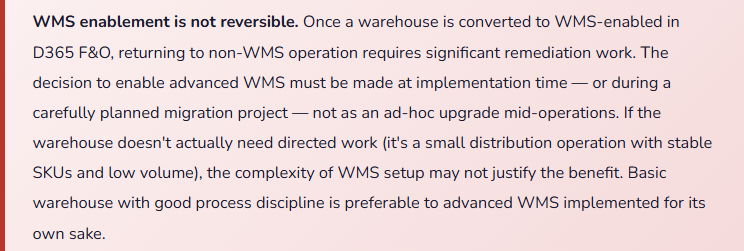
D365 F&O supports two warehouse management approaches, and the choice between them affects every inventory transaction Finance records. This isn’t a choice to make based on which feature sounds better in a demo — it’s a structural decision about how the warehouse will operate and what Finance must do to maintain accurate inventory records within that operating model.
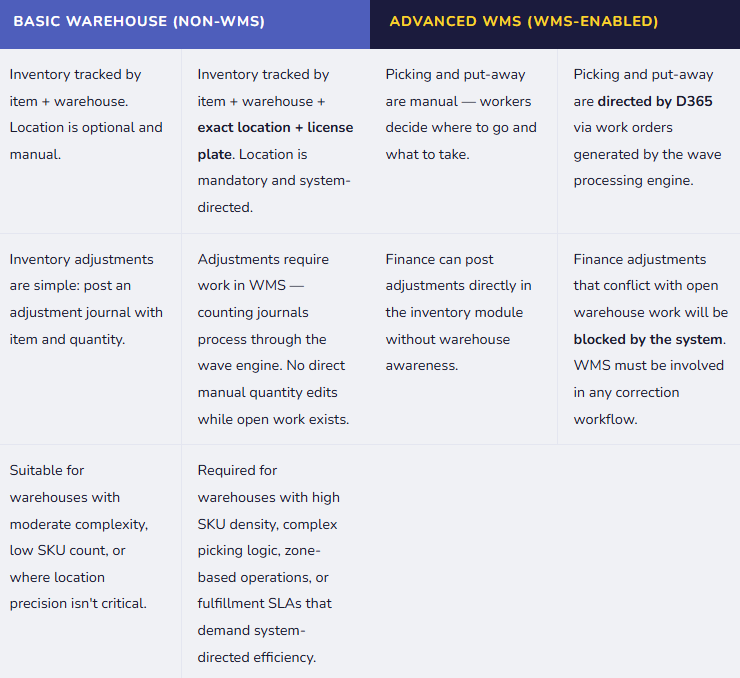
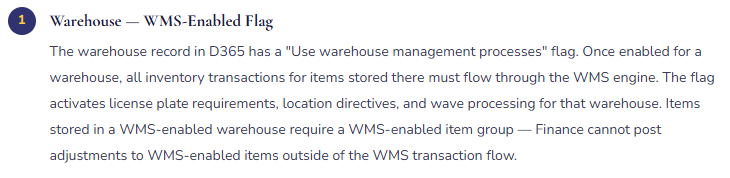
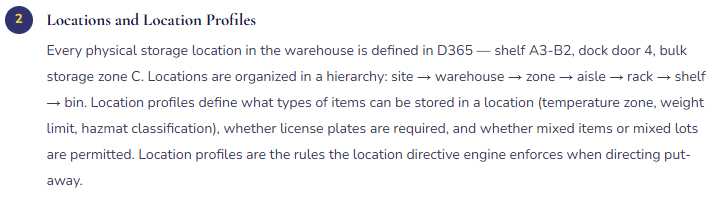
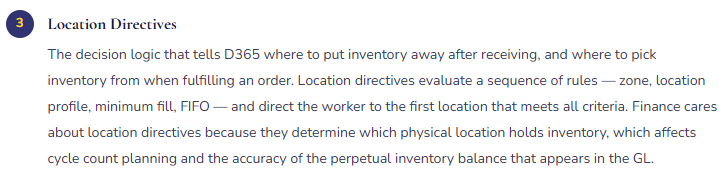
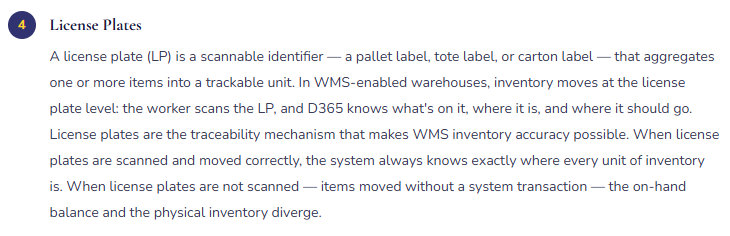
The WMS Architecture — Six Elements Finance Must Understand
WMS Configuration Elements — What Each One Controls
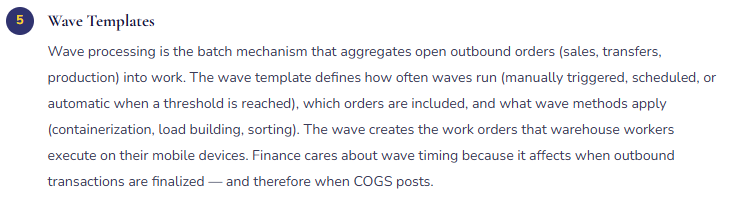
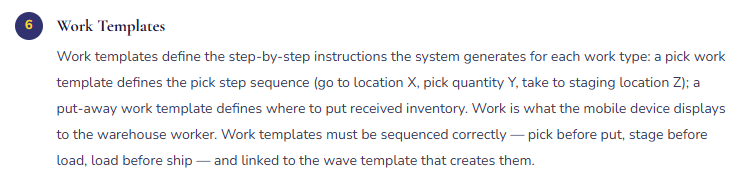
The Wave-to-Work-to-Ship Flow — What Happens Between the Sales Order and the GL Posting
In a WMS-enabled warehouse, the path from a confirmed sales order to a posted shipment involves several steps that don’t exist in a basic warehouse. Finance needs to understand this flow because it determines when the inventory leaves the balance sheet and when COGS hits the income statement.
- Sales Order Released to Warehouse
- The sales order is confirmed and released to the warehouse in D365. At this point, inventory is reserved against the order — the on-hand quantity shows as “reserved ordered” — but no inventory movement has occurred and no GL posting exists. The inventory is still on the balance sheet at its current location.
- GL: No impact.
- Inventory reserved but not moved.
- Wave Processes — Work Created
- The wave template picks up the released sales order and creates picking work. D365’s location directive evaluates the warehouse to find where the reserved inventory is located and generates pick work: “Go to location A3-B2, pick 24 units of item 1234 on license plate LP-0089, bring to staging area D-01.” No GL posting at this stage — the wave creates the instruction, not the movement.
- GL: No impact.
- Work orders generated; no inventory movement yet.
- Worker Executes Pick Work on Mobile Device
- The warehouse worker scans the license plate at the pick location, confirms the pick on the mobile device, and moves the inventory to the staging area. D365 records the license plate movement in real time — the on-hand balance at the pick location decrements and the staging location increments. Inventory is still in the warehouse, but now in staging. Still no GL posting — inventory movement within the warehouse is a location change, not a financial transaction.
- GL: No impact.
- Inventory moved within warehouse; still on balance sheet.
- Load Built and Shipment Confirmed
- Staged inventory is loaded onto the outbound carrier. The shipment is confirmed in D365 — this is the financial transaction that triggers the packing slip posting. At packing slip confirmation, inventory leaves the warehouse balance and COGS is recorded. This is the moment the inventory account credits and the COGS account debits. If the packing slip confirmation doesn’t happen — because the warehouse team skipped the step or the system step failed — COGS doesn’t post and inventory stays on the balance sheet even though the goods are physically gone.
- GL: Dr COGS / Cr Inventory.
- The financial event Finance cares about.
- Sales Invoice Posted
- The sales order invoice is posted, recognizing revenue and AR. Invoice posting requires the packing slip to have been confirmed — it is not possible to invoice a shipment that hasn’t been confirmed. This creates the correct matching: COGS and revenue post in the same period for the same shipment, assuming both steps occur within the same accounting period.
- GL: Dr AR / Cr Revenue.
- Period matching with COGS depends on both steps occurring in the same period.
Finance Implications of WMS — What Changes When the Warehouse Runs on Directed Work
| Finance Process | In Basic Warehouse | In WMS-Enabled Warehouse |
|---|---|---|
| Inventory Adjustments | Post an inventory adjustment journal directly. Effective immediately. | Must be coordinated with WMS. If open work exists for the item/location, the adjustment will be blocked. Use cycle count journals through WMS counting workflow. Finance cannot post adjustments unilaterally while warehouse work is active. |
| COGS Timing | Posts when the packing slip is posted from the sales order — a Finance-initiated or sales-initiated step. | Posts when the shipment is confirmed in WMS — a warehouse-initiated step. Finance must monitor that shipment confirmation happens in the period goods ship, not the next period. |
| Physical Inventory Count | Post a counting journal. No warehouse system coordination required. | Cycle counting is processed through WMS. Counting journals create counting work that guides warehouse workers to specific locations. Location-level counts feed inventory adjustment postings. Finance reviews and approves the adjustments before they post. |
| Inventory Reconciliation | Compare inventory subledger balance to GL inventory account. Adjustment journals are the typical variance source. | Same reconciliation — plus an additional layer: on-hand per WMS (by location and license plate) must equal on-hand per D365 inventory subledger must equal GL inventory account. Three-way reconciliation. Location-level discrepancies visible in WMS but not necessarily in the GL — Finance needs WMS reporting access to investigate root causes. |
| Inbound Receipts | Purchase order product receipt posts inventory and COGS/accrual directly. Fairly simple. | Inbound flow: PO → arrival journal (inventory registered but not received to on-hand) → WMS put-away work → put-away complete (inventory now on-hand at specific location). Product receipt (financial posting) typically happens after put-away — GRNI timing and subledger-to-GL reconciliation require understanding where in the inbound flow the financial posting occurs. |
The Inventory Reconciliation Finance Must Run in a WMS Environment
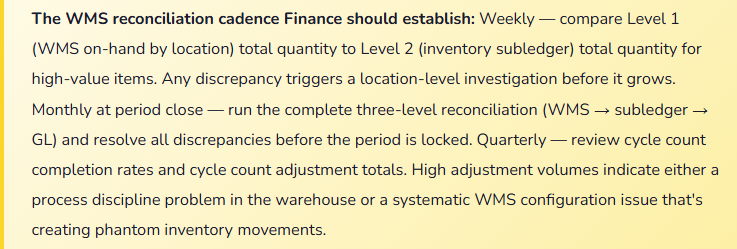
In a WMS-enabled warehouse, the inventory reconciliation hierarchy runs three levels deep, and Finance must understand all three.
Level 1 — Location-level on-hand (WMS). This is what D365’s warehouse management system shows: every license plate at every location, with the items and quantities on each. This is the most granular view and the operational truth the warehouse workers see. Run from the WMS on-hand inquiry or the Location onhand inventory report.
Level 2 — Item-level on-hand (Inventory subledger). This is the D365 inventory on-hand balance by item, warehouse, and dimension — the subledger that feeds the GL. It should equal the sum of all location-level quantities for that item in that warehouse. Discrepancies between Level 1 and Level 2 indicate that a WMS movement occurred that didn’t generate a corresponding inventory subledger transaction — typically caused by a license plate movement that was executed in the physical warehouse but not confirmed in D365.
Level 3 — GL inventory account balance. The balance sheet inventory account should equal the total value of Level 2 on-hand quantities at their costed rates. Discrepancies between Level 2 and Level 3 indicate unposted inventory transactions — adjustment journals that are pending, receipts that are registered but not product-receipted, or packing slips that are posted but with a timing difference against invoice posting.
Five Mistakes That Break Finance When the Warehouse Runs on WMS
⚠️ Finance Posts Inventory Adjustments Without WMS Coordination — Work Gets Blocked
- Finance discovers a physical count discrepancy during a spot check. The standard response in a non-WMS warehouse is to post a counting journal. In a WMS-enabled warehouse, that counting journal conflicts with open pick work for the same item and location. The adjustment blocks the open work. The warehouse worker’s mobile device shows an error on the pick. Work stops. The warehouse supervisor calls Finance. The adjustment has to be reversed, the work has to be reset, and the process has to be restarted through the WMS counting workflow. What should have been a five-minute inventory correction becomes an hour of cross-functional troubleshooting.
- Fix: Inventory adjustments in a WMS-enabled warehouse always go through the WMS counting workflow — never through direct posting of inventory adjustment journals while work is open. The process: create a cycle count zone for the location requiring adjustment, WMS creates counting work, the warehouse worker confirms the count on the mobile device, Finance reviews the counting result in the Counting journal and approves the posting. The WMS handles the work coordination before the adjustment processes. Finance and the warehouse team must both understand this — particularly Finance staff who were trained on inventory adjustments in non-WMS environments and default to the familiar process.
⚠️ Shipment Confirmation Not Occurring on the Day of Physical Shipment — COGS Hits the Wrong Period
- The warehouse team loads shipments all day and confirms them in D365 the following morning during their start-of-day process. On the last day of the month, six shipments go out physically but aren’t confirmed in D365 until the first business day of the following month. COGS for those six shipments posts in the new period. Revenue from the sales invoices — if Finance invoiced them based on the physical ship date — posts in the prior period. The gross margin for the prior period is overstated; the following period shows elevated COGS with no corresponding revenue until the invoices are matched. The misalignment repeats every month-end because nobody has defined when shipment confirmation must occur.
- Fix: Define a policy: shipment confirmation in D365 must be completed on the same calendar day as the physical shipment — no next-morning batch confirmation. At month-end, Finance should run an open shipment report in the afternoon of the last business day to identify any physically shipped loads that haven’t been confirmed in the system. Those confirmations happen before period close. The same discipline applies to the invoice posting date — both the packing slip and the invoice must use the ship date as the posting date, not the processing date. If the warehouse team can’t confirm same-day, implement an automated confirmation trigger based on load departure scan rather than manual confirmation.
⚠️ License Plates Moved Physically Without System Confirmation — On-Hand Balance Diverges from Reality
- A warehouse worker moves a pallet from one location to another — making room for a larger incoming shipment, consolidating partial pallets, or relocating slow-moving items. They move the physical pallet but don’t scan it in D365. The WMS on-hand balance still shows the license plate at the original location. The next day, a pick work order directs another worker to the original location for that license plate. The pallet isn’t there. Work is cancelled. Exception handling begins. The cycle count to find the pallet takes 45 minutes. After three months of this pattern across dozens of license plates, the WMS on-hand balance is a partial fiction — some items are where the system says, many are not — and the warehouse team has stopped trusting the system’s directed work because it sends them to empty locations.
- Fix: Zero-tolerance policy on unsanctioned license plate movements — every physical move must have a corresponding D365 system transaction. This is not a software rule; it’s a behavioral discipline that must be reinforced continuously through training, supervision, and consequence. Implement movement journals in WMS for authorized ad-hoc moves (consolidation, rearrangement) that still create the system transaction without generating formal work. Run a weekly WMS-to-physical spot check: pick ten random license plates from the WMS on-hand list and physically verify their location. A 90%+ accuracy rate is the minimum sustainable threshold for trusted directed work. Below that, investigate the root cause — training, equipment, process design, or WMS configuration.
⚠️ WMS Go-Live Without Finance Understanding What Changed in the Inventory Transaction Flow
- The WMS go-live is an Operations project. Finance attends the business requirements sessions but isn’t deeply involved in the configuration decisions. The warehouse goes live on WMS. The first period close, Finance runs the inventory reconciliation and can’t explain $340,000 of inventory that the subledger shows but WMS doesn’t — and another $120,000 that WMS shows but isn’t in the subledger. Investigation reveals: the $340,000 is inbound inventory that was arrival-journaled (registered in WMS) but not product-receipted (no financial posting), and the $120,000 is from license plates in a “virtual” put-away location that WMS uses as a staging area that Finance didn’t know was an inventory-bearing location. The WMS configuration created inventory transaction flows that Finance didn’t understand and didn’t reconcile controls for.
- Fix: Finance must be involved in WMS configuration decisions that affect inventory accounting — specifically: which locations are inventory-bearing (and therefore appear in the subledger), at what step in the inbound flow the product receipt (financial posting) occurs, how arrival journals and put-away work interact with the on-hand balance, and what WMS-specific inventory accounts exist. Before WMS go-live, Finance should trace the complete transaction flow for receiving, put-away, picking, and shipping — from the physical event to the GL posting — and confirm that the reconciliation controls they rely on remain valid in the WMS environment. WMS is an Operations tool with Finance consequences; Finance must own its accounting implications.
⚠️ Cycle Count Program Managed Entirely by Operations — Finance Has No Visibility Into Adjustment Approvals
- Cycle counting is treated as an Operations function. The warehouse team runs counts, finds discrepancies, posts adjustments, and moves on. Finance receives a monthly summary: “We ran 200 cycle counts and posted $14,000 in net adjustments.” Finance doesn’t see the individual adjustment amounts, doesn’t review whether high-value adjustments have explanations, and doesn’t track whether the adjustments are clustered in particular item categories or locations that would signal a process or WMS configuration problem. When the annual physical inventory produces a large write-down, Finance can’t explain it — eight months of $14,000 net adjustments that looked benign were actually masking $200,000 of gross adjustments that partially offset. The pattern was invisible because Finance had no role in cycle count oversight.
- Fix: Finance must approve cycle count adjustments above a defined dollar threshold before they post — not just receive a monthly summary. Configure the counting journal approval workflow in D365: adjustments below $500 auto-post; adjustments $500–$5,000 route to the warehouse supervisor for approval with a required explanation; adjustments above $5,000 route to Finance for review and approval. Finance reviews the approved adjustments weekly, looking for patterns: same location repeatedly, same item category, same day of week. Patterns identify root causes that individual approvals don’t reveal. The cycle count program is a joint Finance-Operations control, not a warehouse housekeeping function.
Do This / Don’t Do This
✓ Do This
- Decide WMS vs. basic warehouse based on operational need — not because WMS sounds more sophisticated
- Involve Finance in WMS configuration decisions that affect inventory transaction timing and GL accounts
- Run all inventory adjustments through the WMS cycle counting workflow — never direct adjustment journals while work is open
- Define and enforce a same-day shipment confirmation policy for month-end COGS accuracy
- Establish a zero-tolerance policy on unsanctioned license plate moves without a system transaction
- Run weekly WMS-to-physical spot checks on license plate locations
- Establish Finance approval thresholds for cycle count adjustments above a dollar threshold
- Run the three-level inventory reconciliation (WMS → subledger → GL) at every period close
- Review cycle count adjustment patterns monthly — frequency and location clustering are diagnostic signals
✗ Don’t Do This
- Post inventory adjustments directly without WMS coordination — you’ll block open work
- Allow next-morning shipment confirmation at month-end — COGS posts in the wrong period
- Let warehouse workers move license plates without system transactions — on-hand balance diverges from reality immediately
- Treat WMS go-live as an Operations project only — Finance owns the accounting implications
- Accept a monthly summary of cycle count adjustments without approval controls on individual high-value adjustments
- Enable WMS on a warehouse that doesn’t need directed work — the setup overhead isn’t justified by the operational benefit
- Skip the three-level reconciliation — WMS and GL discrepancies don’t self-correct
Up Next:
Advanced WMS covers the execution layer. The next post looks outward across legal entities and currencies: Global Finance and Multi-Currency Operations in D365 F&O — the currency architecture (accounting, reporting, and transaction currencies), foreign currency revaluation, exchange rate management, multi-entity consolidation, and the Finance controls that keep a global operation’s books reconciled when the same transaction can touch four currencies and three legal entities before it’s done.
— Bobbi
D365 Functional Architect · Recovering Controller
Leave a Reply