

What AI-assisted features are actually live in the Finance modules, where they genuinely reduce work, where they’re still maturing, and how Finance teams should govern AI adoption in an environment where the output ends up in audited financial statements.
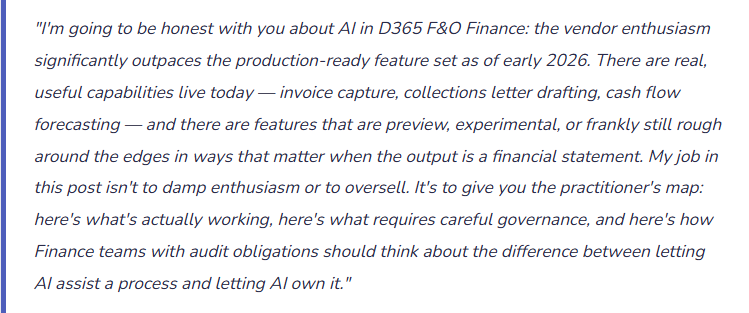
The Honest Framing: AI as Augmentation, Not Automation
Microsoft has organized its AI capabilities in D365 F&O under the Copilot umbrella — a broad term covering features that range from genuinely impressive (intelligent document recognition that accurately reads vendor invoices and proposes GL coding) to aspirational (natural language queries across financial data that work well in demos and inconsistently in production environments with complex dimension structures).
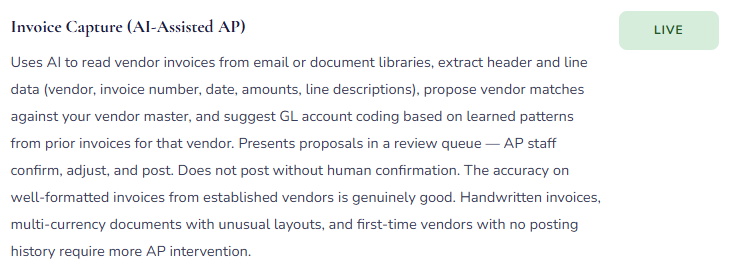
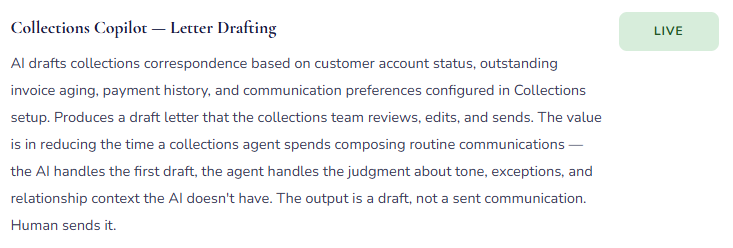
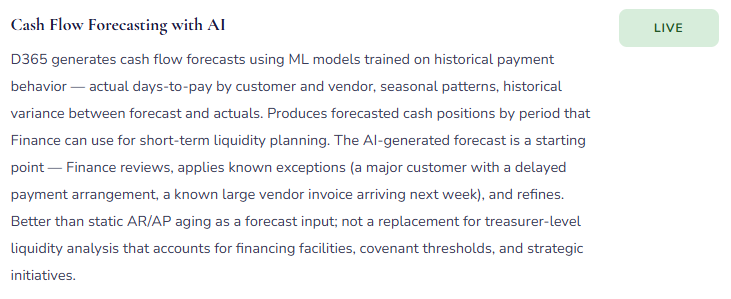
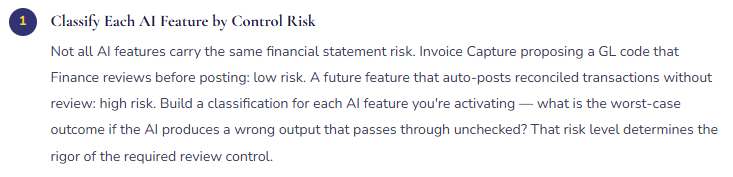
The right mental model for AI in Finance is augmentation: AI does the first pass, Finance does the review. Invoice Capture reads the invoice, proposes the vendor match and the line coding — Finance reviews and confirms before posting. Collections Copilot drafts the collections letter — the collections team reviews and sends. Cash flow Copilot generates a forecast — Finance reviews the assumptions and adjusts. In every case, a human with accounting judgment is in the loop before anything goes into the ledger or out to a customer.
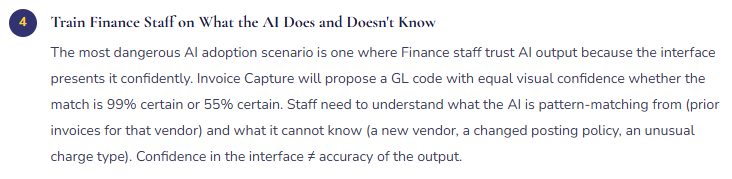
That’s not a limitation to be apologized for — it’s the appropriate control structure. The moment Finance removes itself from the review step because “the AI handles it,” the control fails. Not because AI is unreliable in general, but because the AI was trained on patterns, and your specific posting profiles, your specific vendor relationships, your specific business rules, and your specific unusual transactions are exactly where pattern-matching produces wrong answers that look right. The review step exists to catch those cases. Design AI adoption with the review step as permanent infrastructure, not a temporary training phase.
What’s Live and What It Actually Does
Feature availability changes with every release wave. What follows reflects the D365 F&O Finance AI feature set as of early 2026. Treat specific feature names as directional — confirm current availability in Microsoft’s release notes before planning any implementation.
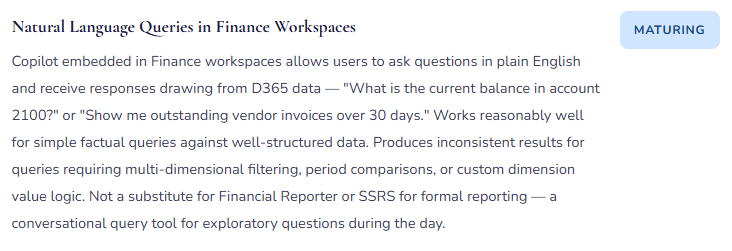
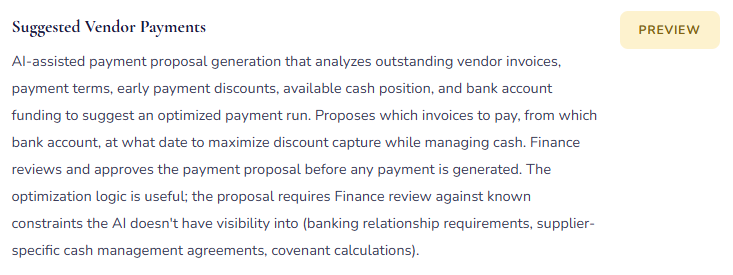
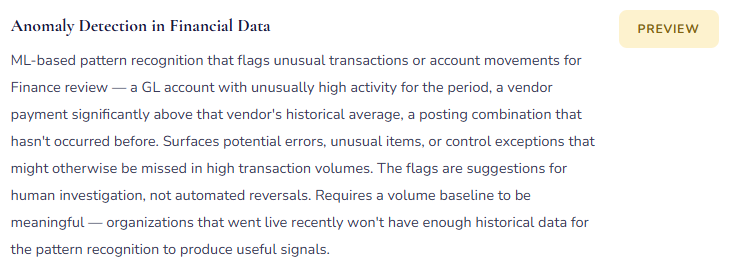
Honest Assessment — Where AI Genuinely Helps and Where to Be Careful
✓ Where It Genuinely Reduces Work
- Invoice Capture for high-volume, consistent vendor invoices in standard formats
- First-draft collections letters for routine aging follow-up (not relationship-sensitive accounts)
- Cash flow forecast starting points — better baseline than manual aging analysis
- Exception flagging on high transaction volumes where manual review misses things
- Quick exploratory queries during the workday that would otherwise require building a report
- Payment term discount optimization across large vendor populations
△ Where to Be Careful
- AI-proposed GL coding for unusual transactions or first-time vendors without posting history
- Natural language queries for multi-period, multi-dimension financial analysis — validate against FR
- Collections letters for high-value or relationship-sensitive customer accounts — AI lacks relationship context
- Cash flow forecasts for businesses with highly lumpy or event-driven cash patterns
- Any AI output used directly in regulatory or statutory filings without Finance verification
- Anomaly detection during the first 12 months post go-live — insufficient historical baseline
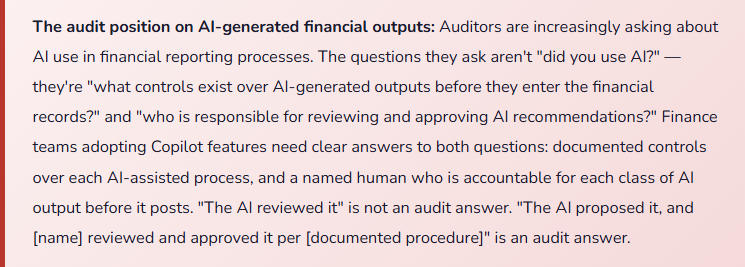
Governing AI Adoption in Finance — The Framework Finance Teams Need Before Go-Live
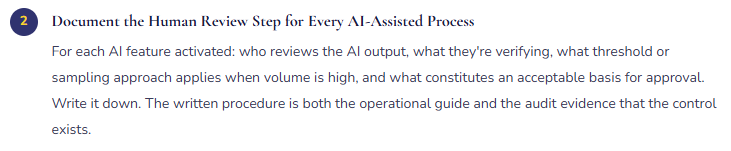
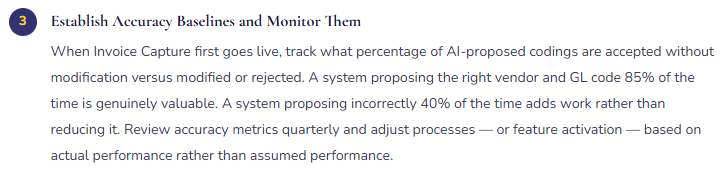
AI Governance Checklist for Finance Teams
Three Ways Finance Teams Get AI Adoption Wrong
⚠️ Activating AI Features Because They’re Available, Not Because They Solve a Defined Problem
- The implementation partner says “Copilot is included — want to turn it on?” Finance says yes because it’s new and Microsoft is excited about it. Invoice Capture goes live. AP staff are trained. Three months later, the AP team reports that Invoice Capture is adding work rather than reducing it — the volume of invoices with non-standard layouts or first-time vendors is high enough that the queue of exceptions requiring manual correction takes as long to process as the original manual entry workflow. The feature wasn’t wrong; it was applied to a transaction population where its accuracy rate isn’t high enough to generate net efficiency.
- Fix: Before activating any AI feature, define the problem it’s solving and the measurable outcome that would indicate success. For Invoice Capture: “We process 800 vendor invoices per month; the AI should accurately propose vendor and coding for at least 70% without modification, reducing AP processing time.” Set that baseline expectation before go-live. Measure it at 60 and 90 days. Adjust the process — or the feature activation decision — based on actual performance data.
⚠️ Removing the Human Review Step as the Process Matures — “We Trust It Now”
- Invoice Capture has been live for six months. Accuracy is high. The AP team has developed confidence in the AI’s proposals. A manager suggests that the review step is redundant for established vendors — “we can just let it auto-post for the vendors where accuracy is consistently 98%.” The auto-post is activated for those vendors. Four months later, a vendor’s bank account details change (routing fraud attempt); the AI doesn’t detect that the bank account on the invoice doesn’t match D365 — it matches everything else and auto-posts. The payment runs. The control failure is the removed review step.
- Fix: The human review step is a permanent control, not a training wheel. High AI accuracy doesn’t eliminate the value of review — it makes the review faster. A reviewer who finds the AI correct 98% of the time is catching the 2% of cases that matter most: the unusual invoice, the changed bank detail, the duplicate, the transaction that pattern-matching wouldn’t flag. Design the review step to be efficient as accuracy improves (batch approval of standard invoices with quick exception escalation), but do not remove it.
⚠️ Using AI-Generated Forecasts and Summaries Without Disclosing the Source in Management Reporting
- The treasury team uses Copilot-generated cash flow forecasts in the weekly cash position report. The CFO reviews the report and asks a question about a specific forecast assumption. The treasury analyst doesn’t know the answer — the number came from the AI and they presented it as the forecast without understanding the model’s inputs or assumptions. This is the management reporting equivalent of using an Excel formula you don’t understand: the output looks like analysis, but the person presenting it can’t defend it.
- Fix: When AI-generated content appears in management reporting, label it as such and ensure the presenter understands what the AI used as inputs and what assumptions underlie the output. “This cash forecast is AI-generated based on historical payment patterns; here are the key assumptions and where I adjusted the model” is a presentable answer. “This is what the system produced” is not. Finance professionals are accountable for the analysis they present regardless of whether a human or an AI produced the first draft.
Do This / Don’t Do This
✓ Do This
- Adopt AI features to solve defined problems with measurable success criteria
- Keep the human review step as permanent infrastructure — make it efficient, not optional
- Document the review control for each AI-assisted process as written procedure
- Track accuracy metrics for AI features and use them to adjust processes
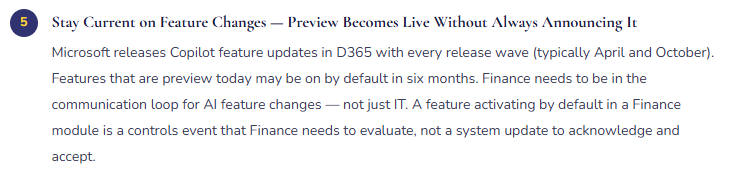
- Include AI feature changes in the Finance controls review calendar — not just IT
- Train Finance staff on what the AI pattern-matches from and where it can fail
- Label AI-generated content in management reports and ensure presenters can explain the inputs
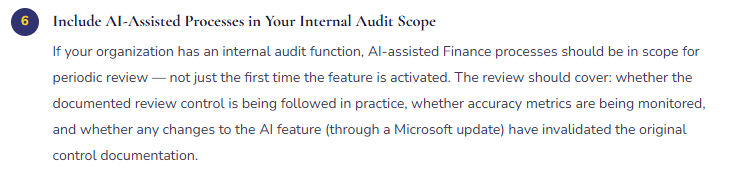
- Include AI-assisted Finance processes in internal audit scope
- Involve auditors in the controls design for AI-assisted processes before activation
- Stay current on release wave changes — preview features activate by default without always notifying Finance
✗ Don’t Do This
- Activate AI features because they’re available rather than because they solve a specific problem
- Remove the review step because accuracy is high — accuracy never reaches 100%
- Present AI-generated forecasts or summaries in management reporting without understanding the inputs
- Let AI-proposed GL coding auto-post without Finance review for any transaction category
- Assume AI features are SOX-ready without reviewing Microsoft’s shared responsibility documentation
- Let IT manage AI feature activation in Finance modules without Finance involvement
- Skip accuracy measurement — “it seems to be working” is not a controls basis
Up Next:
We’ve covered financial modules, the reporting ecosystem, intercompany, cost accounting, budgeting, and AI. Time to go into operations: Manufacturing and Production Orders in D365 F&O — bill of materials, production order costing, routing and work centers, standard cost variance analysis, and the finance-specific configuration decisions that determine whether your manufactured goods inventory is accurately valued and your production variance accounts tell a useful story or just absorb unexplained differences.
Until then — define the problem before activating the feature, keep the review step, and make sure your Finance team can explain every number in the management report whether a human or an AI produced the first draft.
— Bobbi
D365 Functional Architect · Recovering Controller
Leave a Reply