
Year-End Readiness: D365 Finance & Operations, Step 4 of 10
Say your GL review wraps up on a Friday. Then on Monday someone runs inventory close, and cost of goods sold moves. Nobody made a mistake. The steps just happened in the wrong order. Inventory keeps changing the GL after you think you’re done, so it pays to sequence it on purpose.
Recalculation and close are not the same thing
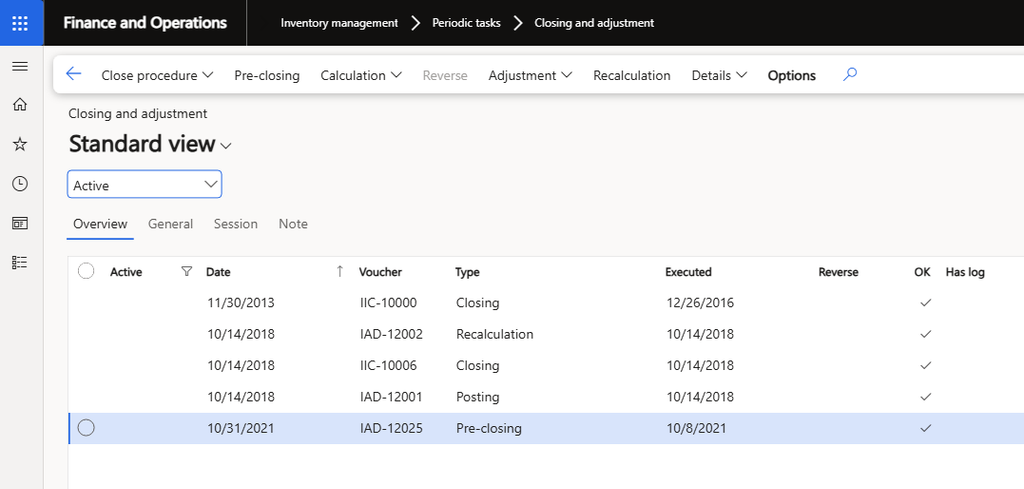
Both live in one place: Inventory management > Periodic tasks > Closing and adjustment. Until one of them has run, issue transactions post at a calculated running average cost, so your cost of goods sold is an estimate.
Inventory recalculation adjusts on-hand inventory and inventory transactions according to the item’s valuation method. It does not settle transactions and it does not close the period, so people can keep posting. It’s optional and only applies to periodic valuation methods, per the inventory costing FAQ.
Inventory close does the real work. It settles issues to receipts based on the valuation method in the item model group, and it can update the general ledger with the adjustments. After close, you can no longer post transactions dated inside the closed period unless you reverse the close. Microsoft describes close as the step for periodic methods such as FIFO, LIFO, and weighted average, so check which methods your item model groups use. Settlement amounts post to the original ledger accounts, even if you changed the item group accounts since.
Finish the counts before you close
A counting journal posts real accounting entries. When the counted quantity differs from the on-hand quantity, posting creates an inventory receipt or issue, changes the inventory value, and generates ledger transactions. You’ll find these under Inventory management > Journal entries > Item counting > Counting.
Those adjustments are receipts and issues that close needs to settle, and close blocks posting in the period it covers. A count adjustment that arrives late means reversing the close. Get the count journals reviewed and posted first.
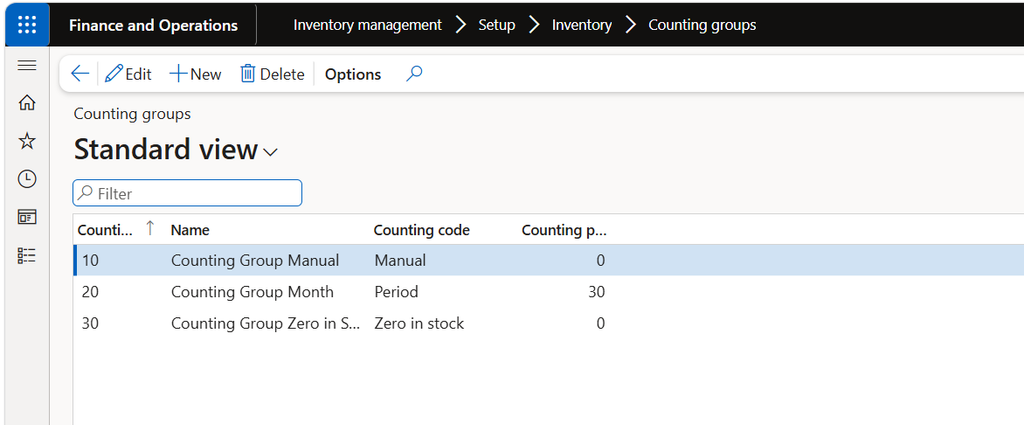
Counting groups (Inventory management > Setup > Inventory > Counting groups) let you pull items into journals by manual, period, zero-in-stock, or minimum rules. The Lock items during count setting on the General tab of Inventory and warehouse management parameters stops packing slips and picking from moving stock mid-count. Tag counting journals create a regular counting journal when posted. These steps are for locations that don’t use warehouse management processes.
Run the close and read the log
Clear your receiving backlog first. When issues outnumber receipts, often because a vendor invoice hasn’t been posted, close can’t settle everything and warns you that a unit cost might be incorrect. Microsoft’s guidance for many warnings is to update receipts financially, advance the closing date, or reevaluate the business procedure. This is where your AP cutoff work from last time pays off.
The FAQ recommends running close off-peak as a batch job. For a heavy period, split it into smaller date ranges and close them in order. You can track a running close with Progress details on the voucher.
If you need to undo it, select the closing voucher and choose Reverse. That posts equal and opposite entries and reopens the period. Only the most recent closed period can be reopened, and reversals run one at a time. You have a way back, but be sure before you close.
Reconcile to the GL, then move on
Close updates the GL, so do your inventory-to-GL comparison after it finishes. That is why I’d put the fixed asset and GL review after inventory close. Review balances first and you’ll redo the work once the close lands.
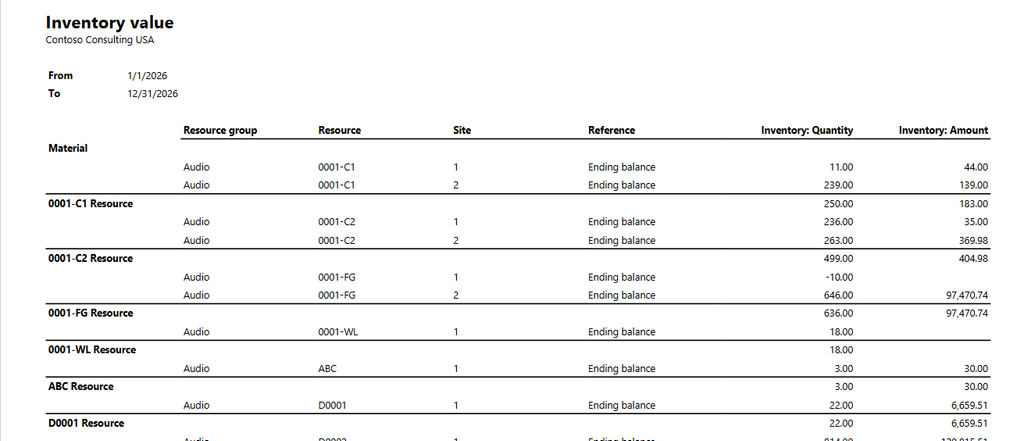
The Inventory value report is your main tool (Cost management > Inquiries and reports > Inventory accounting – status reports > Inventory value). In the report configuration, turning on Print cumulative account values for comparison shows the GL balance next to the inventory value. The stored version handles large item counts but leaves out GL balances, so compare it against the trial balance.
Read the physical and financial columns carefully. Financial means invoiced. Physical means received or shipped but not yet invoiced. If you see a Physical Amount Not Posted column, leave it out when you reconcile.
If the trial balance and the report disagree, try this order from the FAQ. Rebuild the trial balance for the affected main accounts. Run the Potential conflicts – inventory and general ledger report to find the items involved. Then run an inventory consistency check on those items.
Year-end inventory checklist
- Post or clear receipts and vendor invoices dated in the period so close has receipts to settle against.
- Review and post all counting journals, and make sure items are locked during the count.
- Run inventory close as a batch job during off-peak hours, then review the close log warnings.
- Run the Inventory value report as of the period end and compare it to the GL inventory, WIP, and COGS accounts.
- Investigate any difference before the fixed asset and GL review starts.
Thank you for reading!
Last time we covered Subledger Cleanup: Getting AP and AR Ready for the Cutoff, and next up is Fixed Assets at Year-End: Depreciation, Disposals, and the Last Run.
Sources
- Inventory close
- Inventory costing FAQ
- Inventory closing and adjustment (training module unit)
- Inventory value reports
- Define inventory counting processes
- Count inventory in a warehouse
- Inventory journals
Interested in learning more? Below are some of my latest posts:
Leave a Reply