

Item cards, item groups, costing methods, locations, item tracking — and why the decisions made on the item card follow every transaction for the life of your system.
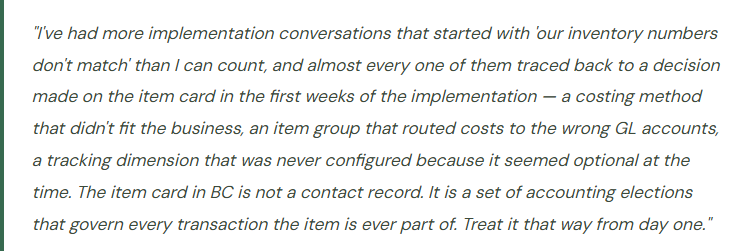
Why the Item Card Is a Finance Document
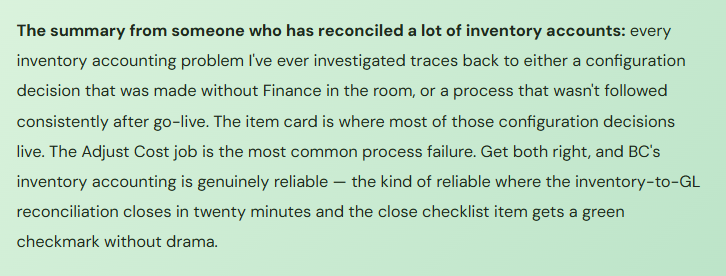
Operations thinks of the item card as a product record — the place where you define what something is called, how it’s purchased, and how it’s sold. Finance should think of it as something more: the intersection of inventory management and the general ledger. The settings on the item card — specifically the Item Group, the Costing Method, and the Inventory Posting Group — determine which GL accounts every purchase, sale, and adjustment for that item will hit, and at what value. Get those settings wrong, and every subsequent transaction is posting to the wrong place at the wrong amount. Get them right, and the inventory-to-GL reconciliation that closes every accounting period becomes a confirmation exercise rather than an investigation.
The other thing Finance needs to understand about item cards: several of the most important configuration decisions cannot be practically changed after transactions have been posted. The costing method especially — once you’ve posted receipts, issues, and adjustments under FIFO, you cannot switch to Standard Cost without a complete valuation restatement. So these decisions need to be made deliberately, in advance, with Finance in the room, not defaulted by a consultant during data migration because nobody told them it mattered.
The Item Card — A Tab-by-Tab Finance Perspective
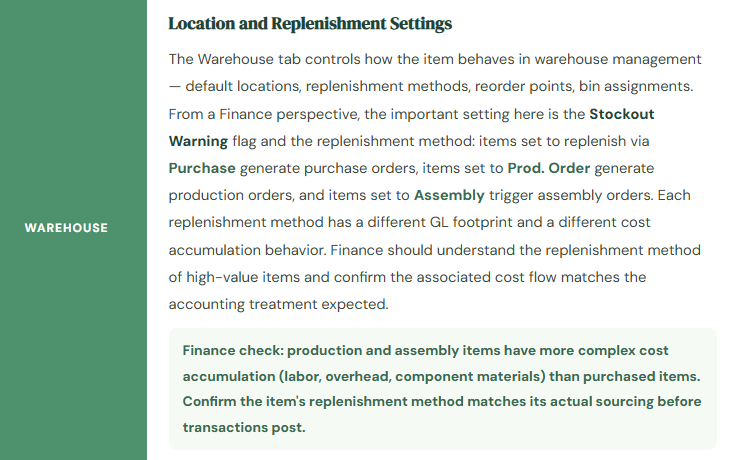
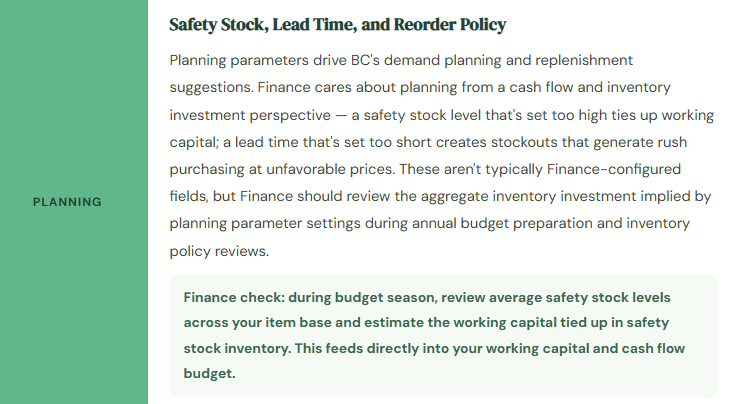
The item card in BC has multiple tabs, and not every tab matters equally to Finance. Here’s where the accounting decisions live and what each one does.
Costing Methods — The Decision That Can’t Be Undone
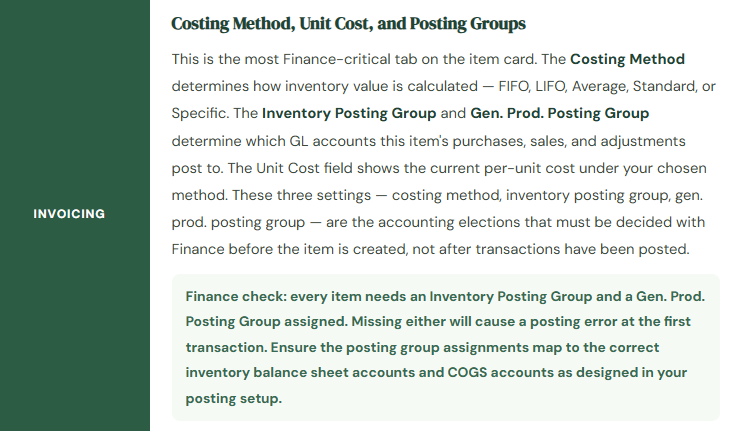
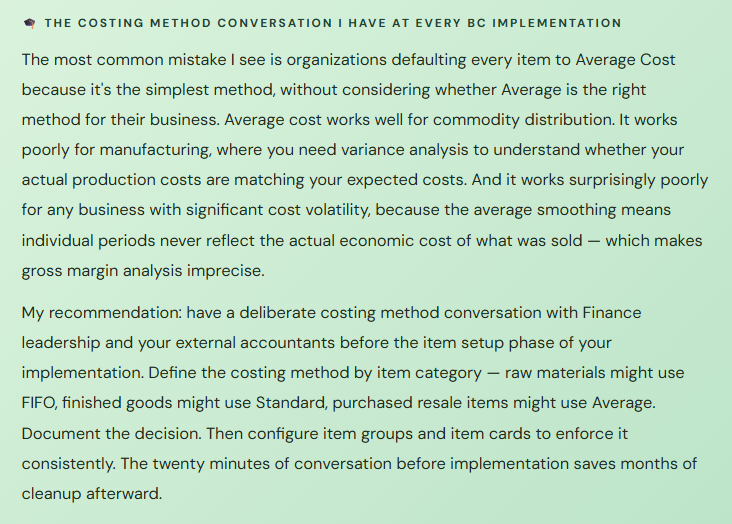
The costing method on an item card is the most consequential single field in BC’s inventory configuration. It determines how the cost of each unit of inventory is calculated — which unit cost is assigned when goods are sold, how the inventory balance is valued on the balance sheet, and how COGS is calculated on the income statement. And because changing a costing method after transactions are posted is functionally impractical, it needs to be right the first time.
📅 FIFO — First In, First Out
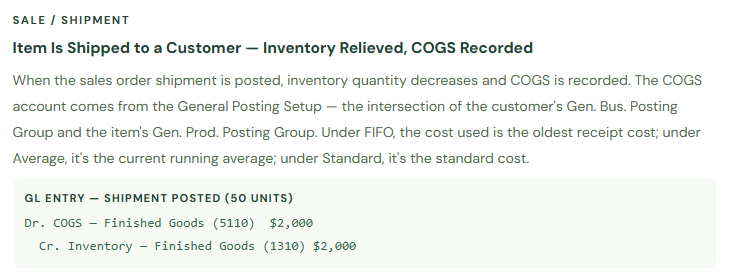
The oldest units in inventory are issued first. In a rising cost environment, FIFO produces lower COGS (older, cheaper costs are expensed first) and higher ending inventory value (newer, more expensive units remain on the balance sheet). BC calculates FIFO through the inventory close process — interim postings use a running average, then the cost close adjusts all issues to the true FIFO cost.
Best for: perishable goods, items with meaningful cost fluctuation, organizations where GAAP inventory matching is important, industries where FIFO is the standard (food, pharma, distribution).
🔄 Average — Weighted Average Cost
COGS is calculated as the weighted average of all units on hand. Every receipt changes the average cost; every issue uses the current average. Smooths the P&L effect of cost fluctuations — no single high-cost purchase dramatically impacts COGS in the period it occurs. The simplest to administer. The inventory value is always the average of what you paid.
Best for: commodity items, interchangeable inventory, distribution businesses where FIFO tracking adds complexity without meaningful accuracy benefit.
🎯 Standard Cost
Each item has a predetermined standard cost per unit — set by Finance, updated periodically to reflect expected costs. All inventory transactions use this standard cost regardless of actual purchase price. Variances between the standard cost and the actual invoice price post to a purchase price variance account. Produces clean, predictable inventory valuations and makes cost control visible as a named P&L line.
Best for: manufacturers with engineered products, organizations where cost control is a priority management tool, environments where standard vs. actual variance analysis is a finance habit.
🔢 Specific — Lot-by-Lot Costing
Each specific unit (or lot) of inventory carries its own actual cost. When sold, the exact cost of that unit or lot is recognized as COGS. Requires item tracking (serial or lot numbers) to function. The most precise costing method — and the most administratively demanding. When a unit is sold, BC traces it back to its specific receipt and pulls the exact cost from that transaction.
Best for: high-value, low-volume items where unit-level cost traceability matters (vehicles, equipment, jewelry, high-end electronics). Impractical for high-volume commodity items.
📋 LIFO — Last In, First Out
Most recently received units are issued first. Produces higher COGS (newer, usually higher costs expensed first) and lower inventory value. Not permitted under IFRS. Permitted under US GAAP for tax purposes. Rarely the right choice for a new BC implementation — if you’re not using LIFO for a specific tax reason with your accountant’s guidance, it’s not the default to reach for.
Use only when advised by your tax accountant for a specific US GAAP tax position. Not permitted under IFRS. Not a common choice in new BC implementations.
⚙️ Assembly / Production Items
Items manufactured or assembled in BC don’t follow a single costing method in isolation — their cost is built up from component costs, labor, and overhead through the production or assembly order. The finished item’s unit cost reflects the sum of actual costs consumed in its production. Finance needs to understand both the component-level costing methods and the overhead rate configuration that determines how indirect costs are allocated to finished goods.
Production and assembly items require a separate cost roll-up configuration discussion with Finance and Operations together — the costing method on the finished item card is only part of the cost equation.
Item Groups and Posting Groups — The GL Connection
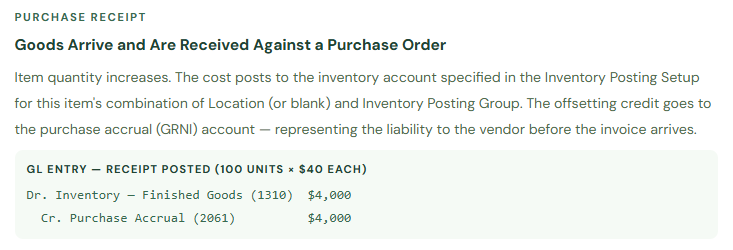
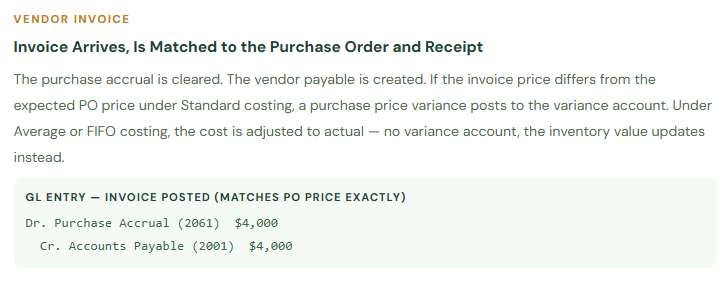
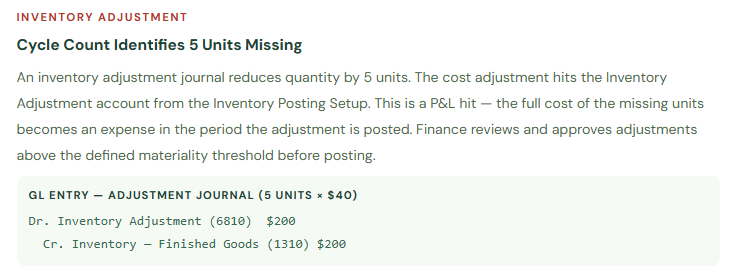
The connection between an item and the GL is made through two posting group fields on the item card: the Inventory Posting Group (which connects to the Inventory Posting Setup and determines which inventory balance sheet account the item uses) and the Gen. Prod. Posting Group (which feeds into the General Posting Setup matrix and determines which COGS, revenue, and other income statement accounts are used).
If you’ve read the Posting Groups post earlier in this series, this structure is familiar. But it’s worth making concrete: for a finished goods item, a typical posting chain looks like this:
Locations — When Multiple Warehouses Matter to Finance
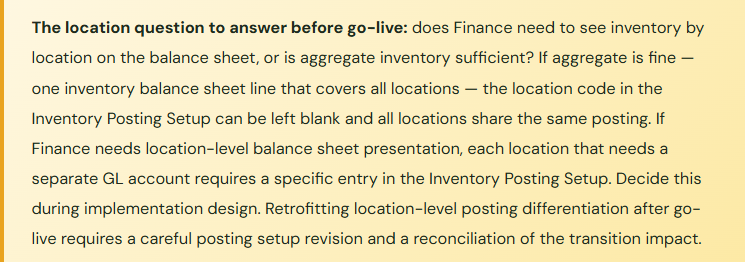
BC supports multiple Locations — distinct physical storage sites, warehouses, or areas where inventory can be held. From an operations perspective, locations enable the warehouse team to know where inventory is and to process receipts, shipments, and transfers at the location level. From a Finance perspective, locations matter primarily in two scenarios.
First, if your organization needs to present inventory on the balance sheet by location — separate inventory balances for each distribution center, for example — BC’s inventory posting setup can be configured to post inventory to different GL accounts by location. This is done through the Location Code dimension in the Inventory Posting Setup table: the same item with the same Inventory Posting Group can post to different inventory accounts depending on which location the transaction occurs at.
Second, transfers between locations require a Transfer Order in BC — a two-step process that first “ships” inventory out of the source location and then “receives” it into the destination location. This two-step design is intentional: it creates an in-transit inventory record for the period when goods are physically moving between sites. The in-transit period has its own inventory account in the Inventory Posting Setup. When inventory is in transit, it’s on the balance sheet — it’s not at the source location and not yet at the destination, but it hasn’t disappeared. Finance needs to know about the in-transit account and include it in the period-end inventory reconciliation.
The Adjust Cost — Item Entries Batch Process
There is a specific BC process that Finance teams need to know about, and that is consistently skipped, forgotten, or misunderstood during implementations: the Adjust Cost — Item Entries batch job. Under FIFO and Average costing methods, the cost on item ledger entries is initially set as a running average at the time of the transaction. The Adjust Cost job is what recalculates all open entries to their correct cost under the chosen costing method, posting the cost difference entries to the GL.
This job must be run before period close. If it isn’t, your inventory ledger values and your GL inventory account balance will diverge — the inventory ledger will reflect the running average costs, while some GL entries from the period will be based on the pre-adjustment values. The period-end inventory reconciliation will show a difference, and the difference can only be resolved by running the adjustment and then closing.
BC can be configured to run this batch automatically on a schedule — daily or weekly is common. The recommendation: run it automatically daily, and add a step to your period-close checklist confirming that the most recent run completed successfully before you begin the close reconciliation. Don’t discover a skipped adjustment run during month-end when timing is tight.
The Item Setup Mistakes That Cost Finance Teams the Most
⚠️ Costing Method Set by Default Without a Finance Decision
Every new item created in BC gets a costing method. If Finance hasn’t defined the costing method by item category, what the team gets is whatever the System Administrator set as the default in Inventory Setup — usually Average, because it’s the simplest. Six months after go-live, the Controller asks why the gross margin analysis is inconsistent and discovers that manufactured goods and purchased resale items are all using Average costing, when the accounting policy actually calls for Standard and FIFO respectively. Correcting costing methods after transactions is technically possible but requires a valuation adjustment and restatement.
→ Define costing method by item category as part of pre-implementation accounting policy decisions. Set the default in BC Inventory Setup to the most common method for your business. For items that need a different method, configure it explicitly during item card setup or migration. Document the decision so it survives the implementation team’s departure.
⚠️ Physical Goods Configured as Non-Inventory Items
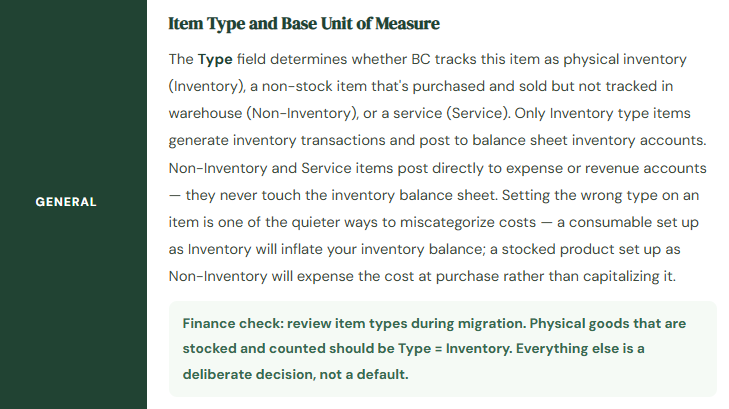
This is the quietest inventory accounting mistake because it causes no posting error. A purchased item set up as Type = Non-Inventory posts its cost directly to expense at purchase — no inventory balance sheet entry, no inventory quantity tracking, no COGS-at-shipment recognition. If the item is a physical good that should be stocked, counted, and expensed at the point of sale, this configuration produces: an overstated expense at purchase, an understated inventory balance, understated COGS at shipment (because there’s no inventory to relieve), and a gross margin that bears no relationship to reality for that item category.
→ Review all items imported during data migration and confirm that every physically stocked item has Type = Inventory. Non-Inventory should be reserved for items that are truly non-stocked: direct drop-ship items, services, passthrough charges. If an item has a physical location in your warehouse and is counted in your inventory, it needs Type = Inventory.
⚠️ Adjust Cost — Item Entries Not Run Before Period Close
Under FIFO or Average costing, the inventory ledger and GL inventory account can be out of sync between runs of the Adjust Cost job. A Finance team that closes the period without confirming the Adjust Cost job has run and completed for the period will find an inventory reconciliation difference that can only be explained by the adjustment delta — and that can only be resolved by running the job and posting the adjustments, which may or may not be possible if the period has already been locked.
→ Configure Adjust Cost — Item Entries to run automatically on a daily schedule. Add a confirmation step to your period-close checklist: “Confirm Adjust Cost job completed successfully for all items in the current period.” Make this step a prerequisite to beginning the inventory-to-GL reconciliation. The difference between a clean close and an unexplained difference is often nothing more than a batch job that didn’t run.
⚠️ Item Tracking Not Configured Before Transactions Post
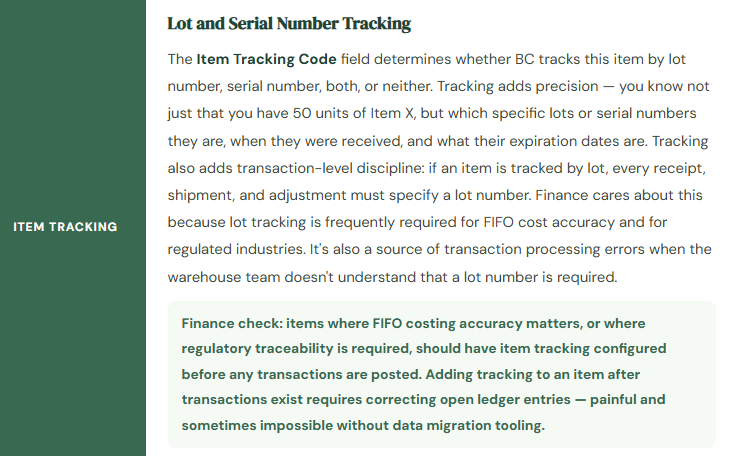
An organization that needs lot-level tracking for FIFO accuracy or regulatory compliance — food manufacturing, pharma distribution, medical devices — but doesn’t configure the Item Tracking Code on the item card before the first receipt posts will have a period of untracked inventory to contend with. Adding lot tracking to an item after transactions exist requires carefully correcting all open item ledger entries to add lot information. Depending on the volume of open entries, this ranges from tedious to technically complex.
→ Identify items requiring lot or serial tracking before the implementation begins, not after go-live. Configure the Item Tracking Code on those items as part of the item card setup or migration. Test tracking workflows — receipt, shipment, adjustment, count — in sandbox with the actual item tracking codes before go-live. Tracking adds discipline to transaction processing that the warehouse team needs to be trained on before go-live, not after.
Quick Reference: Do’s and Don’ts
✓ Do This
- Define costing method by item category as a Finance policy decision before item setup begins
- Confirm every physically stocked item has Type = Inventory, not Non-Inventory
- Assign Inventory Posting Group and Gen. Prod. Posting Group to every item — required for posting
- Configure Item Tracking Codes for regulated items and FIFO items before any transactions post
- Run Adjust Cost — Item Entries automatically on a daily schedule
- Include Adjust Cost job confirmation in period-close checklist before inventory reconciliation
- Decide on location-level balance sheet presentation before go-live and configure Inventory Posting Setup accordingly
- Configure Transfer Orders for inter-location inventory movements — not manual adjustments
- Review the in-transit inventory account as part of period-end inventory reconciliation
- Get Finance and Operations aligned on replenishment methods for high-value items
✗ Don’t Do This
- Let the costing method default to Average for all items without a deliberate decision
- Move inventory between locations with manual adjustment journals instead of Transfer Orders
- Close a period without confirming the Adjust Cost job has run for the current period
- Add item tracking to items after transactions have been posted without a correction plan
- Assume item type doesn’t matter — Non-Inventory items never touch the balance sheet
- Build one item category with one posting group for all inventory — some differentiation in COGS accounts by item type is usually valuable
- Change the costing method on an item after transactions are posted without a formal restatement process
- Set standard costs once at implementation and never update them — stale standards produce misleading variances
Up Next:
We have the item setup foundation in place. Next: Cash Management and Bank Reconciliation in Business Central — bank account setup, payment reconciliation journal, the BC bank feed integration, and the reconciliation habits that keep your book cash and your actual cash in agreement every period. If your team currently reconciles bank accounts in an Excel spreadsheet separate from BC, this post will show you what you’re missing — and how much of that work BC can absorb.
Until then — define your costing methods before your items, confirm your item types during migration, and schedule that Adjust Cost job.
— Bobbi
D365 Functional Architect · Recovering Controller
Leave a Reply