
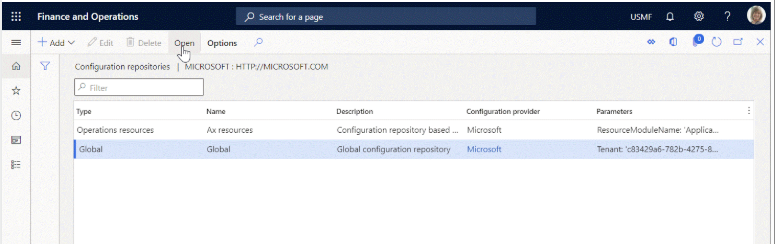
How D365 F&O’s Electronic Reporting framework automates regulatory submissions, which Finance-owned submissions can run directly from D365 F&O without intermediate tools, how to govern ER format configurations across release waves, and the five ER implementation failures that leave Finance producing manual regulatory submissions from a system built to produce them automatically.
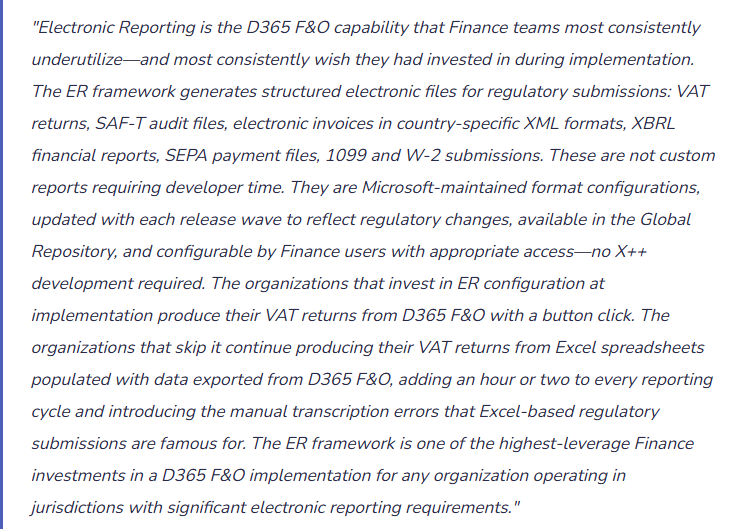
How the Electronic Reporting Framework Works—Four Components Finance Must Understand
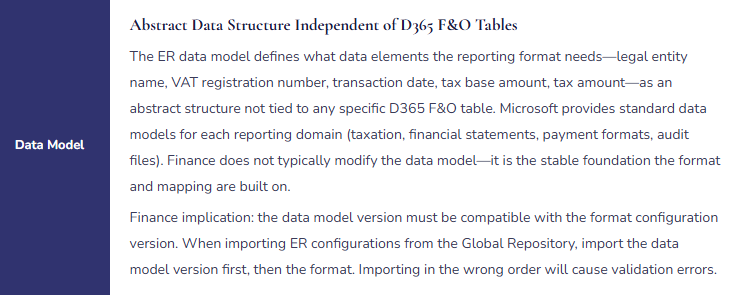
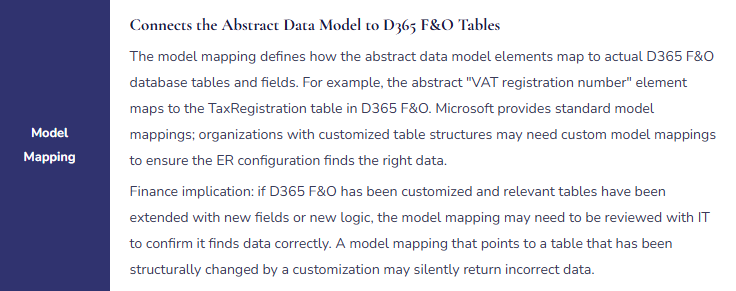
ER Framework Architecture—The Four Layers Finance Configures
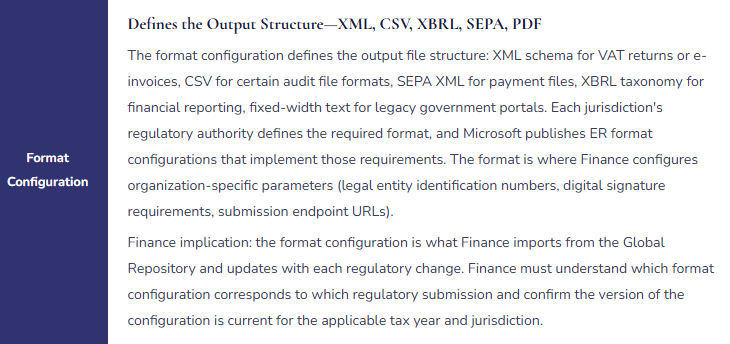
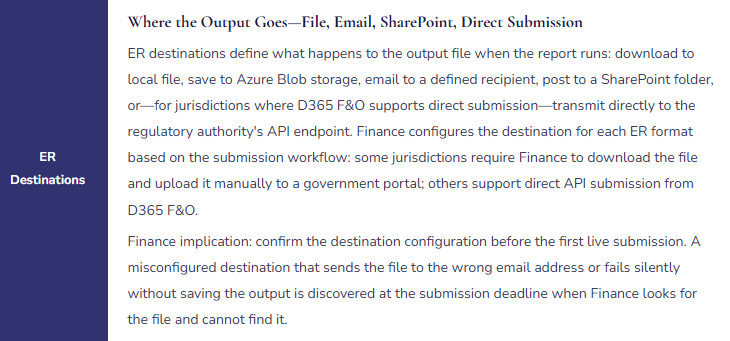
The Regulatory Submissions Finance Can Run Directly From D365 F&O
The ER format library covers a significant range of regulatory submissions. The following categories are Finance-owned and available through Microsoft’s Global Repository for the applicable jurisdictions.
| Submission Category | Representative Formats | Finance Use Case | D365 F&O Path |
|---|---|---|---|
| VAT / GST Returns | UK Making Tax Digital VAT return, EU VAT return formats by member state, Australian BAS, Canadian GST/HST | Quarterly or monthly VAT/GST reporting to tax authority. ER format pulls transaction-level tax data from D365 F&O tax tables and generates the submission file in the authority’s required format. | Tax → Declarations → Electronic messages (for jurisdiction-specific VAT EM processing) or Tax → Declarations → Sales tax → Report sales tax for settlement period |
| SAF-T Audit Files | Poland JPK_VAT and JPK_FA, Portugal SAF-T, Norway SAF-T Financial, Lithuania i.SAF | Periodic submission of structured transaction-level accounting data to the tax authority for audit and risk assessment purposes. SAF-T formats include the full chart of accounts, GL entries, customer/vendor master data, and invoice-level detail in a standardized XML schema. | General ledger → Periodic tasks → Data export (SAF-T) or jurisdiction-specific Electronic Messages processing |
| Electronic Invoicing (e-Invoicing) | Italy SDI (FatturaPA), Mexico CFDI, Brazil NF-e, India e-Invoice, Saudi Arabia ZATCA, European PEPPOL BIS Billing | Mandatory real-time or near-real-time electronic invoice reporting to tax authority systems before or immediately after invoicing the customer. D365 F&O generates the e-invoice XML, submits to the authority’s clearance or reporting portal, and receives the authority’s approval token that must be attached to the invoice sent to the customer. | Accounts receivable → Invoices → E-invoicing (or Electronic invoicing service configuration in D365 F&O’s Electronic Invoicing service, which handles real-time submission workflows) |
| Payment Files (SEPA, SWIFT) | SEPA Credit Transfer (SCT), SEPA Direct Debit (SDD), SWIFT MT103, country-specific payment formats (BACS UK, ACH US, Zahlungsverkehr DTAUS Germany) | Electronic payment files submitted to the organization’s bank for vendor payment execution. ER format generates the payment file from the AP payment journal, the file is transmitted to the bank via the bank’s portal or API, and the bank executes the payments. | Accounts payable → Payments → Payment journal → Generate payments (method of payment references the ER format) |
| Financial Regulatory Reports | XBRL taxonomy filings (SEC EDGAR, ESMA ESEF for EU), country-specific statutory financial statement submissions | Structured financial statement submissions to securities regulators or company registrars. XBRL tagging maps D365 F&O account balances to the applicable XBRL taxonomy elements for the filing. | Financial reporting → XBRL (requires XBRL configuration and taxonomy mapping, typically implemented with specialist support) |
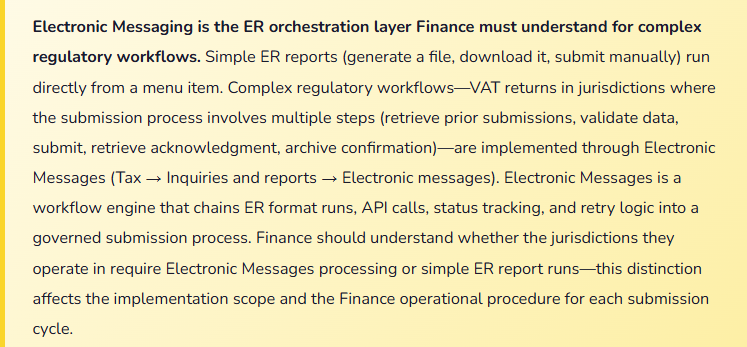
Governing ER Configurations Across Release Waves
Microsoft updates ER format configurations with each release wave to reflect regulatory changes: VAT return format changes, new e-invoicing requirements, updated SAF-T schemas, revised payment file specifications. Finance must maintain a process for identifying, testing, and deploying ER configuration updates before the regulatory deadline for the new format version.
- Global Repository Monitoring
- ER configurations are stored in the Global Repository (Lifecycle Services). Finance should designate a person responsible for checking the Global Repository for updates to each ER configuration the organization uses, at each release wave and when regulatory authorities announce format changes. The check takes 15 minutes per configuration; the frequency depends on the volatility of the jurisdiction’s requirements.
- Configuration Versioning and Activation
- Each ER configuration has versions. When a new version is imported from the Global Repository into D365 F&O, Finance must explicitly activate the new version before it becomes the active configuration for production use. Importing a new version without activating it leaves the prior version in use—Finance must confirm which version is active after every update.
- Sandbox Testing Before Activation
- Import the new configuration version into the sandbox environment first. Run the submission for a test period and confirm the output file validates against the regulatory authority’s validation schema (most authorities provide an online validator). Only after sandbox validation confirms the output is correct should Finance activate the new version in production.
- Effective Date Alignment
- Regulatory format changes have mandatory effective dates. The new ER configuration version must be active in production on or before the effective date. Finance must work backward from the effective date: leave enough time for sandbox testing (minimum one week), import approval if required, and production activation. Missing the effective date means submitting the old format after it is no longer accepted by the authority.
Five Electronic Reporting Failures That Leave Finance in a Manual Submission Loop
⚠️ ER Not Configured at Implementation—Finance Builds Manual Processes That Calcify
The D365 F&O implementation scope does not include ER configuration for VAT reporting in the three jurisdictions the organization operates in. The implementation partner notes it as a post-go-live item. Finance goes live and immediately needs to file the first VAT returns. Under time pressure, Finance builds Excel-based VAT return templates populated from D365 F&O tax reports. The Excel templates work. The following quarter, the same templates are used. Two years later, the organization has a robust manual VAT return process built around Excel templates, the Finance analyst who maintains them is the only person who understands them, and when the team finally considers implementing ER, they discover that the manual process has accumulated customizations that don’t map cleanly to the ER format because the D365 F&O tax data wasn’t captured quite right for automated reporting from the beginning. The ER configuration that would have taken three weeks at go-live now takes three months to implement because the manual process has become load-bearing.
Fix: ER configuration for all active regulatory submissions must be in the go-live implementation scope, not a post-go-live nice-to-have. The cost of configuring ER at implementation is dramatically lower than retrofitting it after manual processes are established. Finance must drive this decision: identify every regulatory submission the organization is required to make in each jurisdiction, confirm which submissions D365 F&O’s ER framework supports, and include each supported submission in the implementation scope. For submissions where ER support does not yet exist for a jurisdiction (ER coverage varies by country and D365 F&O version), document the gap and assign someone to monitor the Global Repository for when support becomes available.
⚠️ ER Configuration Version Not Updated Before Regulatory Deadline—Submission Rejected
Italy’s SDI e-invoicing platform requires FatturaPA XML format version 1.3 effective for invoices issued after October 1. Microsoft publishes the updated ER format configuration in September. Finance is not monitoring the Global Repository and does not discover the update until October 8, when SDI starts rejecting invoices and the Italian subsidiary’s Finance team escalates. The organization has issued 340 invoices in the first eight days of October using the old format. SDI has rejected all 340 invoices. Finance must reissue 340 invoices using the correct format. Some customers have already paid the original invoices; reissuance creates duplicate payment risk. The Italian tax authority must be notified. The process of correcting the 340 rejections takes two weeks and requires the attention of the Italian Finance team, the implementation partner, and the tax advisor.
Fix: For e-invoicing submissions where D365 F&O generates invoices that go directly to the tax authority (Italy, Mexico, Brazil, Saudi Arabia, India), an ER configuration version update is the equivalent of a production system change with regulatory consequences. Finance must treat it with the same rigor as any regulated system change: assign a responsible person to monitor for updates, establish a testing and activation procedure, set a calendar reminder for known effective dates, and never activate a new ER configuration version in production without sandbox testing first. Tax authorities typically announce format changes months in advance. The 45–60 days between announcement and effective date is sufficient time for a controlled update if Finance is monitoring proactively. The problem is always that Finance discovers the change after the effective date, not that the lead time was insufficient.
⚠️ Tax Data in D365 F&O Not Captured Correctly for SAF-T—Audit File Fails Schema Validation
Poland requires monthly JPK_VAT SAF-T submissions including VAT register data at the invoice level. Finance configures the ER format for JPK_VAT and runs the first submission. The file fails validation at the Polish tax authority’s portal: 1,247 invoices have missing or incorrect buyer VAT identification numbers. Investigation reveals that during implementation, the customer master record setup did not require VAT registration numbers for domestic Polish customers because the implementation team focused on the customer payment workflow rather than the regulatory reporting requirements. For 340 Polish customers, the VAT registration field is blank. The ER format correctly generates blank fields for these customers; the JPK_VAT schema requires a valid NIP (Polish tax ID) for all domestic customers. Finance must retroactively update 340 customer records, reprocess the transactions for the reporting period, and resubmit. The retroactive correction requires Polish tax counsel involvement to address the late submission.
Fix: ER configuration cannot compensate for missing master data. The data quality requirements of each regulatory submission must inform the data capture requirements at implementation. Before configuring ER for a jurisdiction, Finance must review the submission schema and identify every data element required in the output: customer VAT numbers, supplier registration numbers, invoice sequence numbers, tax codes, currency codes. Each required element must be traced back to a D365 F&O field that will be populated for every relevant transaction. Any field that is not currently required by the operational workflow (customer VAT number, for example, if the organization doesn’t use it for invoicing) but is required by the regulatory submission must be designated as mandatory in the D365 F&O customer or vendor record form before go-live. Run a pre-go-live data quality check: generate a test SAF-T or VAT submission for a historical period and validate it against the authority’s schema. Every validation error is a data quality gap that must be resolved before the submission goes live.
⚠️ ER Destination Misconfigured—Submission File Sent to Wrong Location and Deadline Missed
The UK Making Tax Digital VAT return is configured with an ER destination that emails the output file to the tax@company.com distribution list for manual review before submission to HMRC. A release wave update reconfigures the ER destination as part of a broader Electronic Messages reconfiguration done by IT to update other ER settings. The destination is inadvertently changed from email to Azure Blob storage in a container Finance does not monitor. Finance runs the VAT return submission for the quarter, expects to receive the email with the output file for review, and receives nothing. Finance assumes the run errored and tries again three times before escalating to IT. IT discovers the destination was changed six weeks earlier. The output files from all three runs are in the Azure Blob container. By the time Finance recovers the file and submits to HMRC, the submission deadline has passed. HMRC issues a late filing penalty.
Fix: ER destination configurations are Finance-owned settings, not IT-owned settings, even when IT has the technical access to modify them. Finance should maintain a documented ER configuration inventory: for each ER format in use, the format name, version, purpose, destination configuration, and the Finance process that uses it. After any system update (release wave, hotfix, configuration change), Finance verifies the ER destination for each active submission format is still correct by running the destination configuration report (Electronic reporting → Configurations → Reporting destinations) and comparing to the inventory. Any change to ER destinations should require Finance sign-off before implementation. The destination configuration review is a post-update checklist item alongside the Financial Reports validation and the workflow threshold review.
⚠️ SEPA Payment File Generated but Not Validated Before Bank Submission—Entire Payment Run Rejected
The treasury team generates a SEPA Credit Transfer XML file from D365 F&O for the monthly vendor payment run: 186 payments totaling €2.4 million. The file is uploaded to the bank’s online portal and the payment run is authorized. The bank rejects the entire file 20 minutes later: two vendor bank accounts have IBANs with invalid check digits (the IBANs were entered incorrectly in the vendor master record six months earlier), and one payment has a remittance reference that exceeds the 140-character limit specified in the SEPA scheme. SEPA payment file rejection is all-or-nothing—the bank does not process the valid 183 payments and reject only the 3 invalid ones. The entire 186-payment run must be corrected and resubmitted. Treasury spends four hours investigating the rejections, correcting the vendor IBANs, truncating the remittance reference, and regenerating and resubmitting the file. Three vendors miss the payment date.
Fix: SEPA payment files must be validated before bank submission, not after. D365 F&O’s payment file generation process can be followed by an IBAN validation check (Accounts payable → Payments → Vendor bank accounts → Validate IBAN) for all vendor bank accounts included in a payment run. Finance should run this validation as part of the payment run preparation, not as an afterthought. Additionally, implement a vendor bank account data quality standard: every IBAN entered in a vendor master record must be validated at entry using D365 F&O’s IBAN validation (which checks the check digit algorithm and country format). A vendor IBAN that fails validation at entry should not be saveable without an exception approval. The remittance reference truncation issue can be addressed by configuring the payment format’s remittance description template to enforce the 140-character limit at journal creation rather than letting a too-long reference propagate to the payment file.
Do This / Don’t Do This
Do This
- Include ER configuration for all active regulatory submissions in the go-live implementation scope—retrofitting is far more expensive than initial configuration
- Identify all data elements required by each regulatory submission and make them mandatory in D365 F&O master data records before go-live
- Run a test submission for a historical period and validate against the authority’s schema before going live with any ER submission
- Assign a named Finance owner to monitor the Global Repository for ER configuration updates for each active submission format
- Test new ER configuration versions in sandbox before activating in production
- Maintain an ER configuration inventory with destination settings and verify it after every release wave update
- Validate SEPA and other payment file IBANs at vendor master data entry, not at payment file generation
Don’t Do This
- Defer ER configuration to post-go-live and allow manual processes to establish themselves in its place
- Activate a new ER configuration version in production without sandbox testing—especially for e-invoicing formats where a validation failure rejects customer invoices
- Let IT own ER destination configuration without Finance oversight and sign-off on any destination change
- Assume the current ER configuration version is current—check the Global Repository at each release wave for each active format
- Submit SEPA payment files to the bank without pre-submission IBAN validation
- Treat ER configuration updates as IT tasks rather than Finance-owned regulatory compliance actions
- Build manual submission processes as “temporary” workarounds without a defined timeline for ER implementation—temporary manual processes become permanent
What’s Next:
Electronic Reporting closes the compliance automation arc. The series continues with the governance and operational excellence topics that Finance leadership owns across the F&O platform: Financial Period Close Governance and the Closing Cockpit—how D365 F&O’s Closing Cockpit centralizes the multi-entity period close, the task assignment and dependency configuration Finance must build to make it work, and how to use the Cockpit to drive close-time reduction across a complex legal entity structure.
— Bobbi
D365 Functional Architect · Recovering Controller
Thank you for reading!
If this post helped you solve a real problem, share it with a Finance colleague who is in the middle of an ERP implementation or a post-go-live optimization. If you have a topic that I haven’t covered, please reach out. There is always one more post worth writing.
Interested in learning more? Below are my links to my latest posts:
Leave a Reply