

The advanced bank reconciliation workspace, the matching rule configuration that determines how much automation Finance actually gets, the cash application options for high-volume AR environments, governing the exception queue that automated matching inevitably creates, and the five bank reconciliation failures that turn a 30-minute close task into a three-day investigation.
The Advanced Bank Reconciliation Workspace—What Finance Is Working With
D365 F&O’s Advanced Bank Reconciliation workspace (Cash and bank management → Bank accounts → Reconcile → Advanced bank reconciliation) provides a split-screen interface: bank statement lines on one side, unmatched system transactions on the other, with matched pairs tracked in the center. The workspace supports three matching mechanisms Finance must understand and configure separately.
Automatic Matching (Matching Rules): Finance-defined rules that D365 F&O applies when the bank statement is imported. Each rule specifies criteria (amount, date range, transaction type, reference number format) and the system transactions to search against (open customer payments, posted vendor payments, GL transactions, bank charges). When a bank statement line meets a rule’s criteria and a matching system transaction is found, the match is created automatically without Finance intervention. The auto-match runs when the bank statement is imported and can be re-run manually at any point during the reconciliation.
Manual Matching: Finance manually selects a bank statement line and one or more system transactions and creates the match. Used for transactions that don’t fit any automated rule—unusual items, one-off adjustments, complex multi-payment matches. Manual matching is the exception workflow when automation is well-configured; it becomes the entire workflow when automation is poorly configured.
New Transactions: Bank statement lines that represent transactions not yet in D365 F&O—bank fees, interest, returned items, NSF charges. Finance creates new GL transactions directly from the bank statement line in the reconciliation workspace. The new transaction posts to the designated GL accounts and simultaneously creates the match, clearing the bank statement line.
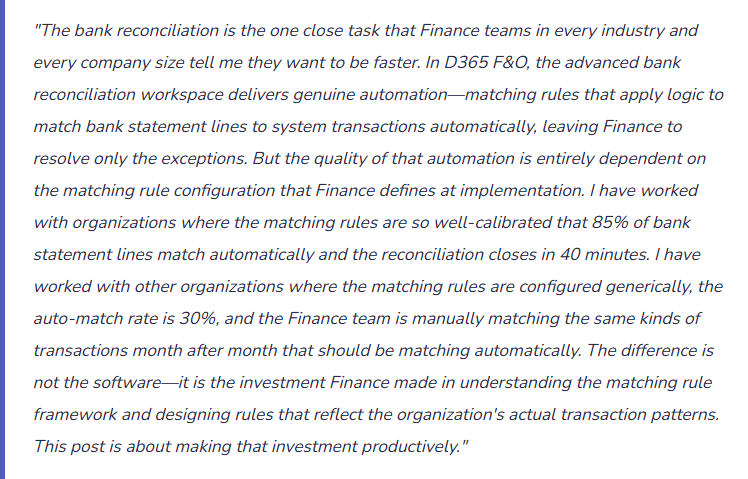
Matching Rule Design—The Configuration That Determines Auto-Match Rate
Matching rules are configured in Cash and bank management → Setup → Advanced bank reconciliation setup → Matching rules. Each rule has three components: the bank statement selection criteria (what kind of bank statement line this rule applies to), the system document selection criteria (what kind of D365 F&O transaction to look for), and the matching tolerance (how close the amount and date must be to constitute a match).
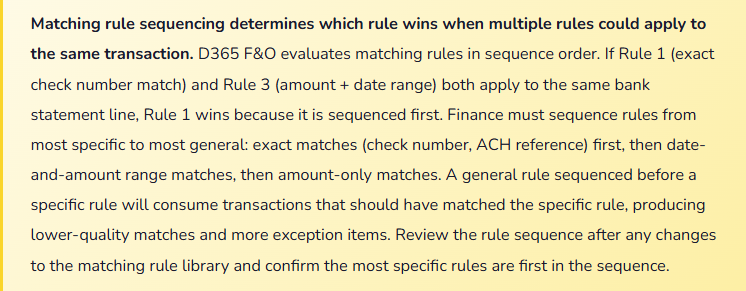
Standard Matching Rule Library—Build These Before Go-Live
- Customer Payment—Exact Amount, Reference Number Match
- Matches bank deposits to posted customer payment journals when the bank statement amount exactly matches the payment journal amount and the bank reference field contains the customer’s check number or payment reference.
- Best for: organizations that receive customer checks or ACH payments with consistent reference numbers that match the payment journal reference.
- Configuration: Bank statement criteria = credit, amount type = exact. System document criteria = customer payment journals, status = posted. Matching criteria = amount exact + bank document number contains payment journal reference number.
- Vendor Payment—Exact Amount, Check Number Match
- Matches bank cleared checks to posted vendor payment journals when the bank statement amount and check number match the payment journal exactly. Handles the bulk of AP payment clearing for check-based payment runs.
- Best for: organizations using check payments for vendor disbursements. Check numbers are reliable matching fields because they are unique and appear consistently in bank statement data.
- Configuration: Bank statement criteria = debit, document type = check. System document criteria = vendor payment journals, instrument = check. Matching criteria = amount exact + check number match.
- Vendor ACH Payment—Amount Within Tolerance, Date Range
- Matches bank ACH debits to posted vendor payment journals within a defined amount tolerance (to handle bank fee deductions) and a date range (ACH settlements often clear one to two business days after the payment date in D365 F&O).
- Best for: organizations using ACH or wire transfers for vendor payments where the exact check number match is not available. The date range tolerance is critical—without it, ACH payments that clear the day after the D365 F&O posting date will not auto-match.
- Configuration: Bank statement criteria = debit, transaction type = EFT/ACH. System document criteria = vendor payment journals. Matching criteria = amount within 0.01 tolerance + transaction date within 3 days of bank statement date.
- Bank Service Charge—Amount Range, Transaction Code
- Matches recurring bank service charges to a recurring GL journal template. When the bank posts a service charge in a known range, the rule creates the matching GL journal entry automatically using the designated expense account and cost center.
- Best for: predictable monthly bank fees (account maintenance, wire fees, lockbox fees) where the amount range is known and the GL posting is always the same. Eliminates the manual “new transaction” step for routine bank charges.
- Configuration: Bank statement criteria = debit, transaction code = service charge (bank-provided code). Matching criteria = amount within defined range for the fee type. Action = create new GL transaction using template journal with bank charge GL account.
- Intercompany Cash Transfer—Amount Exact, Counterpart Bank Account
- Matches intercompany cash transfers between the organization’s own bank accounts by matching the debit in one account to the credit in the other based on exact amount and a date range that accommodates same-day or next-day settlement.
- Best for: organizations with cash pooling or regular intercompany cash transfers where both sides of the transfer appear in D365 F&O bank accounts. Prevents the intercompany transfer from appearing as an unmatched item in both bank reconciliations.
- Configuration: Bank statement criteria = debit or credit, reference contains intercompany transfer identifier. System document criteria = bank transactions in the counterpart bank account. Matching criteria = exact amount + date within 1 day.
Cash Application Automation for High-Volume AR
For organizations processing hundreds or thousands of customer payments per month, the cash application process—matching incoming payments to open AR invoices—is a significant labor investment if done manually. D365 F&O provides several cash application automation options Finance should configure at implementation rather than discovering post-go-live.
- Automatic Settlement by Customer
- Configured in Accounts receivable → Setup → AR parameters → Settlement. D365 F&O automatically applies incoming payments to the oldest open invoice (FIFO settlement) or by invoice amount (exact match first). Works without any additional configuration beyond the parameter setting. Best for customers who reliably pay specific invoices and whose payment amounts match invoice amounts exactly.
- Customer Payment Journal Automation via Electronic Payment Import
- Import bank lockbox or remittance files (BAI2, MT940, custom formats) directly into customer payment journals using Data Management import entities or bank statement import configurations. The import creates payment journal lines pre-populated with customer, amount, and reference information from the remittance data. Dramatically reduces manual payment journal entry for high-volume receivable environments.
- AI-Assisted Cash Application (Finance Insights)
- D365 F&O’s Finance Insights module includes a Customer payment predictions feature that uses ML models trained on the organization’s payment history to predict which invoices an incoming payment is most likely to settle. Finance Insights suggests applications based on historical payment patterns; Finance reviews and confirms. Particularly effective for customers with inconsistent payment references but consistent behavioral patterns.
- Deduction Management
- Customers who pay invoices minus deductions (short payments for disputed amounts, early payment discounts taken outside the discount period, chargebacks) require deduction handling. D365 F&O’s deduction management workflow creates deduction records for each short payment, routes them for investigation, and tracks resolution. Without deduction management, short payments create permanent open balances in AR that accumulate over time.
Five Bank Reconciliation Failures That Produce Close-Time Disasters
⚠️ Bank Statement Import Format Fails After Bank Changes Their File Format—No Statement, No Reconciliation
D365 F&O imports bank statements using a configured import format (BAI2, MT940, or a custom format). The organization’s bank provides BAI2 format. The implementation team configures the BAI2 import, it works, and the team moves on. Fourteen months after go-live, the bank upgrades their BAI2 implementation and changes three field positions in the file format without advance notice. The next bank statement import fails. Finance opens a support ticket. The import configuration requires a format update to match the new file layout. The support ticket takes four business days to resolve. Finance has four days of unreconciled bank activity during a period-end close window. The reconciliation for the period must be completed manually—the team downloads the PDF bank statement, works line by line, and produces a manual reconciliation that takes three days instead of 40 minutes.
Fix: Two preventive measures eliminate this risk. First, subscribe to your bank’s change notification service and ensure Finance (not just IT) receives notifications of any changes to electronic file formats. Bank format changes are always announced in advance; the problem is that the announcement goes to the bank’s technical contact (often IT) rather than to Finance, and Finance is not aware until the import fails. Second, maintain a manual reconciliation procedure as a documented fallback. Finance should be able to complete the bank reconciliation manually within a reasonable time frame even when the import is unavailable—which means the manual procedure is documented, the team has done it at least once as a drill, and the PDF bank statement is accessible without the automated import. A system dependency that Finance has no manual fallback for is an operational risk that will materialize at the worst possible time.
⚠️ Matching Rules Too Permissive—Incorrect Matches Accepted and Posted Without Finance Review
Finance configures the vendor payment matching rule with a 5% amount tolerance to handle cases where wire transfer fees reduce the payment amount received. A bank statement debit of $47,250 matches to a vendor payment journal entry of $49,500—well within 5%—and the auto-match accepts it. The actual explanation is that the $47,250 debit is a different vendor payment entirely and the $49,500 journal entry has not yet cleared the bank. The auto-match creates an incorrect pairing that Finance does not review because the reconciliation “balanced.” A month later, the actual $49,500 payment clears the bank and appears as an unmatched item. Finance investigates and discovers the prior month’s incorrect match—which has already been posted. Reversing it requires locating the incorrect match in the prior period and posting a correction before the period can be accurately reconciled. The investigation takes a day and a half.
Fix: Amount tolerances in matching rules must reflect the actual variance that can occur for the specific transaction type—not a generous tolerance that prevents false negatives at the cost of false positives. For check payments, the tolerance should be zero: the check amount is exact. For ACH/wire payments where bank fees may reduce the received amount, the tolerance should reflect the maximum fee amount for your bank’s fee schedule—typically $5–$25, not a percentage of the payment amount. A 5% tolerance on a $50,000 payment creates a $2,500 matching window that will accept incorrect matches. Review every matching rule’s tolerance setting and ask: “What is the maximum legitimate variance for this transaction type?” If the answer is $15, the tolerance should be $15—not $2,500.
⚠️ Outstanding Checks Not Reviewed Quarterly—Uncashed Checks Become Unclaimed Property Liability
The organization issues vendor checks that occasionally go uncashed: the vendor moved, the check was lost, a small credit memo was paid via check and the vendor never deposited it. These outstanding checks appear in D365 F&O’s bank reconciliation as system transactions with no matching bank statement line—they remain on the outstanding check list indefinitely. The Finance team’s reconciliation procedure closes each month when the reconciliation balances, treating outstanding checks as a normal reconciling item. Three years after go-live, the outstanding check list has 847 items totaling $142,000. State unclaimed property laws in most US jurisdictions require that funds held for a defined dormancy period (typically 3–5 years, varying by state) must be reported and remitted to the state as unclaimed property. Finance has never reviewed the outstanding check list for unclaimed property compliance. The state’s unclaimed property administrator sends a notice. Finance must now research 847 checks, determine which meet the dormancy threshold, and remit the required amounts plus potential penalties for late reporting.
Fix: The outstanding check review is a quarterly Finance task, not an annual one. On a quarterly basis, pull the D365 F&O outstanding check report and review all checks that are 90+ days outstanding. For each: contact the payee to confirm the check was received and determine whether a stop payment and reissuance is needed; for checks that are clearly stale (payee unreachable, vendor account closed), follow the organization’s unclaimed property policy for reclassification and tracking toward the dormancy threshold; confirm which state’s unclaimed property law applies based on the payee’s last known address and set a calendar reminder for the dormancy threshold date. Maintain an unclaimed property tracking ledger separate from the bank reconciliation so that checks approaching the dormancy threshold are flagged proactively rather than discovered during a state audit.
⚠️ Bank Reconciliation Completed But Not Formally Reviewed and Approved Before Period Close
The reconciliation is completed by the cash management coordinator. It balances. The period is closed. The reconciliation documentation—a PDF of the D365 F&O reconciliation report—is saved to the close folder. No second person reviews it before the period closes. Six weeks later, the internal audit team reviews the Q2 close documentation and finds that the bank reconciliation for April had two matched pairs that appear incorrect: a $18,400 bank statement credit matched to a $18,400 customer payment that was actually applied to a different invoice than the one the bank reference indicated, and a $6,200 bank service charge matched to a GL journal entry in the wrong cost center. Neither error affected the reconciliation balance—it still balanced. But both errors produced incorrect GL postings that propagated into the financial statements for April. The errors are discovered in July, requiring two correcting journal entries in a prior period the auditors have reviewed.
Fix: The bank reconciliation is a two-person control, not a one-person task. The person who completes the reconciliation is not the person who reviews and approves it. The reviewer must confirm: (1) the beginning balance on the bank statement matches the prior period’s ending reconciled balance in D365 F&O; (2) all outstanding items from the prior period have cleared or are explained; (3) no matched pairs appear unusual in amount or reference; (4) all “new transactions” created during the reconciliation were properly authorized and posted to the correct GL accounts; (5) the ending reconciled balance agrees to the bank statement closing balance. The reviewer signs the reconciliation documentation. This two-person review catches the kinds of errors that balance the reconciliation while posting incorrectly—the category of errors that automated matching and a single-reviewer process will never catch.
⚠️ Unmatched Bank Statement Lines Left Open Past Period End—Prior-Period Reconciliation Never Truly Closes
The period-end bank reconciliation closes with eight unmatched bank statement lines totaling $34,500 that Finance notes as “in investigation.” The period is closed. The following month’s reconciliation begins. The eight items from the prior period carry forward in the unmatched column alongside the new month’s items. By month three, there are 26 unmatched items from three different periods. Finance is reconciling three months of history simultaneously while trying to close the current month. The investigations required for the oldest items are now complex because the transactions occurred weeks ago and the people involved remember them less clearly. Two of the items turn out to be duplicate transactions that required reversals that nobody posted. Three are bank errors that required claims that were never filed. One represents a customer payment that was misapplied and has been carried as an open AR invoice for three months while the customer believes it was paid.
Fix: Every unmatched bank statement line has a resolution deadline. Finance must establish a policy: unmatched items from the current month must be resolved before the current period closes. Items that cannot be resolved before period close (requiring a bank claim, waiting for remittance detail from a customer, pending a vendor payment reversal) must be formally documented as pending items with the assigned investigator, expected resolution date, and current status—not simply carried forward as unnamed “in investigation” items. Unresolved items from any prior period that appear in the current month’s reconciliation are escalated to the Controller. Any item unresolved for more than 30 days requires a posting decision: either post a GL entry to clear it (with the appropriate account and documentation of why the item is being resolved this way) or escalate to finance management with a specific action plan. Carrying forward unresolved items without documentation is how reconciliation exceptions accumulate into material misstatements.
Do This / Don’t Do This
Do This
- Design matching rules at implementation based on the organization’s actual transaction patterns—check number match, ACH amount+date, recurring fee range
- Sequence matching rules from most specific to most general so the best match wins
- Set amount tolerances at the actual maximum variance for the specific transaction type—not a generous percentage
- Subscribe to bank format change notifications and route them to Finance, not just IT
- Maintain a documented manual reconciliation fallback procedure Finance practices at least annually
- Require two-person review and approval of the bank reconciliation before period close
- Resolve all unmatched bank statement lines before closing the period—document items that require more time with assigned owner and deadline
- Review outstanding checks quarterly for unclaimed property compliance
Don’t Do This
- Configure matching rules generically at go-live and never refine them based on actual match rates
- Use percentage-based amount tolerances for transactions where a dollar-based tolerance is more appropriate
- Close a period with unresolved unmatched items documented only as “in investigation”
- Allow the outstanding check list to grow without quarterly review and age analysis
- Complete the bank reconciliation without a second-person review before the period closes
- Rely entirely on automated matching without reviewing new transactions created in the reconciliation workspace for GL account accuracy
- Ignore bank format change notifications until the import fails during a close window
What’s Next:
Bank reconciliation and cash application address Finance’s daily operational layer. The next post turns to the compliance and regulatory layer that D365 F&O delivers for Finance operating across multiple jurisdictions: Electronic Reporting and Regulatory Submissions in D365 F&O—how D365 F&O’s Electronic Reporting framework works, which regulatory submissions Finance can automate directly from D365 F&O, how Finance governs ER format configurations across release waves, and the five ER implementation failures that leave Finance producing manual regulatory submissions from a system designed to produce them automatically.
— Bobbi
D365 Functional Architect · Recovering Controller
Thank you for reading!
If this post helped you solve a real problem, share it with a Finance colleague who is in the middle of an ERP implementation or a post-go-live optimization. If you have a topic that I haven’t covered, please reach out. There is always one more post worth writing.
If you want to learn more about D365, here are my latest posts:
Leave a Reply