
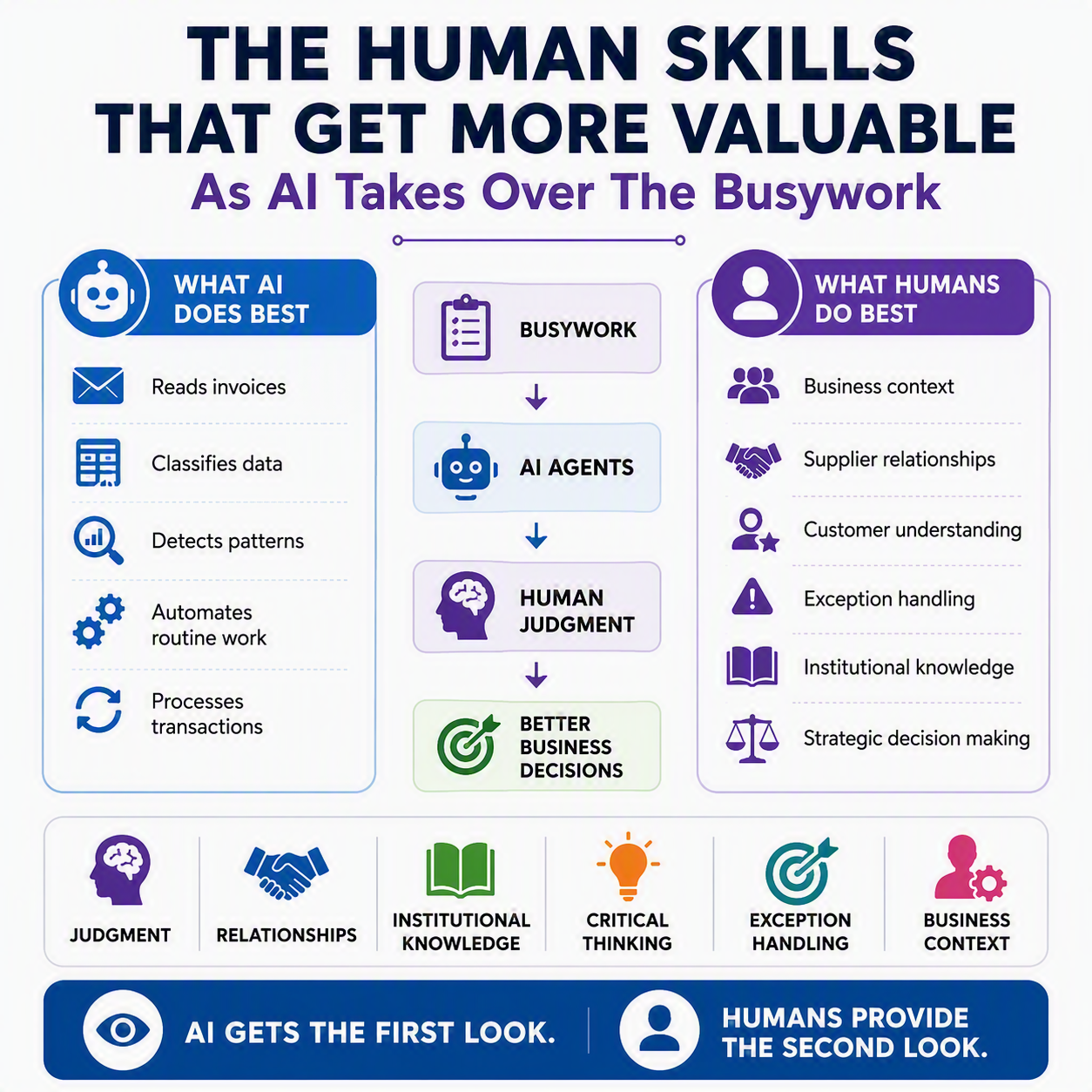
A controller I know put it to me plainly a few weeks ago. “I don’t spend my Tuesdays keying invoices anymore,” she said. “I spend them deciding which ones deserve a second look.” That’s the whole point of this series in one sentence.
We’ve spent four posts on the mechanics: what the Payables Agent, Sales Order Agent, and Expense Agent do, and the guardrails Microsoft built to keep a person in the loop while they do it. For this last post, I want to zoom out. If the busywork is genuinely shrinking, what’s left for you to do, and why does it matter more, not less?
The idea in one minute
Business Central’s agents handle the first pass on transactional work: reading invoice PDFs, drafting sales quotes from customer emails, sorting expense receipts into categories. What they don’t do is finish the job unsupervised. The task pane, the review prompts, and the Permissions Overview page keep a human at the actual decision point. As routine keying drops, your time shifts toward what a system can’t do: judgment calls, exceptions, and the relationships and institutional memory that catch what a system would miss.
What actually got automated 💡
Let’s be honest about what changed. Reading a PDF invoice and typing line items into a purchase document. Scanning a customer email for item numbers. Sorting a stack of receipts into categories. That used to eat real hours. An agent now does a competent first pass on all of it, and that’s genuinely good news. Nobody’s professional judgment was being exercised while typing a vendor number into a field for the four hundredth time.
The guardrails were the point
Go back to post #4, where we covered the Known Senders review policy for the Payables Agent, the stop and stop-all-tasks controls in the task pane, and the audit APIs behind Permissions Overview. None of that exists to make the agent smarter. It exists to make sure a person is still the one saying yes. Even under the “recommended” Known Senders setting, an email from an unfamiliar sender still lands in front of you for review. That’s not friction. That’s the system correctly assuming your judgment is the thing worth protecting.
The skill that’s actually growing: judgment ✅
Notice what the Known Senders policy really asks of you. Not “approve everything,” not “review everything.” It’s “decide, sender by sender, whether this one needs your eyes.” That’s a harder call than it looks, because it means actually knowing your vendors and what “normal” looks like for your business. The agent can tell you an invoice looks routine. Only you can tell it whether routine is right this time.
Exception handling is now the job
The invoice with a vendor name that doesn’t quite match your records. The expense report flagged nonrefundable with no explanation attached. The Expense Agent surfaces a missing justification or a policy violation and hands it back to you. Deciding what to do with it, an honest mistake, a policy that needs updating, or a conversation worth having with the employee, isn’t a task an agent takes off your plate. It’s what’s left once the routine ones are gone.
Relationships and institutional knowledge 📒
An agent doesn’t know your biggest vendor always runs a week late in December because their AP team is short-staffed over the holidays. It doesn’t know a particular customer’s “urgent” requests usually aren’t. You know these things because you’ve been paying attention for years, not minutes. That knowledge shows up when you glance at a drafted quote and think, “that’s not how this customer orders,” and you’re right more often than not.
Where that leaves you
None of this makes you an AI babysitter. Your time is getting reallocated toward the parts of the job that were always the real job: knowing your vendors and customers, catching the thing that doesn’t add up, and making calls that need context a system doesn’t have. The busywork was never the valuable part. It just used to take up all the room.
Thank you for reading!
This closes out “Human in the Loop: The Future of D365 Business Central,” five posts on how Business Central’s agents handle first-pass transactional work while keeping a person accountable at the decision points that matter. If you missed one along the way, post #4, “Setting the Right Guardrails,” is a good place to catch up. And if you work in Finance & Supply Chain rather than Business Central, I’ve written a companion series, “Human in the Loop: The Future of D365 Finance & Supply Chain,” covering the same ground for that side of the platform.
Sources
- Payables Agent Overview – Business Central | Microsoft Learn
- Speed up processing with Known Senders in Payables Agent | Microsoft Learn
- Supervise agents’ activities – Business Central | Microsoft Learn
- Audit user and group permissions across apps | Microsoft Learn
- Sales Order Agent overview – Business Central | Microsoft Learn
- Expense Agent Overview – Business Central | Microsoft Learn
Interested in learning more? Below are some of my latest posts:





Leave a Reply