
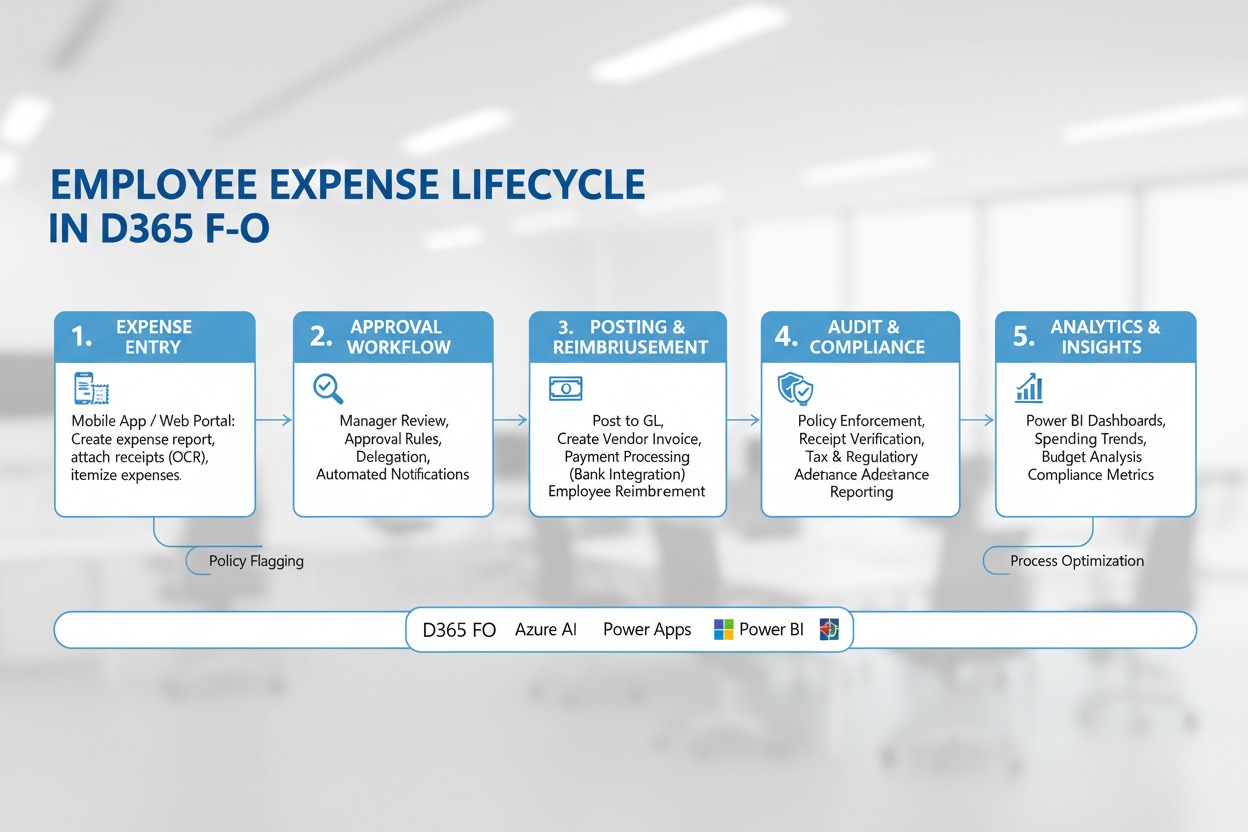
How D365 F&O’s Expense management module handles the full expense report lifecycle from submission through reimbursement, the expense policy controls Finance must configure before any employee can submit, the per diem and category configuration that determines what is reimbursable and at what rate, and the five expense management failures that produce policy violations Finance discovers in the quarterly internal audit rather than at the point of submission.
The Employee Expense Lifecycle in D365 F&O—Finance-Owned Configuration at Each Stage
Expense Lifecycle—Finance Configuration Decisions at Each Stage
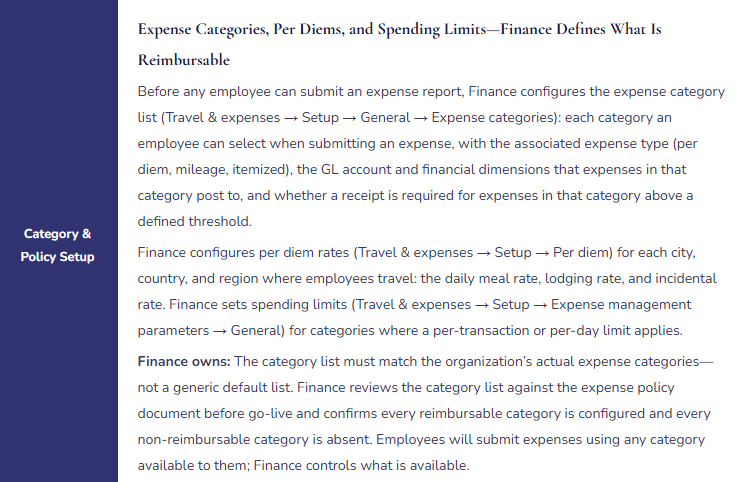
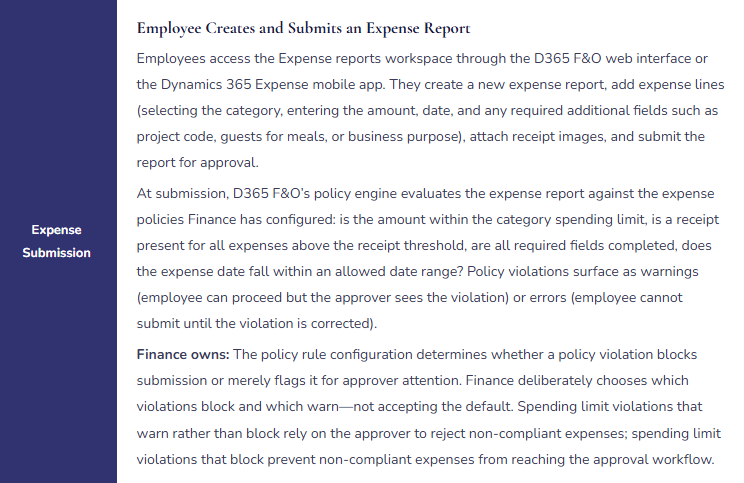

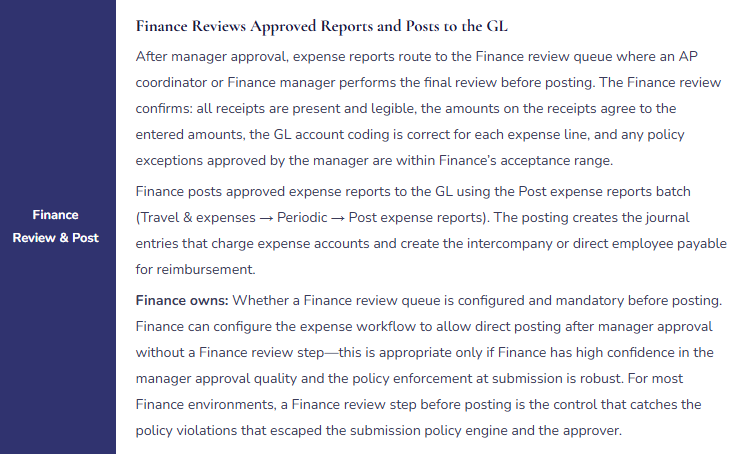

The Expense Policy Controls Finance Must Configure Before Go-Live
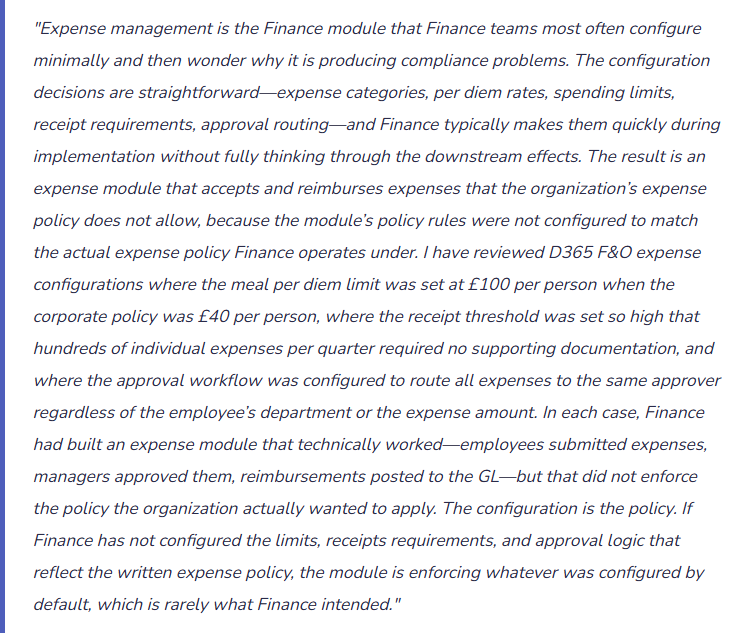
D365 F&O’s expense policy engine (Travel & expenses → Setup → Policies) allows Finance to configure rules that evaluate every submitted expense report. Finance must build a policy rule for every relevant provision of the organization’s written expense policy.
Per-Transaction Spending Limits by Category
Finance configures a maximum amount per expense line for each category: meal per person limit (the per diem rate or a fixed amount), hotel nightly rate limit, taxi/ride-share limit per trip, entertainment limit per event. The limit can be configured as a hard error (blocks submission) or a soft warning (flags for approver attention). Finance applies hard limits for categories where the organization strictly enforces the spending cap, and soft warnings for categories where discretionary exceptions are legitimately approved by management.
Receipt Requirement Thresholds
Finance configures the minimum expense amount above which a receipt must be attached before the expense report can be submitted. D365 F&O’s default is no receipt required—Finance must actively configure this threshold. Finance sets the threshold consistent with the organization’s expense policy and tax authority requirements for substantiation. A threshold set too high allows material expenses to be submitted without documentation; Finance sets the threshold at the lower of the policy limit or the tax authority’s substantiation requirement for the jurisdiction.
Required Additional Fields by Category
For expense categories where additional information is required for policy compliance or tax purposes, Finance configures mandatory additional fields: the number of guests for meal expenses (required for meals with clients), the business purpose for entertainment expenses, the project code for expenses charged to a client project, the destination city and travel purpose for per diem claims. D365 F&O enforces these field requirements at submission—the employee cannot submit without completing all mandatory fields for each expense line.
Date Range and Advance Booking Controls
Finance configures limits on how far in the past an expense can be dated (to prevent employees from submitting expenses months after they were incurred, which creates accrual-period problems and may indicate fabricated expenses) and whether expenses can be submitted before they are incurred (pre-authorization for anticipated travel costs). Finance also configures whether credit card charges imported from the corporate credit card program must be matched to an expense report within a defined number of days of the transaction date.
Five Expense Management Failures Finance Discovers in the Quarterly Internal Audit
⚠️ Spending Limits Configured Higher Than the Expense Policy—Hundreds of Out-of-Policy Reimbursements in Six Months
The corporate expense policy sets the meal per person limit at $45 for dinner with clients. During implementation, the Expense management parameters were configured with a meal limit of $120 per person—the implementation consultant used a generic default that was not reviewed by Finance before go-live. For six months after go-live, every expense report with a meal amount below $120 per person passes the policy engine without a flag. Employees have been submitting dinners at $80, $95, and $110 per person without any system-level warning. The quarterly internal audit reviews a sample of posted expense reports against the written expense policy and finds 147 meal expenses in the period that exceeded the $45 policy limit but passed the $120 system limit. Total out-of-policy reimbursements for the six-month period: $18,400.
Fix: Finance reviews every spending limit in the Expense management parameters against the written expense policy before go-live—not after. The review is Finance’s responsibility, not the implementation consultant’s, because Finance is the custodian of the expense policy. Finance documents the mapping: for each provision of the written expense policy that specifies a spending limit, the corresponding D365 F&O policy rule, the configured limit value, and the enforcement type (hard block or soft warning). Finance reviews this mapping annually when the expense policy is reviewed and updates D365 F&O policy rules immediately when the written policy changes.
⚠️ Receipt Threshold Set at £250—The Majority of Expense Lines Require No Documentation
Finance configures the receipt requirement threshold at £250 because the implementation team suggested £250 as a reasonable threshold that would reduce the burden of attaching receipts for small expenses. In practice, 74% of the company’s expense lines are below £250—individual meal receipts, taxi receipts, parking charges, and office supply purchases. These 74% of expense lines can be submitted and reimbursed with no supporting documentation. When HMRC conducts a routine employer compliance review and asks for substantiation for a sample of reimbursed expenses, Finance cannot produce receipts for the majority of the sample. HMRC disallows the undocumented expenses as taxable benefits and issues a tax assessment for the undocumented reimbursements plus interest and penalties.
Fix: Finance sets the receipt threshold at the lower of the organization’s internal policy threshold and the tax authority’s substantiation requirement for the jurisdiction. For UK employers, HMRC’s substantiation requirement is effectively all expenses—there is no de minimis level below which receipts are not required for employer reimbursements to be treated as tax-exempt. Finance sets the receipt threshold at £0 (requiring receipts for all expense lines) or at the lowest amount above which the organization can practically enforce a receipt requirement (typically £10–£25 to exclude nominal expenses like car parking change). The threshold is documented in the expense policy and is communicated to employees when the policy is published.
⚠️ Approval Workflow Routes All Expenses to One Approver Regardless of Amount or Department—SOD Conflict and Control Gap
The expense workflow was configured to route all expense reports to the Finance Manager for approval because she was available during implementation and agreed to approve expenses while a more comprehensive approval structure was designed. The “temporary” configuration became permanent. Two consequences emerge: (1) the Finance Manager approves expense reports from colleagues in departments she does not supervise and for whom she has no operational context to evaluate whether the business purpose is legitimate; and (2) when the Finance Manager herself submits an expense report, the workflow routes it to herself for approval. D365 F&O’s workflow engine allows a user to be both submitter and approver unless specifically configured to prevent it. The Finance Manager has been approving her own expense reports for 14 months.
Fix: Finance configures the approval workflow to route expense reports based on the submitting employee’s position hierarchy—the direct manager is the first approver, with escalation to the next level for reports above the defined threshold. Finance confirms two workflow properties before go-live: (1) the workflow prevents self-approval by requiring the approver to be a different person from the submitter (D365 F&O’s workflow engine has a “Prohibit approval by submitter” configuration that Finance must explicitly enable); and (2) any employee who is their own manager in the system hierarchy (such as the CFO or Director-level positions) has a designated alternative approver who is not in their direct reporting line. Finance tests self-approval prevention in the sandbox environment by submitting a test expense report as the Finance Manager and confirming the workflow does not route to her for approval.
⚠️ Guest Count Not Required for Meal Expenses—Per Person Limit Cannot Be Enforced
The corporate expense policy sets the meal limit at $45 per person, not per receipt. Without knowing how many people attended a meal, Finance cannot evaluate whether a $180 dinner receipt is compliant (four people at $45 each) or non-compliant (two people at $90 each). The Expense management configuration does not require the guest count field for meal category expenses. Every meal expense is evaluated against a flat $45 limit applied to the total receipt amount—meaning a $46 dinner for four is flagged as non-compliant while a $250 dinner for two passes without a flag. For two years, the per person meal limit in D365 F&O is enforced incorrectly for every group meal expense. The internal audit team discovers the configuration gap when reviewing a sample of meal receipts and noting that large group dinners are consistently approved without a guest count on the expense report.
Fix: Finance configures the Number of Guests field as mandatory for all meal, entertainment, and client hospitality expense categories. D365 F&O’s expense category configuration includes the ability to require the Number of Guests field for specific expense types—Finance enables this requirement for every category where the per person limit is relevant. Finance also configures the policy rule for meal categories to calculate the per person amount as Total Amount divided by (Number of Guests + 1, where 1 represents the employee) and compare the result to the per person limit—not compare the total amount to the per person limit. This configuration change requires a D365 F&O policy rule update that Finance tests in sandbox before deploying to production.
⚠️ Expense Report GL Coding Not Reviewed Before Posting—Three Months of Expenses in the Wrong Account
The expense workflow goes directly from manager approval to posting without a Finance review step. Employees have been selecting expense categories incorrectly: client entertainment expenses are being coded to the General Travel category (lower-scrutiny category, no guest count required), capital equipment purchases are being submitted as Office Supplies expenses (below the capitalization threshold trigger), and international travel hotel costs are being coded to Domestic Accommodation (different per diem rate applies). Because the GL account mapping is driven by the category the employee selects—and there is no Finance review of the category coding before posting—three months of expenses have posted to incorrect GL accounts. The internal audit identifies the mismatch when reviewing expense reports supporting the Entertainment account and finding it significantly underpopulated relative to the sales team’s reported client activity.
Fix: Finance configures a Finance review step in the expense workflow between manager approval and posting. The Finance review step is performed by the AP coordinator or Finance manager and confirms: the expense category is correct for the type of expense (entertainment is not coded as general travel, capital items are not coded as consumable expenses), the GL account derived from the category is appropriate for the financial statement presentation Finance needs, and any policy exception approved by the manager is within Finance’s acceptance criteria. Finance also establishes a monthly GL review of the expense accounts: pull a sample of posted expense journal entries and confirm the GL account matches the expense description on the receipt. Category miscoding discovered monthly is a one-line correction; discovered at year-end audit it requires restating multiple periods of financial statements.
Do This / Don’t Do This
Do This
- Map every provision of the written expense policy to a corresponding D365 F&O policy rule and document the mapping before go-live
- Set the receipt threshold at or below the tax authority’s substantiation requirement for the jurisdiction
- Configure the approval workflow to prevent self-approval and test self-approval prevention in sandbox before go-live
- Require the Number of Guests field for all meal and entertainment categories and configure the per person calculation in the policy rule
- Include a Finance review step in the workflow between manager approval and posting for GL coding validation
- Review the expense policy configuration annually when the written expense policy is reviewed and update D365 F&O rules immediately when the policy changes
Don’t Do This
- Accept generic default spending limits without comparing them to the organization’s written expense policy
- Set the receipt threshold at a level that allows the majority of expense lines to be submitted without documentation
- Route all expenses to one approver as a temporary measure and allow the temporary configuration to become permanent
- Allow expense reports to post directly after manager approval without a Finance GL coding review step
- Omit the guest count requirement for meal categories and attempt to enforce a per person limit on total receipt amounts
What’s Next:
Expense management governs the employee-initiated spending cycle. The next post addresses the internal accounting framework that Finance builds on top of the GL for management reporting purposes: Cost Accounting in D365 F&O—What Finance Must Own When the Business Needs Allocation-Based Reporting—how D365 F&O’s Cost accounting module provides a second, allocation-enriched view of the organization’s cost structure alongside the statutory GL, the cost object and cost element architecture Finance must design before configuring, the allocation policy Finance must own as an accounting decision, and the five cost accounting configuration failures that produce management reports Finance cannot use for the decisions they were designed to support.
— Bobbi
D365 Functional Architect · Recovering Controller
Thank you for reading!
If a post helped you solve a real problem, share it with a Finance colleague who is in the middle of a D365 Finance and Operations implementation or a post-go-live optimization. If you have a topic the series did not cover, please reach out. There is always one more subject worth exploring.
Interested in learning more? Below are some of my latest posts:


Leave a Reply