
Which Copilot and Finance Insights capabilities in Business Central are genuinely ready for Finance workflows, which require careful governance before Finance acts on them, the data and configuration prerequisites that determine whether BC’s AI features deliver useful output or plausible-looking noise, and the five AI adoption failures that produce AI-assisted Finance decisions based on unreliable inputs.
BC’s Current AI and Copilot Capabilities—A Finance-Specific Assessment
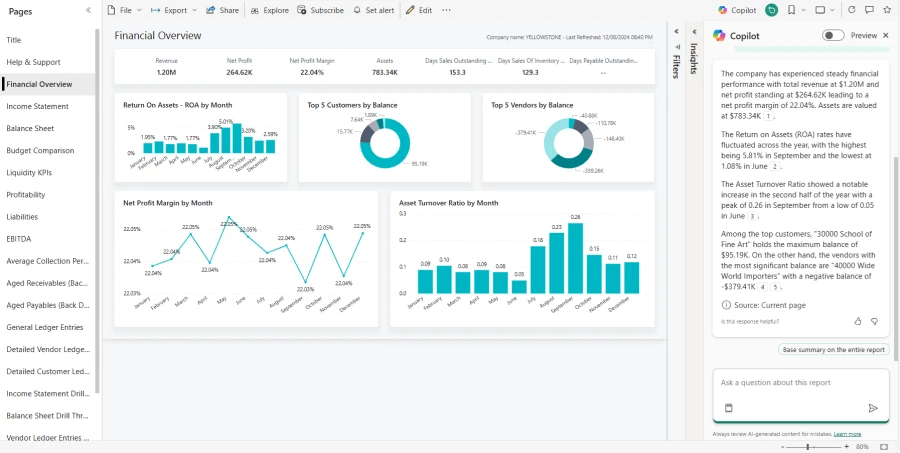
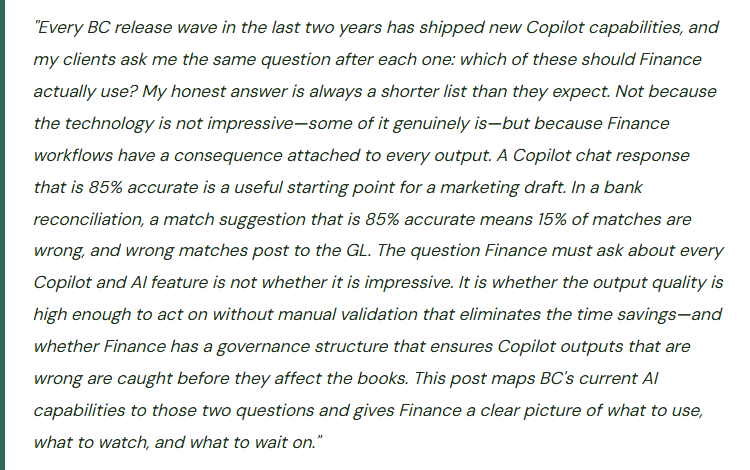
Business Central’s AI capabilities fall into three categories from Finance’s perspective: capabilities that are ready for Finance workflows because the output quality is verifiable and the consequence of error is contained, capabilities that are useful but require explicit Finance governance before acting on the output, and capabilities that Finance should watch but not yet rely on for consequential decisions.

Bank Reconciliation AI Matching
- BC’s Copilot bank reconciliation assistant suggests matches between bank statement lines and posted ledger entries. Finance reviews the suggestions and accepts or rejects each one. The output is verifiable before posting—Finance sees exactly what Copilot is proposing to match and approves each match before it becomes final.
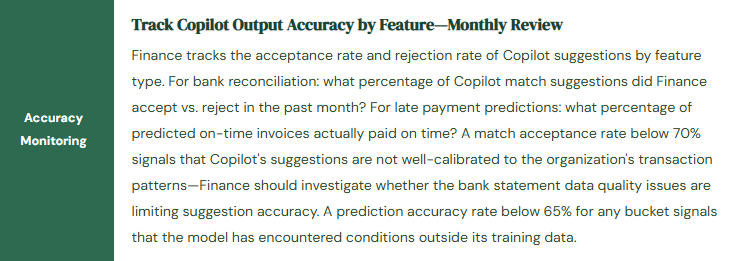
- Governance requirement: Finance reviews all suggestions before accepting. Auto-accept is not appropriate for most Finance environments. Match accuracy should be monitored monthly—if the suggestion quality degrades, reduce reliance until the cause is identified.

Copilot-Generated Narrative Descriptions
- Copilot in BC can generate text descriptions for items, marketing content for products, and narrative summaries of financial data when prompted. For Finance, the most practical use is generating draft commentary for management reports—variance explanations, period summaries—that Finance then reviews and edits before distribution.
- Governance requirement: Finance treats Copilot narrative output as a first draft, not a final product. The Finance user who distributes the commentary is accountable for its accuracy regardless of whether Copilot drafted it.

Copilot Financial Analysis Chat
- BC’s Copilot chat interface allows Finance users to ask natural-language questions about BC data: “What was the gross margin for product line X in Q3?” or “Which customers have invoices more than 45 days past due?” Copilot queries BC data and returns the answer with the underlying data visible.
- Governance requirement: Finance validates that the query is returning the right data for the right date range before distributing the result. Copilot’s natural-language interpretation of date ranges and filter criteria is generally reliable but should be spot-checked against known results when first used for a new type of query.

Cash Flow Forecast AI Enhancement
- BC’s cash flow forecast can incorporate AI-adjusted payment timing based on historical customer payment behavior. The AI layer reduces forecast error by adjusting AR inflows from contractual due dates to expected payment dates based on each customer’s actual payment patterns.
- Governance requirement: the base cash flow forecast sources must be correctly configured before the AI layer adds value. Validate the base forecast against 30 days of actual cash flows before relying on the AI-enhanced version for decisions. Monitor forecast accuracy monthly and disable the AI enhancement if forecast error increases.

Late Payment Prediction
- BC’s Finance Insights can predict whether customer invoices will be paid on time, late, or significantly late based on historical payment data. Finance uses the predictions to prioritize collections activity and adjust the allowance for doubtful accounts.
- Governance requirement: minimum 12 months of settled customer transaction history in BC for predictions to be reliable. Enable only after verifying the training data volume. Review model accuracy quarterly—if accuracy falls below 65%, treat predictions as lower confidence and rely more on aging-based analysis. Never replace aging analysis entirely with predictions.

Copilot Journal Entry Suggestions
- Copilot in BC can suggest journal entry lines based on natural-language descriptions of the transaction. Finance describes what they want to post and Copilot suggests the account, amount, and dimension coding. The technology is emerging and the suggestion quality varies significantly based on the complexity of the transaction and the organization’s COA structure.
- Finance position: do not use for period-end adjusting entries or any transaction where an incorrect account posting has material consequences. Appropriate only as a training aid for junior Finance staff learning BC—never as a production posting tool without complete Finance review of every suggested line.
The Prerequisites That Determine Whether BC’s AI Features Work for Your Organization
BC’s AI capabilities are only as good as the data they operate on. Finance must verify four conditions before enabling any AI feature for operational use:
AI Feature Prerequisites—Finance Must Verify These Before Enabling
- Payment History Volume in BC—Not in a Prior System
- Late payment prediction and cash flow AI require settled customer transaction history in BC: invoices where both the invoice date and the actual payment receipt date are recorded in BC. Data migrated from a prior system as open balances at go-live does not provide training data—only the original invoice and its settlement are useful for pattern recognition. Finance needs a minimum of 100 settled transactions (invoices fully paid) spanning at least 12 months before late payment predictions are reliable. Run the Customer Ledger Entries report filtered to closed entries and count the settled transactions in BC to verify this threshold before enabling predictions.
- Bank Statement Data Quality—Consistent Import Format and Coding
- Bank reconciliation AI matching learns from matched pairs—the association between bank statement line descriptions and the ledger entries they correspond to. If bank statement line descriptions are inconsistent (the same transaction type appears with different description formats in different months), the matching suggestions will be less accurate. Finance should review bank statement import quality: are vendor names consistently formatted in the bank feed? Are ACH reference numbers consistently included? Consistent bank statement data produces dramatically better AI match suggestions than inconsistent data.
- Cash Flow Forecast Sources Configured and Validated
- BC’s cash flow AI enhances the timing of configured forecast sources—it cannot create sources that are not configured. Before enabling cash flow AI enhancement, Finance confirms that all material cash flow sources are configured in BC’s Cash Flow Forecast setup: accounts receivable, accounts payable, bank account opening balances, sales orders, purchase orders, and manual revenue and expense entries for known future items. Run the base forecast for the next 60 days and compare to actual cash flows from the prior 30 days to confirm the base is reasonable before adding the AI layer.
- Microsoft Copilot for BC License and Azure OpenAI Availability
- Some BC Copilot capabilities require the Microsoft Copilot for Microsoft 365 license in addition to the BC license, and all Copilot features require Azure OpenAI Service availability in the tenant’s region. Finance should confirm with IT: is the Copilot feature enabled in BC’s Feature Management page? Is the Azure OpenAI Service available in the tenant’s data residency region? Are there any data privacy configurations (data processing consent in BC’s Copilot and AI settings) that Finance must review before Copilot processes BC financial data? These are not technicalities—a Finance team that enables Copilot for bank reconciliation without confirming the data processing consent configuration may be sending financial data to Microsoft services in a configuration the organization has not approved.
Governing Copilot Outputs in Finance Workflows
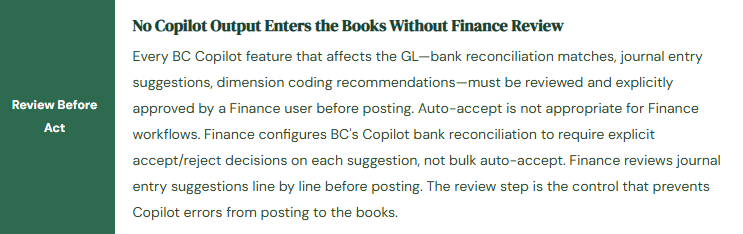
Finance governance for Copilot outputs is not about whether to use AI—it is about ensuring that Finance’s accountability for the accuracy of its outputs is maintained when AI is generating some of those outputs. The Finance user who accepts a Copilot bank reconciliation match, approves a Copilot-suggested journal entry, or distributes a Copilot-generated management commentary is accountable for the accuracy of that output. Copilot does not share that accountability.
Finance Copilot Governance Framework—Four Controls Finance Must Establish

Five AI Adoption Failures That Produce AI-Assisted Finance Mistakes
⚠️ Bank Reconciliation Auto-Accept Enabled—Two Wrong Matches Post Before Finance Notices
Finance enables BC’s Copilot bank reconciliation and configures it with auto-accept for high-confidence matches to speed up the monthly reconciliation. In month three, two bank statement lines are auto-matched incorrectly: a $4,800 customer payment is matched to the wrong customer invoice (two customers made identical payment amounts on the same day), and a $1,200 bank service charge is matched to a vendor payment journal entry rather than generating a new GL transaction. Both mismatches post automatically before Finance reviews the reconciliation. The bank reconciliation balances—it always does when wrong matches cancel correctly. Finance discovers the errors three weeks later during the AR aging review when a customer balance does not match the customer’s payment confirmation. Tracing the error back to the bank reconciliation takes four hours and requires reversing and reposting two matched pairs in a prior period that Finance considered closed.
Fix: Auto-accept is not a Finance-appropriate configuration for bank reconciliation AI matching in BC, regardless of the confidence level displayed. Finance configures BC’s Copilot bank reconciliation to require explicit accept/reject decisions on every suggestion. The bank reconciliation review process for a well-configured AI environment takes 15–20 minutes for a month with good data quality—not materially longer than the auto-accept workflow, and with Finance maintaining full accountability for every match. Finance reviews the suggestions in order, approves matches where the pairing is clearly correct, and investigates any suggestion where the match logic is not immediately obvious. The time saved by Copilot is in identifying the obvious matches quickly—Finance still reviews each one before it posts.
⚠️ Late Payment Predictions Used for Collections Prioritization Before Training Data Threshold Met
Finance enables BC’s late payment prediction feature 60 days after go-live. The feature generates predictions for all 340 open invoices. Finance uses the predictions to prioritize the collections team’s call list for the month: high-risk predictions get calls first, on-time predictions receive no contact. At 60 days post-go-live, BC has fewer than 40 settled transactions for training—far below the minimum threshold for reliable predictions. The model generates predictions that look reasonable (it always produces a distribution) but are essentially random. Finance’s collections team spends the month calling accounts the model flagged as high-risk while three actually high-risk accounts that the model predicted as on-time move to 60 days past due without contact. One of the three eventually requires write-off. The write-off amount exceeds the entire cost of configuring BC’s collections module properly and training the Finance team to use the aging-based prioritization that was available from day one.
Fix: Finance does not enable late payment predictions for operational use until BC has at least 100 settled customer transactions spanning 12 months of payment history. The go-live date does not reset this clock—it is 12 months from when BC begins recording settled transactions, not from when Finance decides to enable the feature. In the interim, Finance uses BC’s standard AR aging report for collections prioritization: customers with balances over 60 days past due are the priority pool, regardless of what a predictive model might say about them. Once the training data threshold is met, Finance enables predictions and runs a parallel validation: compare predictions against aging-based prioritization for one month before relying on predictions as the primary prioritization method.
⚠️ Copilot Financial Analysis Chat Returns Wrong Date Range—Management Package Contains Prior-Quarter Data
Finance uses BC’s Copilot chat to pull revenue by product line for the management package. The prompt is: “Show me revenue by product line for this quarter.” Copilot returns a table that Finance copies into the management pack PowerPoint without verifying the date range. Two days after the package is distributed, the CFO’s executive assistant notices that the product line revenue totals don’t match the income statement in the same package. Investigation reveals that Copilot interpreted “this quarter” as the most recently closed quarter rather than the current quarter-to-date—a reasonable interpretation that did not match Finance’s intent. The revenue table in the management package shows Q3 data in what was supposed to be a Q4-to-date package. Finance must redistribute the corrected package and explain the discrepancy to the CFO.
Fix: Copilot financial analysis chat outputs must always be verified against a known result before they appear in any document distributed to management. Finance establishes a verification habit for Copilot-generated financial data: after every Copilot financial query, confirm the date range and total against BC’s standard financial report for the same period and scope. If the totals agree, the Copilot output is reliable for that query. If they differ, investigate before using the Copilot output. For management package preparation specifically, Finance does not use Copilot as the primary data source—Management Reporter (Financial Reports in BC) remains the authoritative source for numbers that appear in management packages. Copilot is useful for ad hoc analysis and exploratory queries; Management Reporter is the source of record for distributed financial data.
⚠️ Data Processing Consent Not Reviewed—Financial Data Sent to External AI Service Without Organization Approval
Finance enables Copilot features in BC through Feature Management without reviewing BC’s Copilot and AI capabilities settings. The enablement process includes a consent step where the organization agrees to allow BC to send data to Microsoft’s Azure OpenAI Service for processing. The Finance user enabling the feature clicks through the consent dialog without reading it or escalating it for legal and IT review. Three months later, during a vendor security review process, the IT security team identifies that BC has been sending financial transaction data—customer names, invoice amounts, bank statement line descriptions—to Azure OpenAI for Copilot processing. The organization’s data processing agreements with customers prohibit sharing customer financial information with third-party AI services without customer consent. Legal is engaged. The Copilot features are disabled while the organization resolves the compliance question. The Finance team loses the Copilot capabilities it has built workflows around.
Fix: BC Copilot enablement requires a legal and IT review before Finance acts on it, not after. The review addresses three questions: (1) What data does BC send to Microsoft’s AI services when each Copilot feature is used—specifically, does it include customer names, payment amounts, bank account numbers, or other data that may be subject to data privacy commitments? (2) Does the organization’s data processing agreement with Microsoft cover this use, and does it comply with the organization’s obligations to its own customers and under applicable privacy regulations (GDPR, CCPA)? (3) What data residency region is Azure OpenAI processing in, and is that region compliant with the organization’s data sovereignty requirements? Finance initiates the review; Legal and IT complete it. Copilot features are not enabled in production until the review confirms the enablement is compliant.
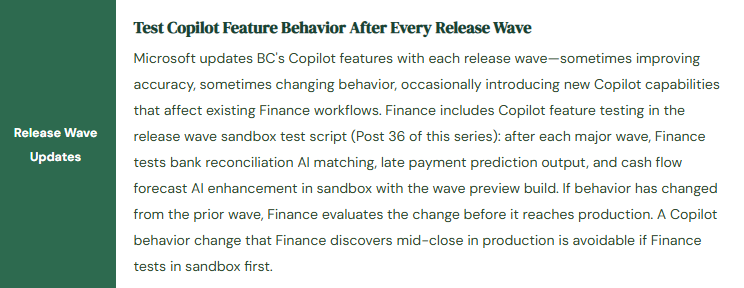
⚠️ Copilot Feature Behavior Changes After Release Wave—Finance Discovers It During Live Close
BC’s Wave 2 release updates the bank reconciliation Copilot to use a new matching algorithm with different confidence thresholds. The new algorithm is more aggressive in flagging potential matches—it surfaces more suggestions with lower confidence scores than the prior algorithm. Finance has not tested the wave in sandbox. On close day two, the Finance coordinator opens the bank reconciliation workspace and finds 340 Copilot suggestions where there were typically 180 high-quality suggestions in prior months. The extra 160 suggestions are lower-confidence and require more review time than Finance budgeted for close day two. The bank reconciliation takes three hours instead of 90 minutes. The income statement is delayed by half a day. Finance investigates and discovers the algorithm change in the release notes for Wave 2—a change Finance would have discovered in the sandbox test four weeks earlier if the sandbox test had included the bank reconciliation Copilot feature.
Fix: Copilot feature testing is part of the release wave sandbox test script for every wave that modifies any Copilot capability Finance uses. The test script item for bank reconciliation Copilot: import a representative bank statement in the sandbox post-wave environment, run the Copilot matching, and review whether the number of suggestions and the suggestion quality are consistent with the pre-wave behavior. If the wave has changed the algorithm, Finance evaluates the change before production: is the new behavior better, worse, or different? Does Finance need to adjust the review procedure to account for the new confidence threshold? Finance communicates the change to the coordinator before the production wave arrives, so the close-day workflow adjustment happens deliberately rather than as a discovery under close-day time pressure.
Do This / Don’t Do This
Do This
- Verify training data volume (100+ settled transactions, 12+ months) before enabling late payment predictions for collections use
- Review the data processing consent and data residency configuration with Legal and IT before enabling any Copilot feature
- Require explicit accept/reject review of every Copilot bank reconciliation suggestion—no auto-accept
- Validate base cash flow forecast sources before enabling AI enhancement—the AI layer cannot compensate for missing sources
- Verify Copilot financial analysis output date ranges against a known standard report before distributing to management
- Include Copilot feature testing in the release wave sandbox test script for every wave
- Track AI suggestion acceptance and rejection rates monthly and investigate when accuracy declines
Don’t Do This
- Enable Copilot bank reconciliation auto-accept—wrong matches post before Finance reviews them
- Enable late payment predictions before the training data threshold is met
- Use Copilot financial analysis output in management packages without verifying against a Management Reporter source
- Click through the Copilot data processing consent dialog without legal and IT review
- Treat Copilot journal entry suggestions as ready to post without line-by-line Finance review
- Discover Copilot feature changes during a live close by skipping sandbox testing
- Assume Copilot output is correct because it looks reasonable—Finance is accountable for every output it acts on
Up Next:
Copilot and Finance Insights bring AI into BC’s Finance workflows. The next post addresses the data quality foundation that determines whether every BC Finance output—AI-assisted or not—is reliable: Vendor and Customer Master Data Governance in Business Central—which fields Finance must own and validate on every vendor and customer record, the workflow controls that prevent payment fraud and posting errors, the periodic review cadences that keep master data accurate as the organization changes, and the five master data failures that Finance traces back to a single wrong field entered at record creation.
— Bobbi
D365 Functional Architect · Recovering Controller
Thank you for reading!
If this post helped you solve a real problem, share it with a Finance colleague who is in the middle of an ERP implementation or a post-go-live optimization. If you have a topic that I haven’t covered, please reach out. There is always one more post worth writing.
Interested in learning more? Below are a few of my latest posts:
Leave a Reply