

D365 F&O’s multi-book fixed asset framework for parallel GAAP and tax depreciation, the complete asset lifecycle from acquisition through disposal, the revaluation and impairment process under IFRS, the asset register-to-GL reconciliation Finance must run at every period close, and the five fixed asset configuration failures that produce depreciation errors Finance discovers at year-end audit.
The Multi-Book Framework—Why Finance Needs More Than One Depreciation Book
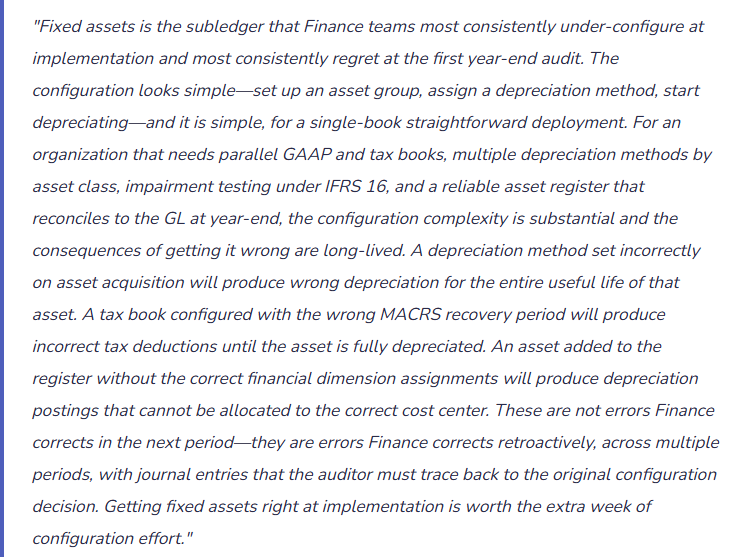
D365 F&O’s Fixed Assets module uses a value model and depreciation book structure that allows Finance to maintain multiple depreciation records for each asset simultaneously. Each book carries its own cost basis, depreciation method, useful life, and accumulated depreciation—completely independent of the other books. The GL posting configuration determines which books post entries to the general ledger and which are maintained only for reporting and tax compliance purposes.
GAAP / Financial Reporting Book
- Depreciates assets using straight-line or declining balance under GAAP (ASC 360) or IFRS (IAS 16). Posts depreciation to the GL monthly. The basis for the depreciation expense on the income statement and accumulated depreciation on the balance sheet.
- GL posting: Yes — posts to Depreciation Expense and Accumulated Depreciation accounts at each depreciation run.
- Useful life: Economic useful life based on the asset’s expected service period, reviewed annually for indicators of change.
Tax Book (MACRS / Section 179)
- Depreciates assets using MACRS (Modified Accelerated Cost Recovery System) recovery periods and methods for US federal income tax purposes. Tracks accelerated tax depreciation, Section 179 expensing elections, and bonus depreciation elections separately from GAAP depreciation.
- GL posting: No — the tax book is maintained for tax compliance and deferred tax calculation but does not post to the GL. The GL records GAAP depreciation only.
- Useful life: MACRS recovery period (5-year, 7-year, 15-year, 27.5-year, 39-year) per IRS asset class, not economic useful life.
IFRS Revaluation Book
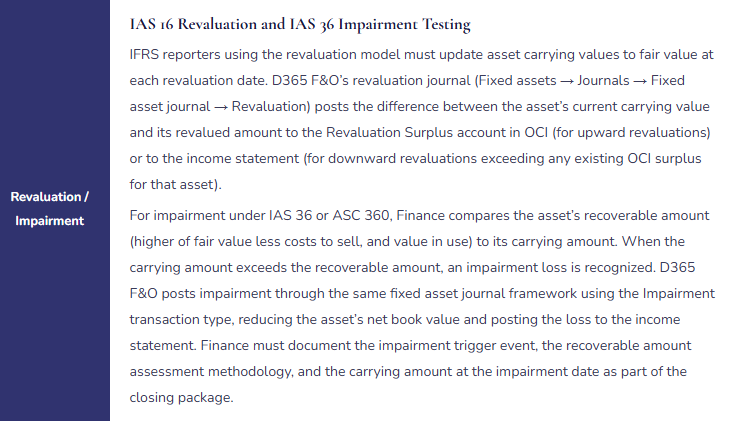
- Used by IFRS reporters who elect the revaluation model under IAS 16 for certain asset classes (typically land, buildings, and specialized equipment). Carries assets at revalued amounts rather than historical cost, with the revaluation surplus or deficit posted to Other Comprehensive Income or the income statement per IAS 16 requirements.
- GL posting: Yes — posts revaluation entries to OCI (upward revaluations) or the income statement (downward revaluations exceeding prior OCI surplus) at each revaluation event.
- Useful life: Reviewed at each revaluation; the remaining depreciable amount is the revalued amount less residual value, depreciated over the revised remaining useful life.
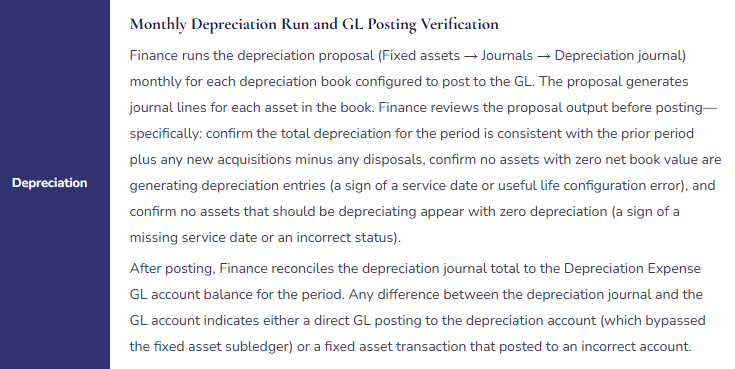
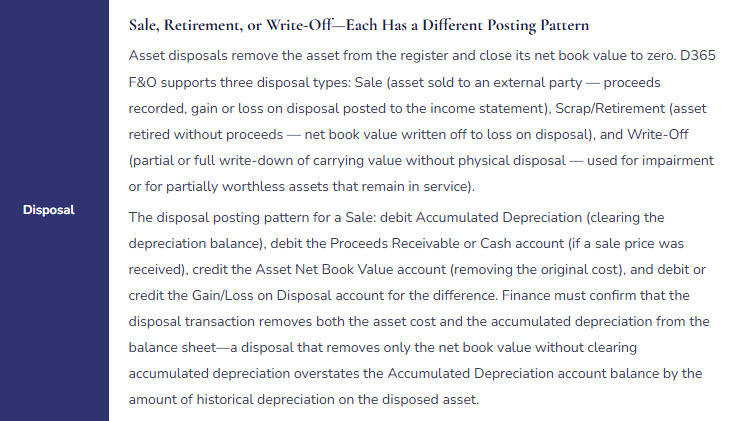
The Fixed Asset Lifecycle in D365 F&O—Every Stage Finance Owns
The Asset Register-to-GL Reconciliation Finance Runs at Every Period Close
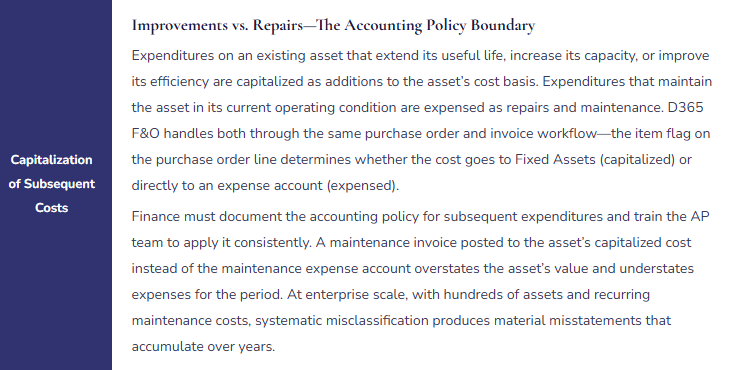
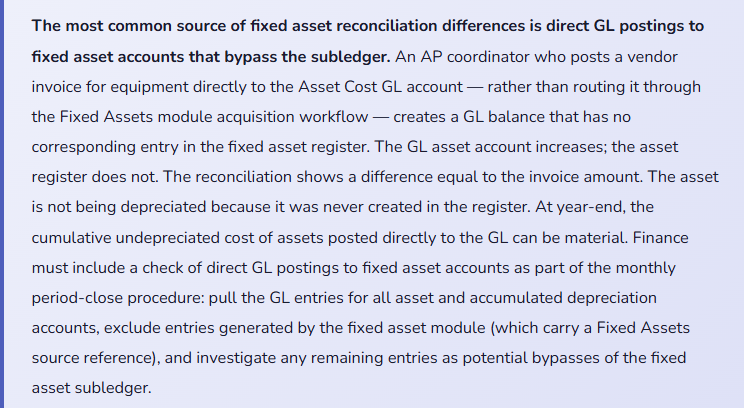
The fixed asset subledger must reconcile to the GL at every period close. The reconciliation compares four account pairs: the Asset Cost account (GL) to the sum of acquisition costs in the fixed asset register, the Accumulated Depreciation account (GL) to the sum of accumulated depreciation in the register, the Depreciation Expense account (GL) for the period to the depreciation journal total for the period, and the Gain/Loss on Disposal account (GL) for the period to the disposal entries in the register for the period. Any difference in any of the four pairs requires investigation before the period closes.
Five Fixed Asset Configuration Failures That Produce Year-End Audit Findings
⚠️ Wrong Asset Group Assigned at Acquisition—Incorrect Depreciation Method for Asset’s Entire Life
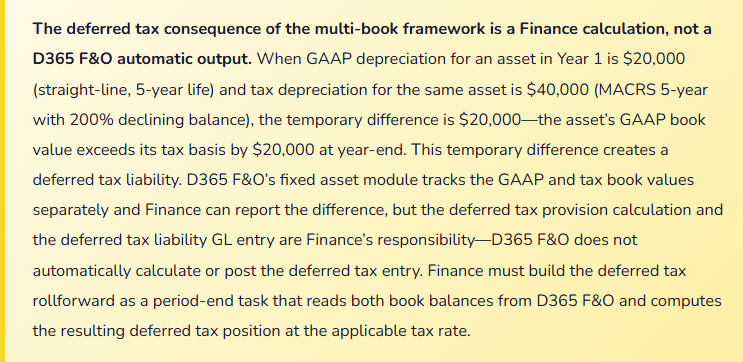
The organization acquires $420,000 of manufacturing equipment. During data entry, the Fixed Assets coordinator assigns the asset to the “Furniture and Fixtures” asset group (7-year straight-line life, 10% salvage value) instead of the “Manufacturing Equipment” asset group (10-year straight-line life, 0% salvage value). The error produces annual GAAP depreciation of $54,000 ($420,000 less $42,000 salvage, divided by 7 years) instead of the correct $42,000 ($420,000 divided by 10 years). Over the first year, depreciation is overstated by $12,000. The error is not discovered until the external auditors review the fixed asset rollforward at year-end and ask why manufacturing equipment is in the Furniture and Fixtures group. Correcting the error requires a prior-period adjustment that changes a full year of depreciation expense and restates the asset’s net book value.
Fix: Asset group assignment must be validated by Finance before the acquisition transaction is posted. Finance creates a fixed asset capitalization policy that maps asset categories to asset groups: manufacturing equipment to the Manufacturing Equipment group, vehicles to the Vehicles group, IT hardware to the IT Equipment group, leasehold improvements to the Leasehold Improvements group. The policy document is the reference that the Fixed Assets coordinator uses when creating new asset records. Finance reviews a report of new asset acquisitions monthly (Fixed assets → Inquiries → Fixed asset transactions filtered to Acquisition, current period) and confirms every acquisition was assigned to the correct group. Any incorrect group assignment must be corrected before depreciation runs for the first time on the asset — once depreciation has posted under the wrong method, the correction requires prior-period restatement.
⚠️ Tax Book Not Configured at Go-Live—Tax Depreciation Tracked in Spreadsheets for Years
The implementation team sets up one depreciation book: the GAAP book for financial reporting. Tax depreciation is noted as a post-go-live configuration item. The organization goes live and immediately begins making capital acquisitions. Tax depreciation calculations begin in Excel, tracking MACRS recovery periods, Section 179 elections, and bonus depreciation elections for each asset outside D365 F&O. Eighteen months post-go-live, the tax spreadsheet has 340 assets tracked across five worksheets by three different people. The tax book has never been set up in D365 F&O. When the organization’s tax advisors request the deferred tax analysis for the year-end provision, Finance must reconcile 340 assets between the D365 F&O GAAP book and the Excel tax book — a process that takes three days and finds 14 discrepancies where assets were entered in D365 F&O but not added to the Excel tracker, resulting in 14 assets with no tax depreciation recorded.
Fix: The tax book is an implementation scope item, not a post-go-live optional feature. Every organization subject to income tax on depreciable assets needs a tax book configured before the first capital acquisition is posted. Configuring the tax book retroactively requires entering the acquisition cost, MACRS recovery period, and tax depreciation method for every historical asset — which is the same amount of work as the original configuration, plus the retroactive tax depreciation calculation for all periods since go-live. The retroactive configuration always takes longer than the original configuration would have, and always finds at least some assets where the Excel tracking was inconsistent with what was actually in service. Configure the tax book at go-live.
⚠️ Fully Depreciated Assets Left on the Register—Balance Sheet Grossly Overstates Historical Cost
The organization has been operating D365 F&O for four years. In that time, significant asset disposals have occurred — replaced computers, retired equipment, vacated leased space with leasehold improvements written off — but the fixed asset disposal transactions were not consistently posted. Twelve computers replaced three years ago are still on the register (fully depreciated, net book value zero, but cost still showing in the register). Eight pieces of production equipment sold for scrap 18 months ago are still on the register (also fully depreciated). The fixed asset register shows $8.4 million in historical asset cost; the actual cost of assets currently in service is approximately $5.6 million. The balance sheet shows the correct net book value (since all the retired assets are fully depreciated, their NBV is zero) but the gross asset cost and accumulated depreciation are both overstated by $2.8 million. The auditors, reviewing the gross asset rollforward, ask Finance to substantiate $2.8 million of fully depreciated assets that are apparently no longer in service. Finance cannot produce supporting documentation for most of them because the disposals were never documented.
Fix: Every physical asset disposal must have a corresponding D365 F&O disposal transaction posted before the period in which the asset leaves service closes. Finance establishes a quarterly physical asset verification process: the Fixed Assets team reconciles the D365 F&O asset register to a physical asset list (the Operations team confirms which assets are currently in service), and any asset in the register that is no longer in service is posted as disposed using the appropriate disposal type. Fully depreciated assets with net book value zero still require a disposal transaction to clear the historical cost and accumulated depreciation from the balance sheet — they do not simply disappear. The disposal transaction for a fully depreciated asset posts a debit to Accumulated Depreciation (equal to the historical cost) and a credit to the Asset Cost account, netting to zero and removing both the gross cost and the accumulated depreciation from the balance sheet.
⚠️ Financial Dimensions Missing on Asset Records—Depreciation Posts With No Cost Center Allocation
The organization tracks departmental costs using the Department financial dimension. Every GL journal entry requires a Department dimension. The fixed asset module was configured without assigning default Department dimensions to asset groups or individual asset records. Monthly depreciation runs post to the Depreciation Expense account with a blank Department dimension. The dimension mandatory validation rule for the Depreciation Expense account forces the depreciation journal to fail on posting because the Department dimension is blank. Finance disables the mandatory dimension validation for the depreciation run to allow the journal to post, then manually reallocates the depreciation to departments using a separate allocation journal after the fact. This workaround adds two hours to every depreciation run and produces department-level cost reports that are accurate only after the manual allocation — which means the departmental P&L reports are wrong every month until the allocation is complete.
Fix: Financial dimension defaults must be configured on asset groups or individual asset records before the first depreciation run. In D365 F&O, financial dimensions on fixed assets are assigned through the Fixed asset group (→ Setup → Financial dimensions) for group-level defaults, or on the individual asset record for asset-specific overrides. The dimension assigned to the asset group is inherited by every asset in that group and flows to every depreciation posting for those assets. Finance maps asset groups to the appropriate department (all IT equipment assets to the IT department dimension, all manufacturing equipment to the Production department dimension, leasehold improvements to the Facilities department dimension). For assets that span multiple cost centers — a shared server, a conference room, a vehicle used by multiple departments — define a shared asset cost center and include the allocation in the departmental cost allocation process rather than trying to split the depreciation at the asset level.
⚠️ No Asset Register-to-GL Reconciliation—Direct GL Postings to Asset Accounts Go Undetected for 18 Months
Finance runs the depreciation journal monthly and posts it. Nobody runs the asset register-to-GL reconciliation. For 18 months, the AP team has been posting equipment purchases directly to the Asset Cost GL account rather than routing them through the Fixed Assets module, because the direct GL posting is faster and the AP team was not trained to use the fixed asset acquisition workflow. By month 18, the GL Asset Cost account is $340,000 higher than the sum of acquisition costs in the fixed asset register. None of the $340,000 has been depreciated (the assets were never created in the register). The balance sheet overstates net fixed assets by $340,000. Depreciation expense is understated by approximately $68,000 (assuming a 5-year average useful life for the equipment). The auditor identifies the discrepancy during the fixed asset reconciliation at year-end and asks Finance to explain $340,000 of asset cost on the balance sheet with no corresponding register entries.
Fix: The asset register-to-GL reconciliation is a monthly close procedure, not a year-end exercise. Finance runs the Fixed asset balance report (Fixed assets → Inquiries → Fixed asset balance) as of the period-end date and compares the total acquisition cost and accumulated depreciation per the report to the GL Asset Cost and Accumulated Depreciation account balances for the same date. Any difference requires immediate investigation. The D365 F&O Fixed assets transaction report filtered to the GL posting date range and sorted by account will identify any GL entries to fixed asset accounts that do not originate from the fixed asset module — these are the direct postings that bypass the subledger. Each identified direct posting requires a correcting transaction: reverse the direct GL entry and process the capitalization through the fixed asset acquisition workflow, creating the asset record and capturing the depreciation that should have been running since the acquisition date.
Do This / Don’t Do This
Do This
- Configure all required depreciation books (GAAP, Tax, IFRS Revaluation) before the first capital acquisition is posted at go-live
- Document the capitalization policy mapping asset categories to asset groups—review every new acquisition for correct group assignment before the first depreciation run
- Assign financial dimension defaults to every asset group before the first depreciation run
- Run the fixed asset register-to-GL reconciliation at every period close as a required subledger reconciliation task
- Check GL entries to fixed asset accounts for bypasses of the fixed asset subledger every period
- Post disposal transactions for every asset that leaves service before the period closes
- Run quarterly physical asset verification to identify assets in the register no longer in service
- Review the depreciation proposal before posting—confirm no zero-NBV assets are depreciating and no in-service assets are producing zero depreciation
Don’t Do This
- Defer tax book configuration to post-go-live—every asset acquired before the tax book is configured requires retroactive tax depreciation entry
- Post equipment purchases directly to the Asset Cost GL account rather than through the fixed asset acquisition workflow
- Leave fully depreciated assets on the register without posting disposal transactions—they overstate gross asset cost and accumulated depreciation indefinitely
- Disable mandatory dimension validation on the depreciation expense account as a workaround for missing dimension assignments on assets
- Skip the asset register-to-GL reconciliation during compressed closes—discrepancies found at year-end audit are far more expensive to correct than discrepancies found monthly
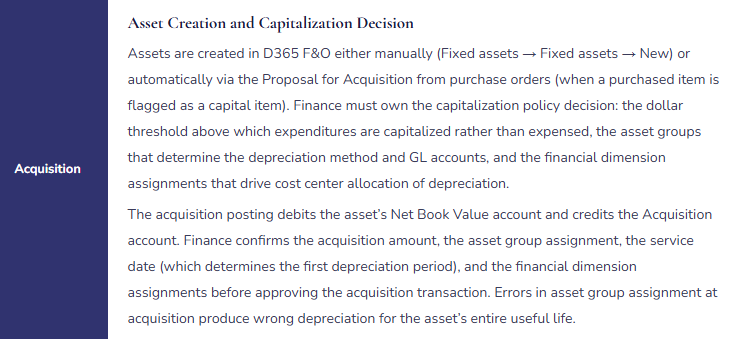
- Assume D365 F&O automatically calculates and posts the deferred tax provision—it tracks the book-tax difference but the provision entry is Finance’s calculation
What’s Next:
Fixed asset management closes the asset lifecycle arc. The next post addresses one of D365 F&O’s most sophisticated Finance modules—one that is essential for professional services, government contractors, and engineering organizations: Project Accounting and Government Contract Compliance in D365 F&O—how D365 F&O’s project management and accounting module handles time-and-materials, fixed-price, and cost-plus contracts, the DCAA compliance configuration for government cost-accounting standards, revenue recognition by project type, and the five project accounting configuration failures that produce billing disputes and audit findings.
— Bobbi
D365 Functional Architect · Recovering Controller
Thank you for reading!
If this post helped you solve a real problem, share it with a Finance colleague who is in the middle of an ERP implementation or a post-go-live optimization. If you have a topic that I haven’t covered, please reach out. There is always one more post worth writing.
Interested in learning more? Below are some of my latest blogs:
Leave a Reply