

Post #005 – AI In Microsoft ERP
The monthly close is one of the most pressure-filled processes in finance. Here’s an honest look at where AI helps, where it doesn’t yet, and what changes when you put it to work.

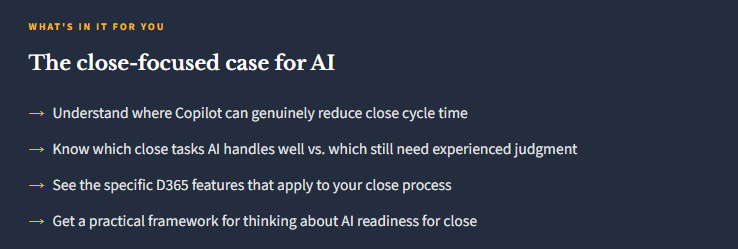
Why Close Is a Complicated Target for AI
The monthly close process is harder to automate than it looks, for a few reasons. First, close is highly sequential — step B often can’t happen until step A is confirmed. Second, it involves a lot of judgment calls: is this timing difference a real issue or a known pattern? Does this variance need an explanation or is it within tolerance? Third, it involves cross-functional dependencies — sub-ledger teams, operations, FP&A — where the bottleneck isn’t always in finance’s control.
AI is good at working through structured, repeatable tasks quickly. It’s less good at navigating the organizational dynamics and judgment-intensive decisions that make close hard. So the honest picture is: AI can meaningfully accelerate certain parts of close, and it can’t replace the experienced accountant who knows what a weird journal entry is telling you.
Where AI Actually Helps with Close
✓ AI Adds Real Value Here
- Bank reconciliation (BC Copilot feature)
- Variance analysis prep and drafting
- Sub-ledger to GL reconciliation checks
- Intercompany balance identification
- Journal entry review for patterns
- Accrual schedule analysis in Excel
- Workflow status tracking and follow-up
- Drafting close commentary and memos
○ Still Needs Human Judgment
- Materiality decisions on out-of-balance items
- Judgment-based accrual estimates
- Cross-functional escalation calls
- Tax provision work
- Audit-ready documentation sign-off
- New account coding decisions
- Revenue recognition edge cases
- Final sign-off and close declaration
The Specific D365 Features That Apply to Close
Let me walk through the actual Copilot capabilities in D365 that touch the close process:
Workflow Analysis (F&O). Copilot can analyze a document’s workflow history and surface why something is stuck — is it pending a specific approver? Did it fail a validation? This is genuinely useful during close when journals or expense reports are sitting in someone’s queue and you need to track them down fast.
Bank Reconciliation Assist (BC). As we covered in Post 3, Copilot handles the unmatched transactions that used to sit at the bottom of the reconciliation. Getting those resolved faster directly accelerates close — bank rec is often a gate for other steps.
Collections Summary and Analysis (F&O). Copilot can summarize AR aging and flag significant deviations in customer payment behavior. During close, this supports the AR accrual decision and the bad debt reserve analysis.
Finance Agent Variance Analysis (M365 Copilot). The Finance Agent, available through Microsoft 365 Copilot, can analyze variance between actuals and budget directly in Excel — pulling data from your D365 environment. This is one of the more practical applications for the close commentary process: get the numbers, get a first draft of the explanation, refine it. That workflow has historically eaten a lot of time.

The Variance Commentary Use Case
I want to spend more time on this one because it’s underappreciated. Every close produces a stack of variance explanations — budget vs. actual, prior period comparisons, departmental commentary. For most finance teams, writing this commentary is a manual process: pull the numbers, build the comparison, draft the narrative, get it reviewed. It’s time-consuming and often happens under pressure.
What AI can do today — not just in Copilot, but also in tools like Claude — is dramatically accelerate the drafting step. Give it the variance table and the context about your business, and it can produce a first-draft explanation that your team refines rather than writes from scratch. That’s not nothing. In a typical close, that might save two to four hours of senior accountant time on commentary alone.

What You Need in Place for AI to Help with Close
Here’s the part that matters for planning: AI accelerates a good close process. It struggles with a chaotic one. The pre-conditions that make AI useful for close are the same ones that make a close run smoothly in general:
Clean chart of accounts with consistent account usage. Sub-ledgers that are current before close begins — not journals being posted on day three of close week. A documented close checklist with clear ownership. Accruals that are estimated during the month, not invented at close. Intercompany transactions that are reconciled in advance.
If those things are in place, AI can compress the remaining manual work meaningfully. If they’re not, AI surfaces the problems faster — which is useful, but it’s not a substitute for process discipline.

📚 Go Deeper — Microsoft Resources
- Finance in Microsoft 365 Copilot — Generally Available
- Copilot Capabilities in D365 Finance & Operations
- Bank Reconciliation with Copilot — Business Central
My Bottom Line on AI and Close
Yes, AI can help you close faster — but probably not by eliminating the last three days. It helps most at the edges: upstream processes that were bottlenecks (bank rec, AP aging, AR review), and downstream communication tasks (commentary drafts, variance narratives, management reports). The structural parts of close — the judgment calls, the sign-offs, the reconciliation investigation — those still belong to experienced people.
The realistic improvement I’d estimate for a well-configured D365 environment using current AI capabilities: one to two days off a typical close cycle, concentrated in the prep and communication work. That’s meaningful. It’s not magic, but it’s real.
Next week: Post 6 is one I’ve been looking forward to writing — how I actually use Claude alongside Copilot in my day-to-day work as an architect.
BB
Bobbi Bricker
ERP Capability Lead & D365 Functional Architect at Centric Consulting. Former controller. Practical by nature, curious by default. Writing about D365 F&O, Business Central, and now AI in ERP — because someone has to translate the tech into something finance teams can actually use.
Thank you for reading!
Interested in learning more? Below are some of my latest posts:
Leave a Reply