

Advanced Financial Period Close Workspace configuration for multi-entity environments, the Finance-led close performance analysis methodology that produces measurable close-time reduction, the critical path analysis technique Finance must apply before any close optimization investment, and the five period-close governance failures that keep Finance organizations running a 12-day close on a platform designed to support a 6-day close.
The Multi-Entity Financial Period Close Workspace—What Changes at Enterprise Scale
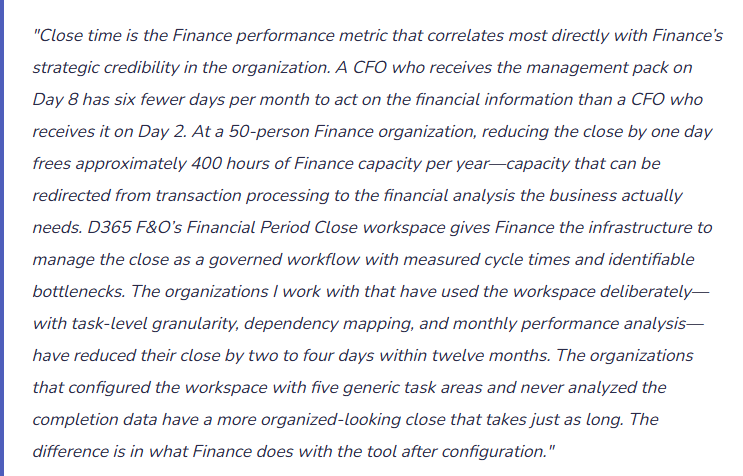
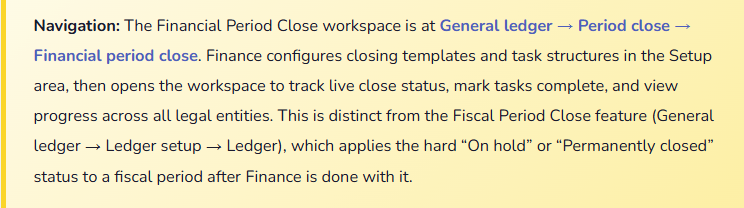
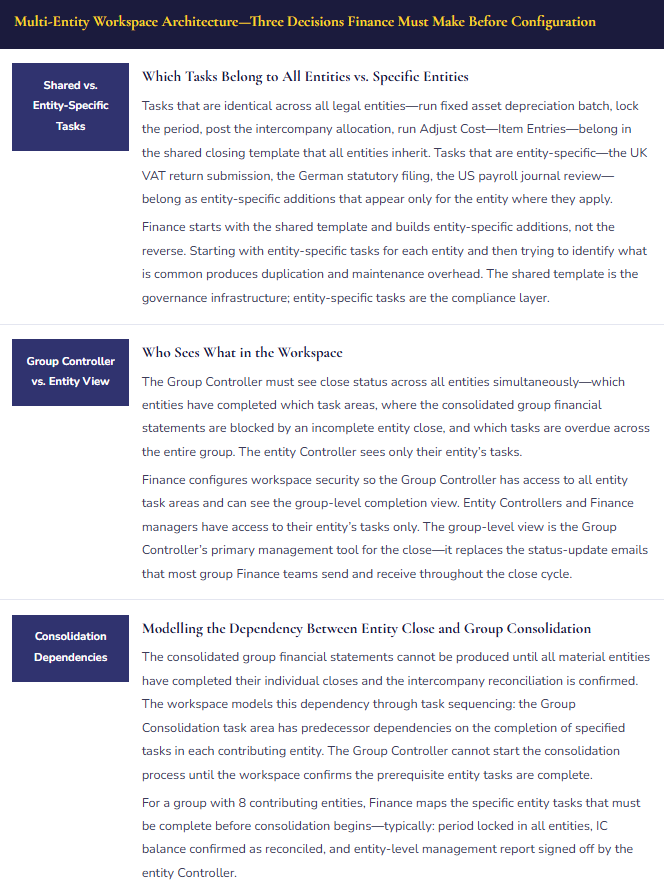
D365 F&O’s Financial Period Close workspace scales from a single legal entity with 30 tasks to a 20-entity group with hundreds of tasks organized across entity-specific and shared closing template structures. Finance must understand three architectural decisions that determine whether the workspace scales correctly for a complex entity structure.
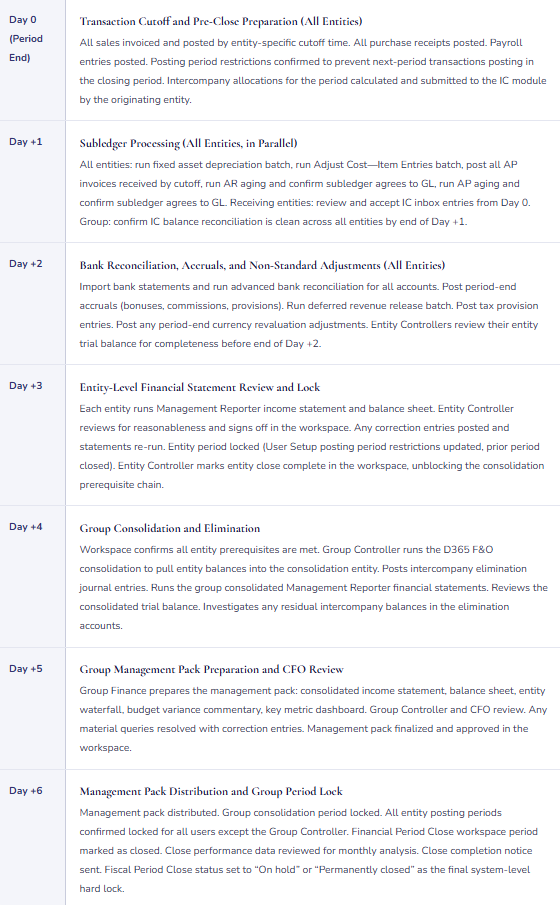
The 6-Day Close Target—A Sample Multi-Entity Timeline
6-Business-Day Multi-Entity Close Calendar—Financial Period Close Workspace Task Sequence
The Close Performance Analysis—Finding the Bottleneck Finance Can Actually Fix
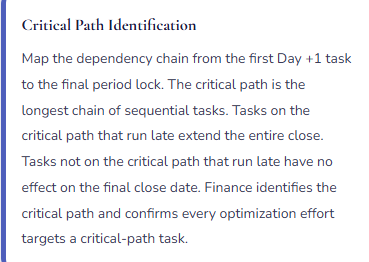
The Financial Period Close workspace records a completion timestamp for every task. Over three to six close cycles, these timestamps produce a dataset Finance can analyze to identify the critical path bottleneck—the single task or task sequence whose compression would reduce the overall close timeline the most. Finance must run this analysis before investing in any close optimization, because the bottleneck is rarely where Finance believes it is.
Five Period-Close Governance Failures That Keep the Close Long
⚠️ Financial Period Close Workspace Configured With Five Generic Task Areas—Provides Status Theater Instead of Close Visibility
Finance implements the Financial Period Close workspace at go-live using five high-level task areas: Accounts Payable, Accounts Receivable, General Ledger, Financial Statements, Period Lock. Each area has one task assigned to one Finance team member. The Group Controller checks the workspace on Day 3 and sees that three of five areas are complete and two are still open. She cannot determine what specific work remains in the open areas, which tasks are on the critical path for the management pack deadline, or whether there is anything she can do to accelerate the close. The workspace shows the same information a phone call would produce. The Group Controller closes it and sends emails to the entity Finance leads asking for status updates—the same pattern she used before the workspace was configured.
Fix: The workspace’s value scales with task granularity. Finance should build 30 to 60 specific task-level entries for a standard entity close, each corresponding to a specific D365 F&O action or validation step that a Finance team member can complete and attest to. “Accounts Payable” becomes: (1) Confirm AP invoice cutoff—no invoices to post after 5 p.m. on Day 0; (2) Post all AP invoices received by cutoff; (3) Run AP aging report—confirm total agrees to AP control account within tolerance; (4) Confirm no AP invoices in workflow approval queue older than 48 hours. Four specific tasks replace one generic area, and the Group Controller can see at 10 a.m. on Day +1 exactly which of the four tasks is blocking AP close progress. The granularity investment is one day of configuration work; the return is accurate close status visibility for the life of the implementation.
⚠️ No Dependency Configuration—Downstream Tasks Marked Complete Before Upstream Prerequisites Finish
Finance configures the workspace with 40 specific tasks but does not configure dependencies between them. Every task is available for completion from Day +1 regardless of whether its prerequisites are done. On Day +2, the Group Controller notices that three entity Finance coordinators have marked their “Management Reporter income statement review” task as complete at 9 a.m.—before the AP aging reconciliation and the period-end accruals tasks are done. The income statements they reviewed did not include all period-end entries. The income statements must be re-run and re-reviewed after the remaining Day +2 tasks complete. The duplicate review adds three hours to the close. Without dependencies, the workspace cannot prevent out-of-sequence completion; it can only record it. The rework is discovered after the fact rather than prevented.
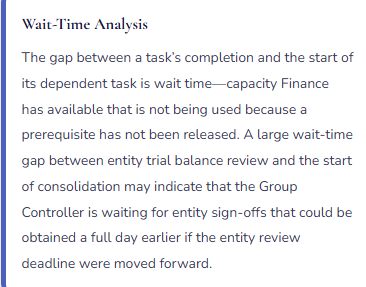
Fix: Task dependencies encode the close sequence logic Finance already knows. The minimum viable dependency set for any entity close: (1) all transaction cutoff tasks must precede all subledger reconciliations; (2) all subledger reconciliations must precede all accrual postings that depend on subledger balances; (3) all period-end entries must be posted before the trial balance review task can be started; (4) the trial balance review must be complete before the Management Reporter financial statement task can start; (5) the financial statement sign-off must be complete before the period lock task can start. These five dependency chains take two hours to configure in the workspace and prevent the out-of-sequence completion pattern that generates close rework. Finance adds them before the first live close, not after the first out-of-sequence mistake.
⚠️ Close Performance Data Never Analyzed—Same Bottleneck Repeats for 18 Months
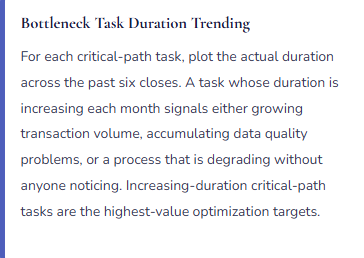
The Financial Period Close workspace is used to track close task status every month. Every task is marked complete by the end of each close. The Group Controller uses the workspace during the close as a status dashboard and then moves on to the management pack. Nobody analyzes the completion timestamp data. After 18 close cycles, Finance has 18 months of task-level completion data showing that the bank reconciliation for the main operating account consistently takes 5.5 hours on Day +2, blocking the accrual posting window by 3.5 hours and pushing the entity sign-off from Day +3 morning to Day +3 afternoon—a delay that cascades to push consolidation from Day +4 morning to Day +4 afternoon and the management pack from Day +5 to Day +6. The pattern is in the data, visible to anyone who looks at it. Nobody has looked at it. The same 7-day close repeats 18 times while the data required to reduce it to 6 days sits in the workspace’s completion history unused.
Fix: Close performance analysis is a monthly Finance governance activity, not a quarterly or annual project. After each close cycle, Finance reviews the completion timestamps recorded in the workspace for each critical-path task: the target completion time, the actual completion time, and the duration. Finance plots these for the most recent three closes and identifies the task or task sequence that is consistently latest relative to its target. For the bank reconciliation scenario, the diagnosis is immediate—the bank statement import for the main operating account runs at 8 a.m. Day +2 and the matching process takes until 1:30 p.m. The fix: schedule the bank statement import for 6 p.m. on Day +1 and allow the automated matching to run overnight, so Finance reviews completed matches at 8 a.m. on Day +2 rather than waiting for the import-then-match sequence to complete during Day +2.
⚠️ Posting Period Restrictions Not Updated Post-Close—Prior-Period Entries Post Weeks After Close
Finance closes the period on Day +6. The period lock task in the Financial Period Close workspace was written as “Mark workspace period as closed”—but it did not include updating D365 F&O’s posting period restrictions in User Setup for all Finance users. Three days after the close, the AP coordinator for one entity posts a vendor invoice with a posting date in the just-closed period because the vendor invoice was dated in the prior month and the coordinator used the invoice date as the posting date. The prior period is not hard-locked because User Setup was not updated. The invoice posts into the closed period, changing the entity’s AP balance and income statement for a period the Group Controller has already reported as final. When the Group Controller reviews the following month’s comparative statements, the prior period column does not match what was distributed to the board the previous month.
Fix: The period lock task in the workspace must include two documented sub-actions: (1) mark the Financial Period Close workspace period as closed; and (2) update D365 F&O’s posting period restrictions in System Administration → Users → User setup for all Finance users, setting Allow Posting From to the first day of the new period. The second sub-action prevents any user except the Group Controller from posting to a date in the closed period. Finance confirms the User Setup update is complete by attempting a test posting to a closed period date after the update—the test posting should be rejected. The workspace period lock task requires attestation from the Controller that both sub-actions are complete before the task is marked done. D365 F&O’s Fiscal Period Close feature (General ledger → Ledger setup → Ledger) provides a harder system-level lock—setting the period status to “On hold” or “Permanently closed”—that Finance uses after all audit adjustments are final.
⚠️ Intercompany Reconciliation Is Not a Close Prerequisite—Consolidation Runs With IC Imbalances That Take Days to Untangle
Finance runs the group consolidation on Day +4 as the workspace schedule requires. The consolidation completes. The Group Controller runs the consolidated income statement and balance sheet. The balance sheet shows a £480,000 net balance in the intercompany receivable and payable accounts after the elimination journals are posted—a residual IC imbalance that the elimination did not fully clear. Investigation reveals that three IC transactions were accepted in the receiving entities at amounts that differed from the originating entities’ posted amounts, and one IC transaction in the UK entity’s inbox was never accepted because the UK Finance coordinator was out on Day +1 and nobody processed her queue. The IC reconciliation that should have been a Day +1 close task was never configured in the workspace. The Group Controller spends Day +4 and most of Day +5 resolving the IC imbalances rather than preparing the management pack. The management pack is delivered on Day +7 instead of Day +5.
Fix: The intercompany balance reconciliation is a mandatory workspace task with a Day +1 or Day +2 deadline, configured before the consolidation task area, with a dependency that prevents consolidation from starting until the IC reconciliation is marked complete. The IC reconciliation task owner is the Group Controller or a designated IC reconciliation officer—it is not delegated to the entity-level Finance coordinators who also own their inbox acceptance tasks. The IC reconciliation task in the workspace specifies: run the IC Balance by Partner report for all entities, confirm IC receivable and payable balances agree within zero tolerance, investigate any difference and post a correcting entry or escalate. The task cannot be marked complete with a known outstanding IC balance. Any IC balance at the time the consolidation task prerequisites are evaluated blocks the consolidation from starting—by design.
Do This / Don’t Do This
Do This
- Configure the Financial Period Close workspace with 30–60 specific task-level entries per entity close—not five generic task areas
- Map task dependencies before the first live close—encode the close sequence logic Finance already knows
- Configure the IC balance reconciliation as a mandatory workspace task with a Day +1 deadline and a dependency that blocks consolidation
- Analyze workspace completion timestamps monthly—identify the critical-path bottleneck before investing in any optimization
- Include the User Setup posting period restriction update as an explicit workspace task with an attestation requirement
- Use the Fiscal Period Close feature (General ledger → Ledger setup → Ledger) as the final system-level hard lock after audit adjustments are complete
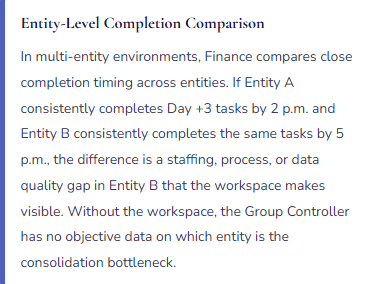
- Give the Group Controller a cross-entity completion view—the workspace’s most powerful feature for multi-entity close governance
Don’t Do This
- Configure the workspace with generic high-level task areas and consider the close governance problem solved
- Skip dependency configuration—without it, out-of-sequence completions generate rework that costs more time than dependencies would have prevented
- Use the workspace only as a status dashboard without analyzing completion timestamp data for bottleneck identification
- Run consolidation without first confirming IC balances are reconciled across all entities
- Treat marking the workspace period as closed as sufficient without updating D365 F&O posting period restrictions for all users in User Setup
- Invest in close optimization before identifying the critical path—optimizing a non-critical-path task produces zero close-time reduction
What’s Next:
Period close governance drives close-time reduction. The next post addresses a Finance module that is increasingly relevant as organizations shift to recurring revenue models: Subscription Billing and Revenue Recognition at Scale in D365 F&O—how D365 F&O’s Subscription Billing module handles recurring revenue contracts alongside the Revenue Recognition module’s ASC 606 compliance requirements, the configuration decisions Finance must own at the intersection of billing and recognition, and the five subscription billing failures that produce revenue misstatements Finance discovers at the annual audit.
— Bobbi
D365 Functional Architect · Recovering Controller
Thank you for reading!
If this post helped you solve a real problem, share it with a Finance colleague who is in the middle of an ERP implementation or a post-go-live optimization. If you have a topic that I haven’t covered, please reach out. There is always one more post worth writing.
Interested in learning more? Below are some of my latest posts:
Leave a Reply