
Post #002 – AI In Microsoft ERP
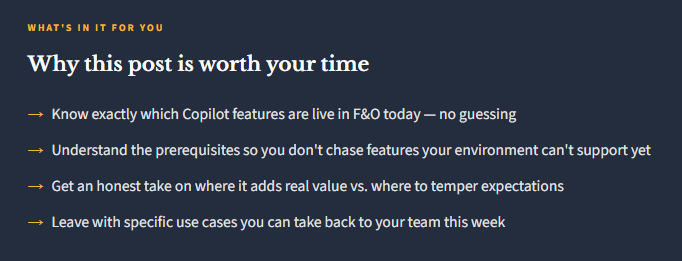
The feature list looks impressive. But what’s actually live, what works well in practice, and what’s still maturing? Let’s sort it out.

First, a Quick Orientation
Copilot in D365 Finance & Operations isn’t a single feature — it’s a collection of AI-powered capabilities that have been rolling out over several releases. Some are embedded directly in finance workflows. Some require additional configuration or a Power Platform connection. And some exist at the Microsoft 365 layer, meaning they surface in Outlook or Teams rather than inside F&O itself.
The other thing worth knowing: Copilot is not included by default in all F&O environments. You need version 10.0.38 or higher, integration with Microsoft Power Platform and Dataverse, and the Copilot in Microsoft Dynamics 365 Finance app installed in your Dataverse environment. If your organization hasn’t completed those setup steps, the features below won’t surface — which is worth knowing before you tell your CFO what Copilot can do.
Setup requirement: Copilot in D365 F&O requires Power Platform integration and Dataverse. If your organization skipped that configuration, most Copilot capabilities won’t be available. Check with your admin or implementation partner before building plans around these features. See Microsoft’s enablement guide for specifics.
What’s Live in D365 Finance Today
Let me walk through the Copilot capabilities that are genuinely available in the finance module right now, with a practical take on each one.
Collections Coordinator Summary
Copilot generates an AI summary of a customer’s overdue invoices, payment history, and open credit — pulled from the last 12 months of data. It also drafts a reminder email you can review and send. This one is genuinely useful for AR teams managing large customer bases.
Generative Help & Guidance
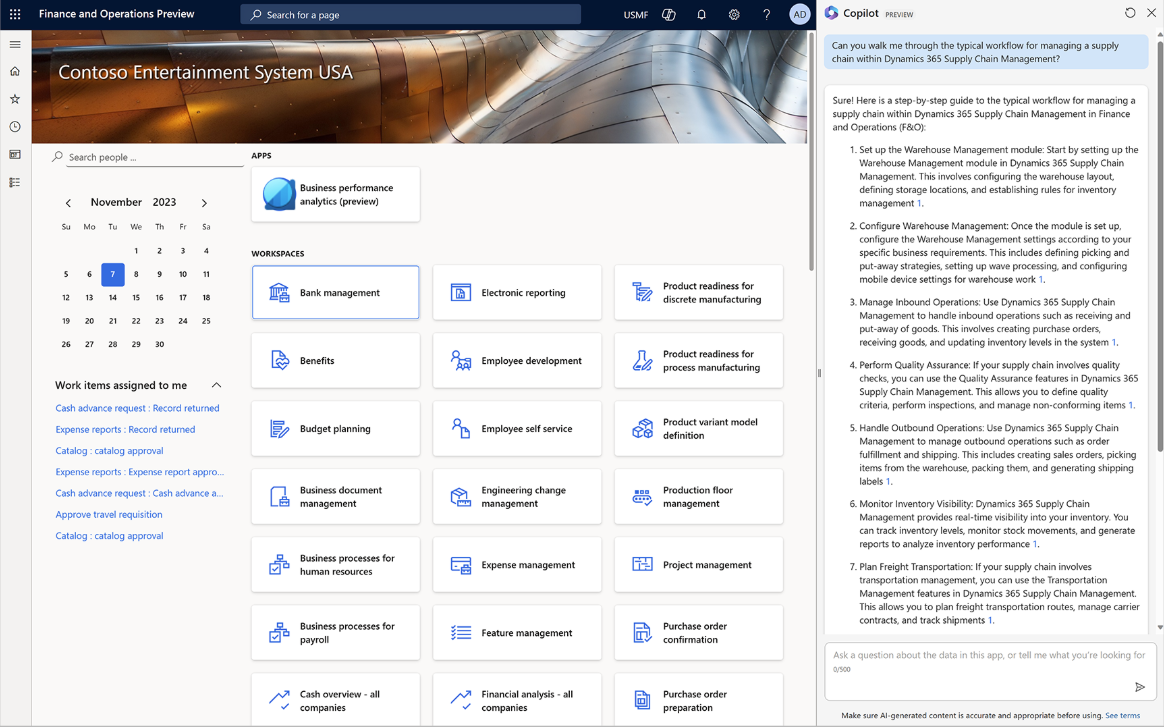
The in-app Copilot sidecar can answer questions about how F&O works — “how do I set up a vendor payment journal” — pulling from Microsoft documentation. Think of it as a context-aware help system that doesn’t require you to leave the screen.
Workflow History Analysis
Copilot can analyze a document’s workflow history and help users understand why something was approved, rejected, or stalled. Particularly helpful for approvers who join mid-process or teams troubleshooting a stuck invoice.
Natural Language Chat
Users can ask questions about their F&O data in plain language — “what’s the status of PO 12345” or “show me open vendor invoices over $50k” — and get responses grounded in their own data. Data access respects existing security roles.
Supply Chain Summaries
In D365 Supply Chain Management, Copilot provides AI-generated summaries on order, product, and vendor pages. Buyers and planners can get a quick read on a vendor’s status without drilling through multiple screens.
Finance Agent (M365 Copilot)
Available via Microsoft 365 Copilot (separate license), the Finance Agent helps with reconciliation, variance analysis, and Excel prep from within Outlook. This works alongside F&O but lives in the M365 layer, not directly inside the ERP.
What It Does Well — And Where to Be Careful
The honest answer is that the features above range from genuinely time-saving to “nice but not transformational yet.” Here’s how I’d categorize them based on what I’ve seen:
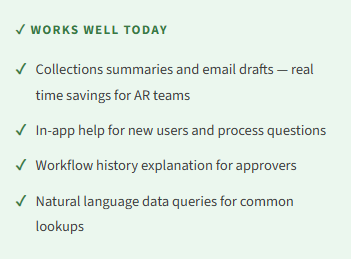
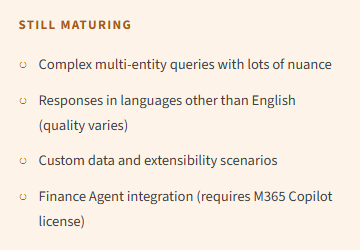
One thing I want to call out specifically: the natural language chat feature is genuinely impressive in demos, and I’ve seen it work well for straightforward queries. Where it struggles is with complex, multi-step analytical questions or when the data setup isn’t clean. If your chart of accounts is a mess or your vendor master is inconsistent, Copilot will reflect that. Garbage in, garbage out still applies.

What’s Coming — The 2026 Wave 1 Picture
The 2026 Release Wave 1 is bringing some significant additions to the F&O AI story. The most notable is Immersive Home — a new AI-powered landing experience that functions as a personalized workspace, surfacing agent-managed tasks and recommendations right when you log in. Think of it as an intelligent command center rather than a static dashboard.
Microsoft is also expanding Model Context Protocol (MCP) support, which allows Copilot agents to connect more deeply to F&O data and act across systems. This is the infrastructure layer that will make future agentic scenarios possible. The Finance Agent (via M365 Copilot) is also getting expanded capabilities around reconciliation and variance analysis in Excel, which is genuinely useful for finance teams who live in spreadsheets during close.
A Note on Licensing
Some Copilot features in F&O are included with your existing license. Others — particularly the Finance Agent and anything that touches Microsoft 365 Copilot — require an additional per-user license. Before building plans around specific features, it’s worth confirming what your current licensing covers. The Microsoft Learn documentation is the most reliable source for this, since licensing details shift with each release wave.
📚 Go Deeper — Microsoft Resources
- Copilot Capabilities Overview — D365 Finance & Operations — the master list of what’s available and what’s in preview
- Collections Coordinator Summary with Copilot — setup and usage details for the AR feature
- Enable Copilot in Finance & Operations — prerequisites and admin setup steps
- Generative Help and Guidance with Copilot — the in-app help feature explained
Bottom Line for Finance Teams
Copilot in D365 F&O is real and it’s useful — but it’s not a single “turn it on” moment. The value is concentrated in specific workflows, particularly AR collections, workflow review, and in-app guidance. If you’re doing a new implementation or an upgrade conversation, these are worth including in your planning and user training discussions.
The bigger story is where this is heading. The 2026 investments in agentic infrastructure suggest that what we have today is the foundation, not the ceiling. That’s worth keeping in mind as you evaluate AI readiness in your organization.
Next up: Copilot in D365 Business Central — which actually has some features that F&O users might be surprised by.
BB
Bobbi Bricker
ERP Capability Lead & D365 Functional Architect at Centric Consulting. Former controller. Practical by nature, curious by default. Writing about D365 F&O, Business Central, and now AI in ERP — because someone has to translate the tech into something finance teams can actually use.
Thank you for reading!
Interested in learning more about Microsoft ERP? Here are some of my latest posts:
Leave a Reply