
Post #006 – AI In Microsoft ERP
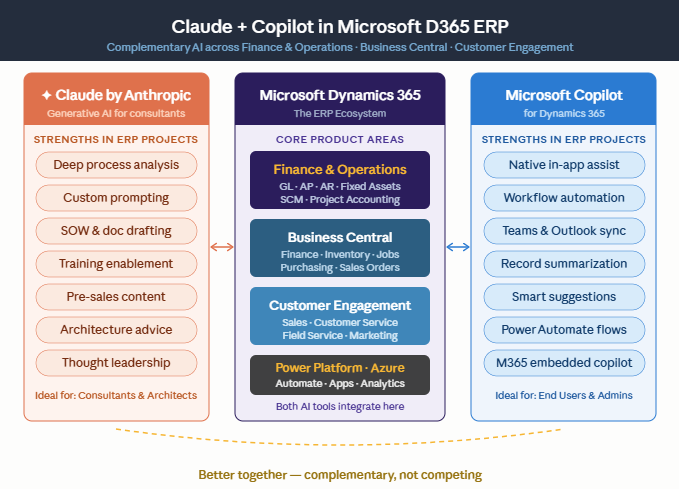
Copilot lives inside D365. Claude lives outside it. Together, they cover more ground than either does alone. Here’s how I actually use both.

Two Tools, Two Lanes
The simplest way I can explain how I use Copilot and Claude is this: Copilot is in-system and Claude is out-of-system. Copilot lives inside D365 and talks to your ERP data directly — it knows your chart of accounts, your open POs, your workflow queues. Claude doesn’t have access to your ERP, but it can reason deeply about complex problems, help me structure documents, analyze pasted content, and work through nuanced situations where I need a thinking partner.
They’re not competing. They’re doing different things. And learning to use both intentionally — rather than just reaching for whichever one is open — has genuinely changed how I work.
| Task type | Copilot (D365) | Claude |
|---|---|---|
| Querying ERP data | Direct, connected | Not applicable |
| Workflow status / approvals | ✓ In-system | Not applicable |
| Document drafting | Limited (email drafts) | Strong — memos, SOWs, specs |
| Process analysis & design | Not its strength | Strong — structured thinking |
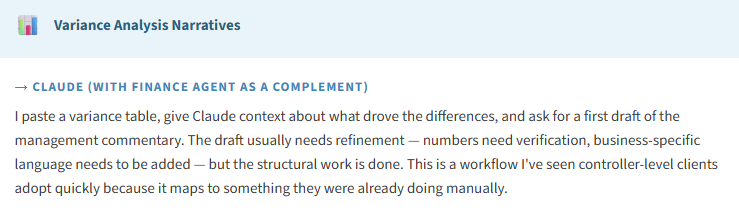
| Variance commentary drafts | Finance Agent (M365) | ✓ Paste data, get narrative |
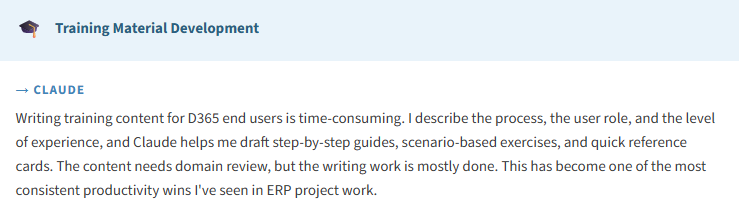
| Training content | No | Strong — write, structure, adapt |
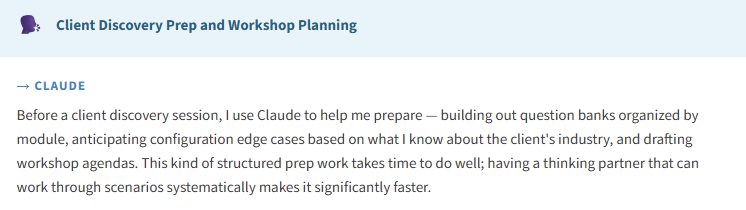
| Configuration guidance | Generative help (limited) | Strong — can reason about design decisions |
| Client communication prep | No | ✓ Context-aware drafting |
| Complex scenario analysis | Limited | Strong — works through trade-offs |
The Use Cases I Actually Use Most
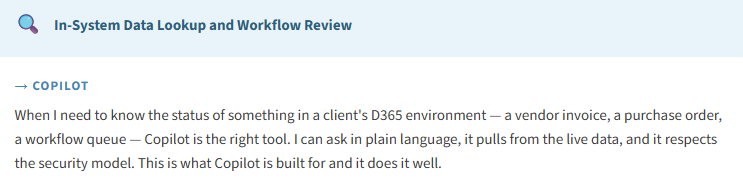
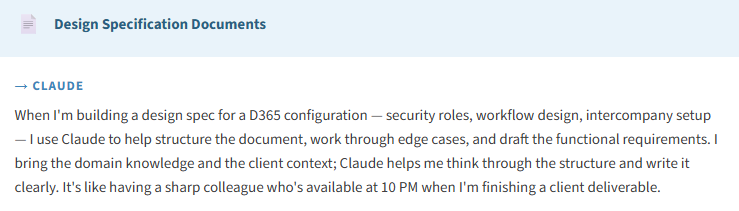
Let me walk through the workflows where I reach for each tool — with enough specificity to be useful:

What This Looks Like on a Typical Project Day
Here’s a real picture of what a busy project day looks like with both tools in the mix. Morning: I’m reviewing a client’s D365 environment — I use Copilot’s in-app help to quickly recall a configuration path I don’t have memorized. I use Claude to draft a follow-up email to the client after the morning call, including a summary of what we covered and the open items. Afternoon: I’m building out a process design for an intercompany scenario. I use Claude to work through the design options and their trade-offs, then I document the recommendation. Evening: I’m finishing a deliverable. I paste a draft into Claude and ask for a structural review and tightening. The time savings across those three moments adds up to something real.
For Finance Teams (Not Just Consultants)
Most of this post has been written from a consulting architect’s perspective, but the pattern applies equally to finance professionals using D365 in their organizations. The workflows that transfer directly: close commentary drafting, variance analysis narrative, policy documentation, training guide development, executive summary preparation, audit response drafting. These are all tasks where Claude can do the structural heavy lifting and a knowledgeable finance professional provides the judgment and domain context.
The finance teams I’ve seen get the most value from this combination are the ones who treat it like any other professional tool — with clear purpose, clear boundaries, and a habit of reviewing the output before it goes anywhere. That’s just good professional practice, and it’s not different for AI.
📚 Relevant Resources
- Generative Help with Copilot in F&O — the in-app guidance feature
- Finance in Microsoft 365 Copilot — variance analysis and reconciliation via M365
- Claude by Anthropic — for out-of-system analysis, writing, and structured thinking
My Hot Take On This
The most useful shift I’ve made in how I work with AI is moving from “which AI tool should I use?” to “what am I actually trying to do, and which tool is designed for it?” Copilot is in-system, data-connected, and built for ERP workflows. Claude is a reasoning partner for complex thinking, writing, and analysis work that happens outside the system. Both earn their place in a serious professional’s toolkit.
Next post gets bigger picture: Post 7 breaks down Microsoft’s 2026 agentic push and what it actually means for your team — beyond the marketing language.
BB
Bobbi Bricker
ERP Capability Lead & D365 Functional Architect at Centric Consulting. Former controller. Practical by nature, curious by default. Writing about D365 F&O, Business Central, and now AI in ERP — because someone has to translate the tech into something finance teams can actually use.
Thank you for reading!
If you are interested in learning more, below are some of my latest posts:
Leave a Reply