
Set It Once · A back-to-basics series on configurations · D365 Finance & Operations
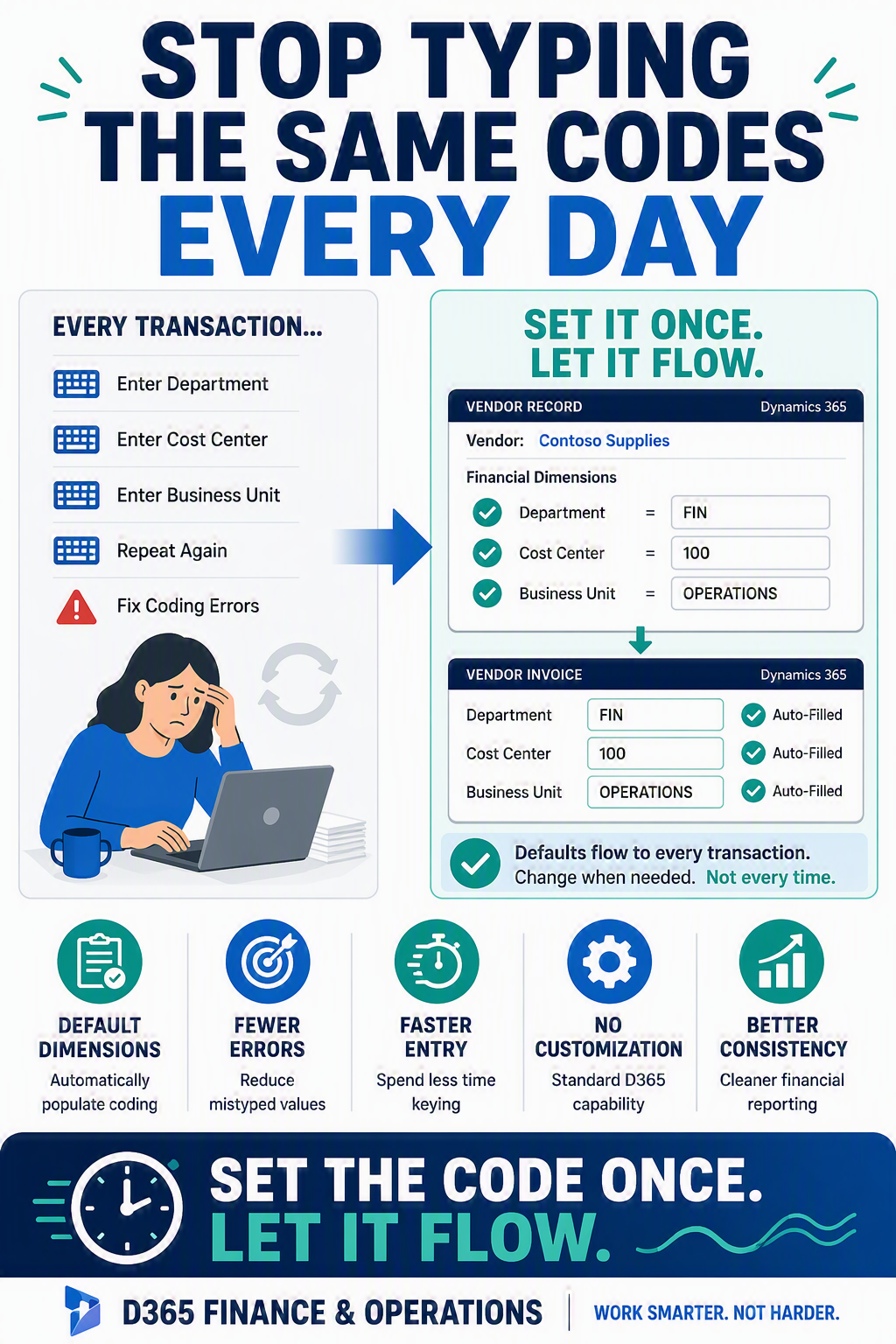
Default financial dimensions do the coding for you, so you stop keying the same department and cost center on every single transaction.

Every finance person has a dimension they type on repeat. Department. Cost center. Business unit. You key it on the invoice, key it again on the next one, and quietly hope you never fat-finger it into the wrong bucket. Multiply that by a few hundred transactions a month and it adds up to real time and real cleanup.
F&O will do this for you. You can tell a master record, like a vendor or a customer, which dimensions it should carry, and from then on the system fills them in automatically on every transaction. This is one of the highest-leverage settings in the whole application, and if you can edit a vendor card, you can set it up yourself.
The idea in one minute: Where dimensions come from
Think of default dimensions as a memory attached to a record. When you post a transaction, F&O looks at the records involved, the vendor, the item, the main account, and pulls their remembered dimension values onto the entry. You can still override any value on the line, but the point is that you rarely need to. The right codes are already there.
Set default dimensions on a vendor
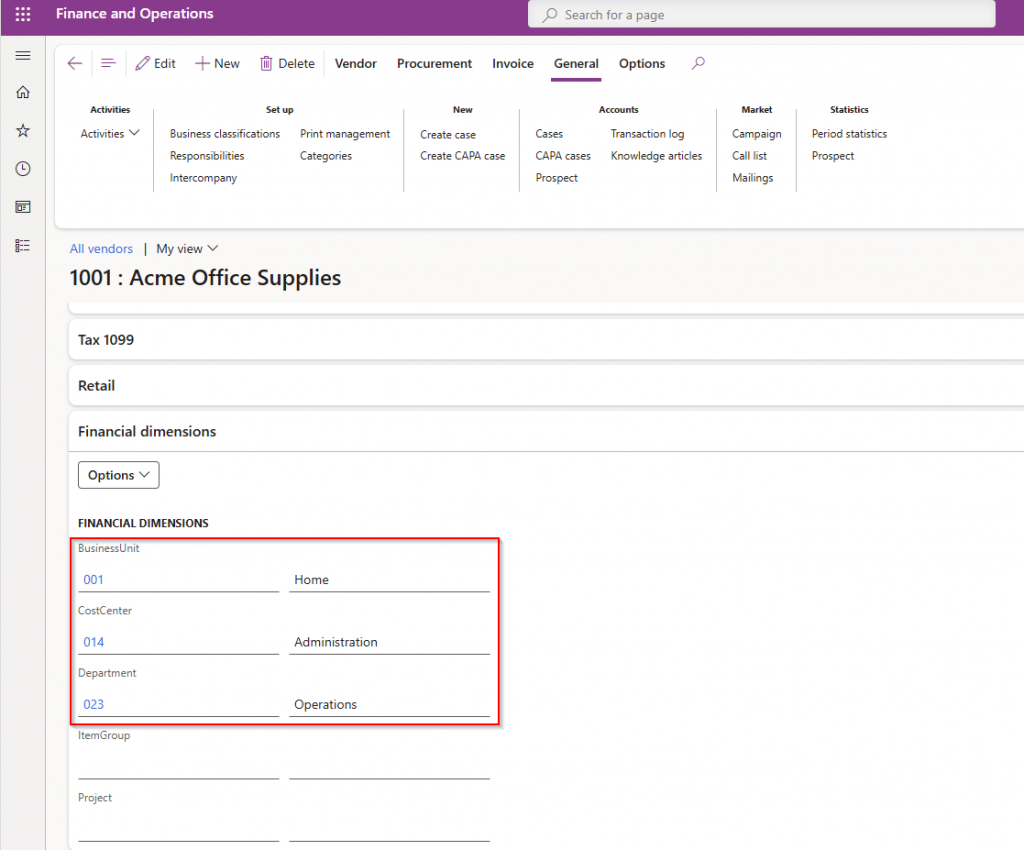
- Go to Accounts payable → Vendors → All vendors and open the vendor you use often.
- Find the Financial dimensions FastTab on the vendor record.
- Enter the values this vendor should always carry, for example a Department and a Cost center.
- Save. From now on, invoices and payments for this vendor arrive with those dimensions already filled in.
Do the same on the accounts that need it
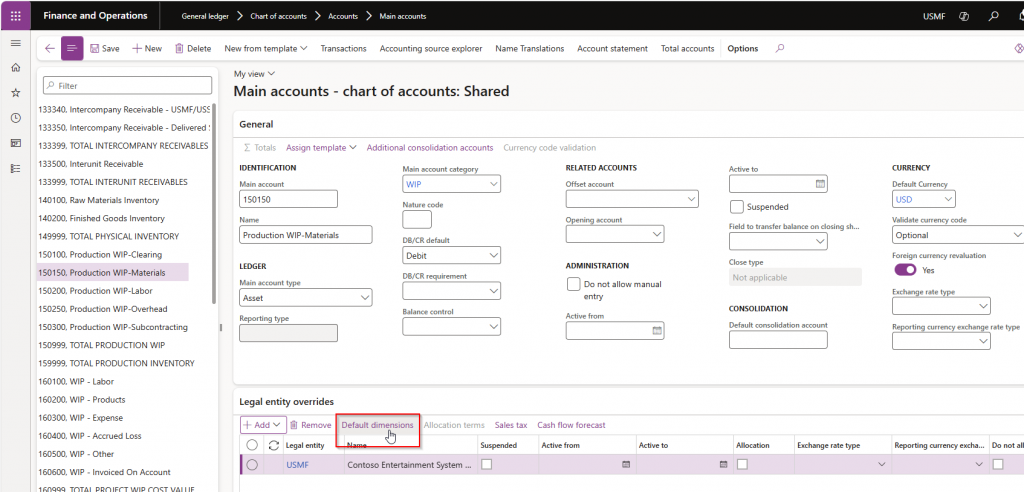
- Open General ledger → Chart of accounts → Accounts → Main accounts and select an account.
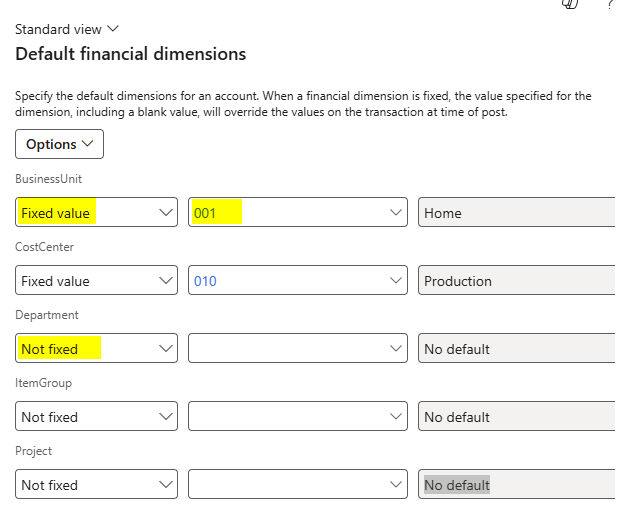
- Use Default dimensions to fix or restrict the dimensions that account should post with.
- Choose whether a value is fixed (always this) or simply a default (pre-filled but editable).
- Save, and let the account carry its own coding rules going forward.
A quick word on overrides
Defaults are helpful, not handcuffs. Any value the system fills in can be changed on the transaction line before you post. So there is no risk in setting these up. The worst case is you adjust one line occasionally, instead of typing every line always.
This is the kind of setting nobody celebrates, because when it works you stop noticing the work it removed. That is exactly the point. Set the code once on the record, and let it ride.
Up Next: Open in Excel: Safe Bulk Edits Without Waiting on IT
Thank you for reading!
Interested in learning more? Below are some of my latest posts:





Leave a Reply