
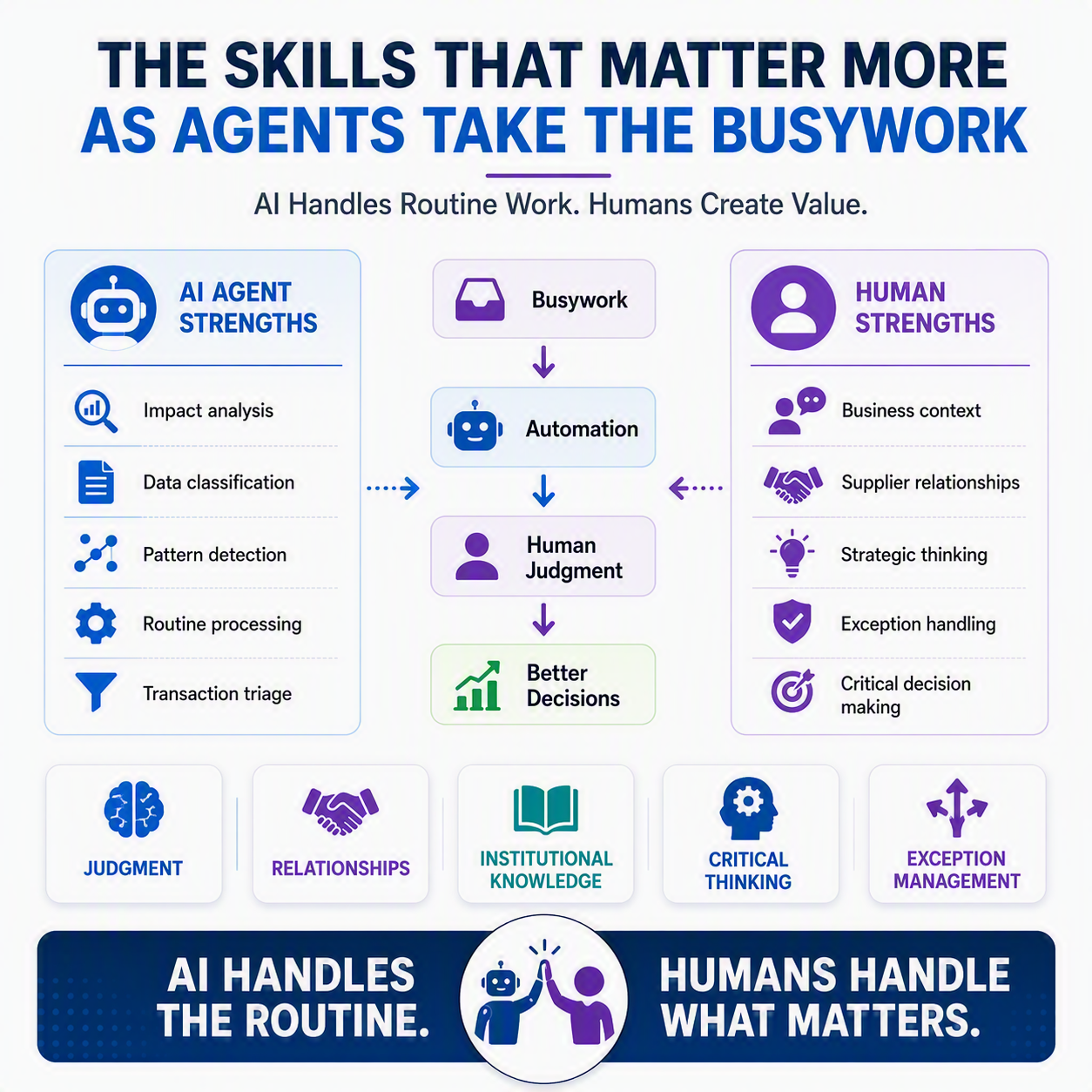
A purchaser I know once told me the “No impact” flag was the one she trusted least. Not because it was usually wrong. Because it was usually right, and that made it easy to stop reading. One week she almost let it wave through a quantity change on a part that had plenty of safety stock today, but was about to get pulled into a new product launch nobody had entered into the system yet. The agent had no way to know that. She did, because she’d sat in the launch meeting three weeks earlier. That’s the story this whole series has been circling, and it’s the right note to end on.
The idea in one minute 💡
Over four posts, we’ve watched the Procurement Agent handle the first pass on supplier change requests, D365’s role-based security model keep approvals split across people, and workflow history and database logging record who did what and when. None of that changes because agents showed up. What changes is where you spend your time: less on reading every PO line, more on the calls that need a human, reading context an agent can’t see, deciding when a routine flag deserves a second look anyway, and keeping the relationships that make the supply chain work.
The busywork was never the point
Go back to post one for a second. The Procurement Agent’s whole job is triage: does this change ripple downstream, or doesn’t it? Impact analysis checks inventory, production orders, and sales orders, then hands you a clean “Has impact” or “No impact.” Genuinely useful, and genuinely narrow. It’s a math problem: does this number affect that number. Your purchaser knew about the product launch because she talks to the product team. No impact analysis engine reads meeting notes, and that gap isn’t a flaw. It’s the whole reason the design keeps a person at the decision point instead of letting the system apply changes on its own.
Judgment gets more valuable, not less
As the classifying and drafting and flagging gets faster, the decisions left on your desk get harder on average. You’re not clearing easy tickets all day. You’re the person who handles the ones without an obvious answer, because the obvious ones never made it to you.
That shows up as concrete skills, not vague ones. Knowing which suppliers push back when you ask questions and which ones fold at the first sign of friction. Recognizing that a “No impact” flag on a part number doesn’t account for the fact that part just got redesignated for a new customer. Understanding why a purchase order line looks routine on screen but isn’t, given what you know about a plant’s current capacity. That’s institutional knowledge 📒, and it lives in people, not fields in a database.
Exception handling becomes the job
We talked in post four about how security roles, duties, and privileges keep segregation of duties intact even as agents draft more of the paperwork: one person’s privileges cover requesting, another’s cover approving, and workflow history and database logging still capture who did what. That structure assumes some steps will be routine and some won’t, so it puts a human at the ones that count.
Day to day, that means your job is increasingly exception handling. Not “process 40 change requests,” but “figure out which three don’t fit the pattern, and know why.” That’s closer to what a controller does reviewing a close: not re-adding every column, but knowing which line item looks off even though the totals tie out.
What doesn’t automate
Supplier relationships don’t automate. A vendor who knows you’ll actually read their explanation, not just their impact score, tends to give you better explanations. Cross-team context doesn’t automate either. The launch meeting, the plant walk-through, the offhand comment about a supplier having cash flow trouble. None of that touches D365, and no agent is going to synthesize it for you.
Neither does the willingness to double-check a “No impact” flag when something feels off, even though the system already told you it’s fine. That instinct is worth protecting ✅. It’s not paranoia, it’s the same skepticism a good auditor brings to a balance that ties out a little too perfectly.
Where that leaves you ☕
The tools in this series automate a first pass. They don’t replace the second look, and they were never designed to. As agents take more of the routine work off your plate, the value of your job shifts toward the parts that were always harder to teach: judgment, context, and the relationships that make a supply chain run. I’d rather spend my afternoon on those than on re-keying a PO line, and I suspect you would too.
Thank you for reading!
That wraps up “Human in the Loop: The Future of D365 Finance & Supply Chain.” If you missed any of the earlier posts, including post four, “Keeping an Audit Trail on Automation,” which covered how workflow history and security roles keep approvals accountable, they’re all on the blog and worth a read together. And if you work in Business Central rather than F&SCM (Finance and Supply Chain Management), check out the companion series, “Human in the Loop: The Future of D365 Business Central,” which covers the same territory for that side of the house.
Sources
- Procurement agent overview
- Review impact analysis and apply changes with the procurement agent
- Role-based security – Finance & Operations
- Configure database logging – Finance & Operations
Interested in learning more? Below are some of my latest posts:





Leave a Reply