
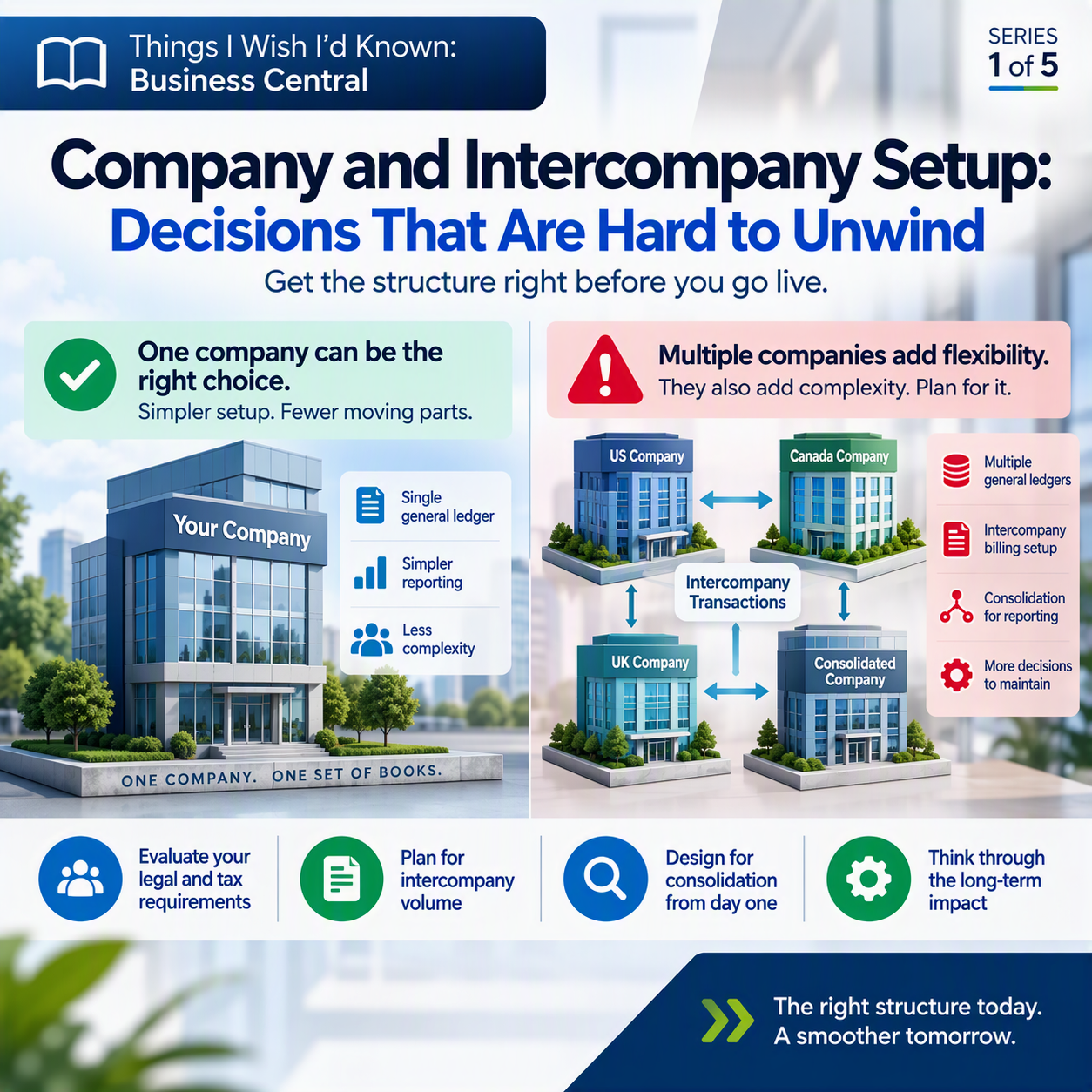
When you’re standing up Business Central for the first time, someone in the room eventually asks: “Should this all be one company, or should we split it up?” It sounds like a checkbox decision. It is not. It’s one of the first structural choices you make in the system, and it quietly shapes almost everything that comes after it: how you close the books, how intercompany billing works, how consolidated reporting looks two years from now.
Every company I work with is different, when I start engagements and we begin talking about a new ERP system, it is important to start with reporting in mind. I mean, that’s what an ERP system is all about, right? Putting on my accountant hat, my main goal is to have strong, accurate reporting so that ownership can understand the health of the business. Once we (as consultants or guides to assist through the process) understand how that reporting needs to shake out, it helps us guide you in the decision making process in regard to how to best set up your entity structure.
Here’s the thing about this decision. It’s cheap to change on day one, before any data exists. It gets expensive fast once you’ve gone live, posted a year of transactions, and built reports and processes around whatever structure you picked. Nobody wants to hear “let’s just restructure the companies” after eighteen months of real activity.
The idea in one minute
In Business Central, a company is its own separate set of books, not just a filter or a department code. If you set up two companies, you have two separate general ledgers, two charts of accounts, potentially two fiscal years and currencies. That separation is exactly why multi-entity businesses use it. But it also means that anytime those two companies do business with each other, someone has to record both sides of the transaction, in both sets of books, and keep them in balance. Business Central automates that with a feature called intercompany transaction posting. Get the setup right early, and it saves your team a mountain of duplicate data entry. Get it wrong, or skip thinking it through, and you inherit a reconciliation headache that grows every month you’re live.
What “company” actually means here
It’s tempting to think of separate companies in Business Central like departments or cost centers, just another way to slice the same data. That’s not what’s happening. Each company is its own accounting entity, with its own general ledger entries and its own chart of accounts. If you want a combined view across companies, you don’t just run a report. You actually consolidate the data, transferring general ledger entries from each subsidiary (called a business unit in this context) into a separate consolidated company built to hold that combined view. That’s a real process, not a toggle you flip.
So the first question isn’t really “one company or many.” It’s “do these parts of the business need to be legally and financially separate, or are we creating separation we don’t actually need?” ☕ Worth sitting with that one before you build anything.
What intercompany posting actually does
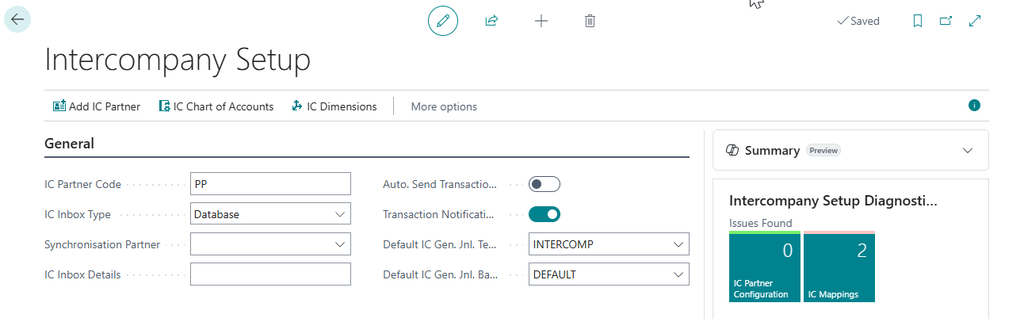
If you do end up with multiple companies that transact with each other, intercompany posting is what keeps you sane. Here’s the plain-English version: you enter a transaction once, in one company, say a sales invoice to a related company. Instead of someone in the other company manually keying in the matching purchase invoice, Business Central creates it automatically, using the accounts and partner setup you’ve already mapped out. Transactions move between companies through what Microsoft calls the Intercompany Inbox and Outbox, and the receiving company can review, accept, or reject what comes in before it posts.
To make that automation work, you have to do some setup first: build an Intercompany Chart of Accounts that all the partner companies map to, designate a Synchronization Partner whose accounts serve as the baseline, and decide whether transactions should be accepted manually or automatically (there’s an Auto Accept Transactions setting for that). None of this is hard to configure. It’s hard to reconfigure once dozens of transactions a month are already flowing through it and people have built their routines around it.
Questions worth working through before you finalize anything
Before you or your implementation partner lock in company structure, sit down with these:
✅ Do these entities file separate tax returns or need separate audited financials? If yes, that’s a real argument for separate companies, not a preference.
✅ How often will transactions actually cross between these entities, and in what direction? Occasional intercompany billing is a different setup problem than daily shared-services charges.
✅ Who owns reconciling intercompany balances every month, and do they have the time and skill to do it well?
✅ If we consolidate for reporting, do our charts of accounts even line up well enough to make that painless?
✅ What happens to historical data and open transactions if we ever need to split a company later, or merge two into one?
None of these have one right answer. But they’re worth an afternoon now, instead of a quarter later. 💡
Thank you for reading!
Next up in this series: Posting Groups: Small Setup Screen, Big Consequences, a look at another one of those “it’s just a dropdown” decisions that ends up touching every transaction you post.
Sources
- Set up intercompany transactions – Business Central
- Manage intercompany transactions – Business Central
- Consolidate data from multiple companies – Business Central
Interested in learning more? Here are some of my latest posts:





Leave a Reply