
Picture the first month after go-live. The new system is live, everyone’s trained, and someone in accounts receivable pulls up a customer balance that doesn’t match what the customer says they owe. Then another one. Then a vendor calls asking why an open invoice just vanished. Nobody touched the configuration. Nobody broke a workflow. The data simply wasn’t right when it came in, and now it’s everybody’s problem.
This is an area where I really try to get everyone on board and thinking about it, even before kick-off of a new project. Thinking about the current state of their data, what needs to get cleaned up that has been on the back burner for the last six months, or longer. It can be as big as balances being off for a certain Vendors, or simply not having an agreed upon formatting when entering in new customers. These are the things that if we take time early on, to discuss and come to an agreement, save time as we move forward and many headaches when it’s time for Go-Live.
This is the last post in the series, and it might be the most important one. Chart of accounts, number sequences, security roles, approval workflows: all of that lives in the system’s structure, where you can inspect it and test it before anyone relies on it. Data migration is different. Bad data doesn’t throw an error message. It just sits there quietly until someone downstream trusts a number that’s wrong.
The idea in one minute 💡
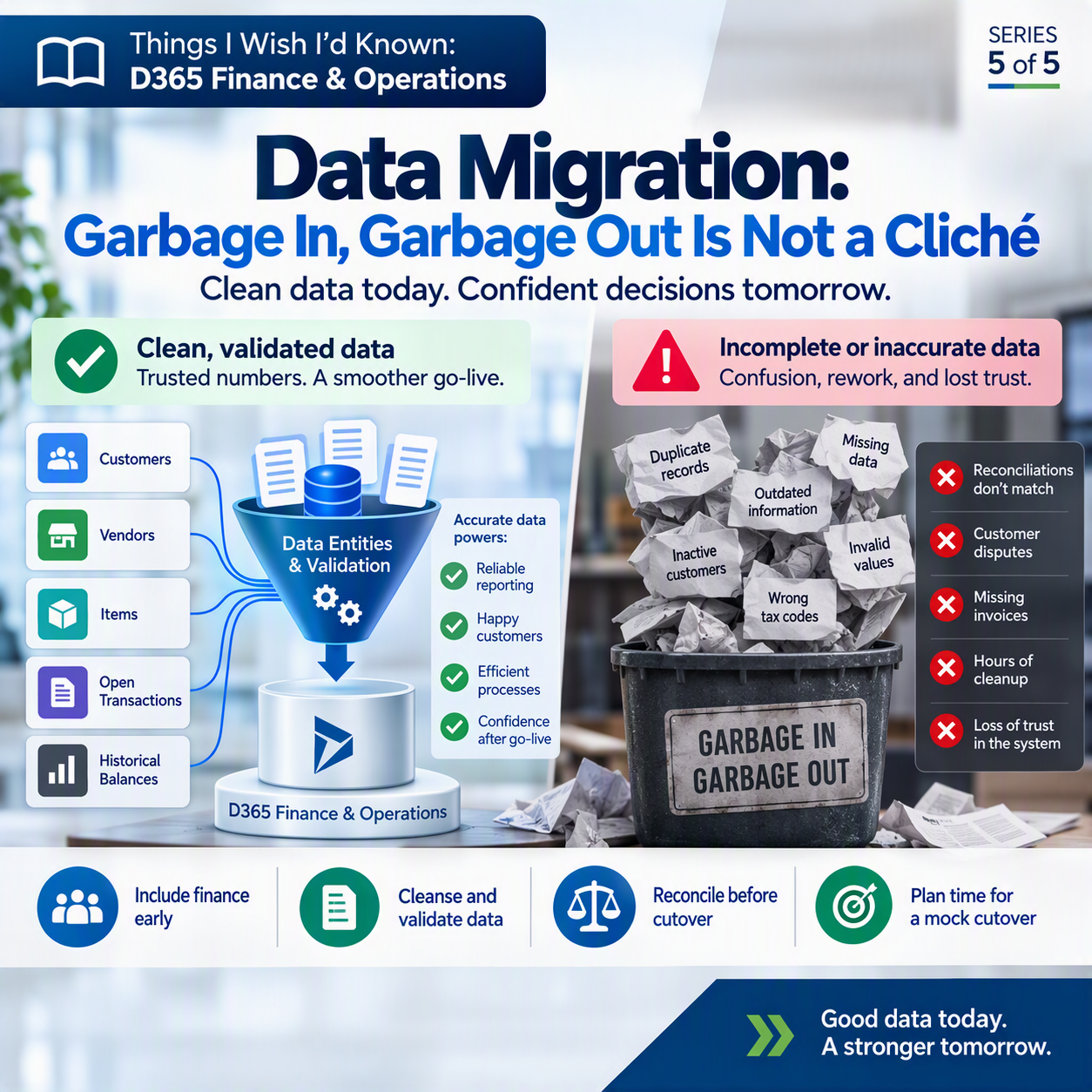
Data migration is the process of moving your master data (customers, vendors, items), your open transactions (unpaid invoices, open purchase orders, stock on hand), and your historical balances out of your legacy system and into Dynamics 365 Finance and Operations. Done well, it starts early and it’s finance’s business as much as IT’s: cleanse and validate the data before it moves, get opening balances right, and reconcile everything against the source system before you cut over. Done poorly, it’s extract-and-dump, and you spend the first couple of quarters after go-live cleaning up what should have been cleaned up before cutover weekend.
What migration actually is (and isn’t)
Under the hood, Finance and Operations moves data in through data entities, structured doorways for each type of record: customers, items, journals, and so on. A file lands in a staging area first, gets checked against that entity’s rules, and only then loads into the live tables. That step exists so obviously bad data, a missing field, a value in the wrong format, gets caught before it becomes a transaction someone relies on.
But catching format errors isn’t the same as your data being correct. A customer record can load cleanly, every required field filled in, and still carry the wrong credit limit, an outdated tax code, or a currency nobody has used in years. The Data management workspace will import it without complaint. A successful import and correct data are two different things.
Where teams get burned
Microsoft’s own implementation guidance calls for a real migration strategy: a document that defines the source and target for every entity, who owns each piece, and how the results get tested before go-live. That structure exists because migration touches nearly everything. Master data and open transactions such as open sales orders, open purchase orders, and open balances all have to land correctly, because those are the numbers finance is reporting against on day one.
Teams that struggle are usually the ones who treat migration as something IT handles near the end of the project, after configuration is “done.” By the time anyone asks finance to look at the actual data, it’s already loaded and cutover is a week out. Cleaning up a bad opening balance after go-live means chasing every downstream transaction it touched. Cleaning up that same balance before migration means fixing it once, in the legacy system, while you still have the context to know what it should say.
What finance should insist on ☕
A few concrete things worth asking for, early and in writing:
✅ A seat at the table when master data scope gets decided, not just a review pass at the end. Finance knows which customer records are actually active and which vendor terms are stale.
✅ A written plan for how opening balances get validated, not just loaded: trial balance to trial balance, subledger total to subledger total.
✅ A reconciliation step before cutover that compares migrated totals against the legacy system, entity by entity, with finance reviewing and signing off.
✅ Time in the schedule for a mock cutover, so problems show up in a test environment instead of in production the Monday after go-live.
The throughline
Across this series, the same pattern keeps showing up. Chart of accounts and dimensions, number sequences, security roles, approval workflows, and now data migration: every one of these is dramatically cheaper to get right before go-live than to fix once real transactions are posted on top of it. “We’ll clean it up later” sounds reasonable in a project meeting. In practice, later usually means untangling a mess instead of finishing a setup.
Thank you for reading!
That wraps up Things I Wish I’d Known: D365 Finance & Operations. Last time, in post #4, we covered Approval Workflows: The Org Chart Always Wins. If you missed that one, or any earlier post in the series, they’re worth catching up on before your next project. And if your organization runs on Business Central rather than Finance and Operations, I’ve got a companion series, Things I Wish I’d Known: Business Central, covering the same kind of lessons for that side of the house.
Sources
- Optimize data migration for finance and operations apps
- Manage configuration and migration data for Dynamics 365 projects
- Data migration for Dynamics 365 implementation projects
- Data management and integration by using data entities overview
Interested in learning more? Below are some of my latest posts:





Leave a Reply