
AI in Microsoft ERP · Fixed Assets · Series 3 · Post #023
Fixed assets is one of the least glamorous modules in D365 — and one of the most audit-sensitive. Here’s how AI is changing the capitalization review, depreciation accuracy, and asset lifecycle management conversations.
Fixed assets has a reputation for being the module that gets set up at go-live and then ignored until the auditor asks a question. The capitalization policy gets applied inconsistently. The asset register drifts from physical reality. Disposals get posted months late. I’ve seen this pattern at enough organizations to know it’s the rule, not the exception – and AI is changing what’s possible for managing it proactively.
The Fixed Assets Problem AI Can Actually Help With
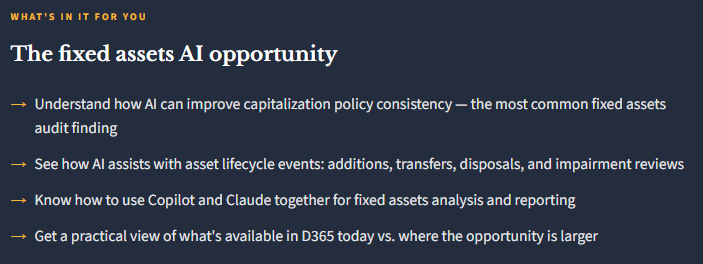
Let me be specific about where fixed assets management breaks down at most organizations, because that’s where AI’s value is clearest. The three chronic problems I see are: inconsistent capitalization (some expenses get capitalized, similar ones don’t, depending on who processes the AP invoice), stale asset register (assets that have been disposed of or transferred but not updated in the system), and late or missed impairment reviews (the annual assessment that triggers useful-life revisions or write-downs).
All three of these problems are essentially data quality and process discipline problems with an AI-assistable layer.
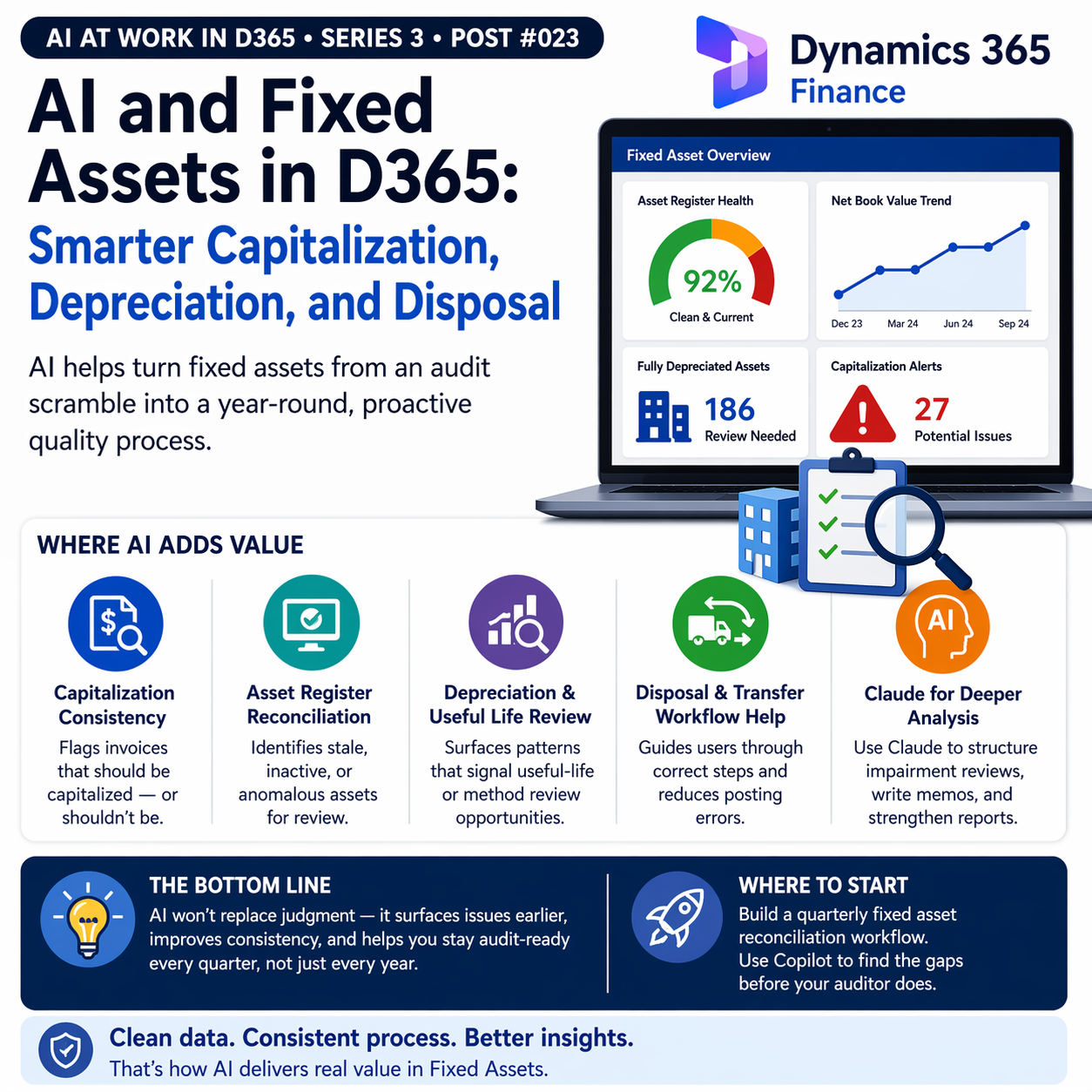
Where AI Adds Value in Fixed Asset Management
- Capitalization Consistency Review
- AI can analyze AP invoices against your capitalization thresholds and flag items that appear to be capital in nature but were expensed — or conversely, items that were capitalized but might not meet the threshold. Copilot’s natural language summarization of vendor invoice patterns helps surface these inconsistencies. This is the finding auditors most commonly raise on fixed assets.
- Asset Register Reconciliation Support
- Copilot in D365 can help identify assets that show no depreciation activity, assets with locations that haven’t been confirmed, and assets whose net book value is inconsistent with expected depreciation patterns. This is pattern recognition work that used to require custom reports or manual review.
- Depreciation Method and Useful Life Review
- When asset categories have a significant number of fully depreciated assets still on the register, or when useful life assumptions look inconsistent with the actual operational life of asset classes, AI can surface these patterns for a periodic review conversation. This is the kind of analysis that rarely gets done without a forcing function.
- Disposal and Transfer Workflow Assistance
- Asset disposals require specific D365 transactions that are easy to do incorrectly or incompletely. Copilot’s in-app guidance can walk users through the disposal workflow step by step, reducing the coding errors and posting mistakes that create fixed assets audit adjustments.
The Role of AI Out-of-System (Claude) for Fixed Assets Analysis
This is a use case I want to call out specifically because it’s practical, new, and likely not considered. When you’re doing a fixed assets impairment review, a useful-life reassessment, or preparing for an audit, you typically have a combination of data from D365 (asset register, depreciation schedules, transaction history) and external context (market values for similar assets, industry useful-life benchmarks, economic conditions that affect asset values).
Claude is genuinely useful for the reasoning and writing work in this process. Export your asset register summary, describe the asset categories and your current useful-life assumptions, and ask Claude to help you structure the impairment review documentation, identify the categories most likely to have useful-life issues based on the pattern, and draft the accounting memo that explains your methodology and conclusions. The domain knowledge stays with you; Claude helps with the analytical structure and communication.

What’s Native in D365 Fixed Assets Today
D365 Fixed Assets has strong core functionality for depreciation calculation (multiple methods including straight-line, declining balance, and specialized methods for different asset classes), multi-book support for tax versus GAAP versus IFRS depreciation, and mass update capabilities for batch processing. The Copilot layer adds natural language access to asset data and workflow guidance — these are incremental improvements to a mature module rather than a transformation.
The bigger opportunity is using the Copilot analytics layer (BPA, ERP Analytics MCP) to build better fixed assets reporting than what most organizations currently have. Asset aging, depreciation rate analysis, net book value trends by category, capital expenditure versus depreciation ratios — these are analytics that most organizations can’t easily generate from D365 today but that the BPA dimensional model should support.


📚 Go Deeper — Microsoft Resources
- Fixed Assets Module Overview — D365 Finance
- Copilot in D365 Finance — Including Fixed Assets Support
- Depreciation Methods and Conventions in D365 Finance
Fixed assets is a module where disciplined configuration and consistent process discipline determine most of the audit and financial reporting outcomes — and AI amplifies the discipline you already have. The organizations with clean fixed asset registers will get more from AI analysis tools than the ones with messy ones. Use AI deployment as the motivation to clean things up.
BB
Bobbi Bricker
ERP Capability Lead and D365 Functional Architect at Centric Consulting. Former controller. This series reflects fifteen + years in ERP (as an end user and a Consultant) and a genuine belief that AI, used thoughtfully, makes finance and operations teams more capable — not less. Reach out with questions, pushback, or war stories from your own organizations.
Thank you for reading!
Interested in learning more? Below are some of my latest posts:




Leave a Reply