

Post #001 – AI In Microsoft ERP
There’s a lot of noise about AI right now. This series cuts through it — with a practitioner’s lens on what Copilot and AI actually do inside D365 Finance & Operations and Business Central.

I’ve spent over a decade sitting on both sides of the ERP table — first as a controller trying to close the books, then as a functional architect helping organizations implement and optimize D365. What I’ve noticed lately is that most AI content falls into one of two camps: it’s either breathlessly optimistic or so technical it’s hard to apply. This series is neither of those things.
What I want to build here is a practical, honest look at AI in the Microsoft ERP ecosystem — specifically D365 Finance & Operations and Business Central. We’ll talk about Copilot (Microsoft’s embedded AI assistant), AI agents that are starting to automate full workflows, and yes, tools like Claude that finance and consulting teams are already using alongside their ERP systems. The goal is simple: help you figure out what’s actually useful for your team, right now.
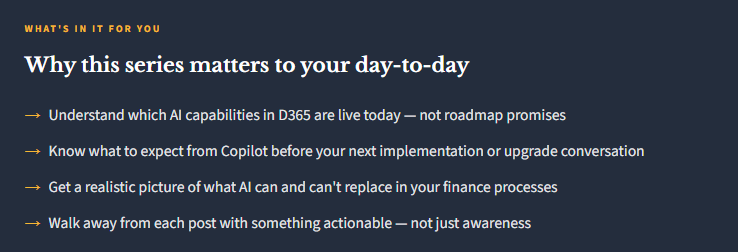
Why Now? Because the Shift Is Already Happening
I don’t usually write about something until I’ve seen it in the wild — and AI in ERP is showing up in client conversations every single week. Organizations are asking whether their Copilot licenses are activated. Implementation teams are getting questions about AI readiness before go-live. Controllers are wondering if their AP team is about to look very different. These aren’t hypothetical questions anymore.
Microsoft’s 2026 Release Wave 1 made it pretty clear where things are headed. The language they’re using — “agentic ERP,” autonomous AP, AI-powered workspaces — signals a genuine shift in how these platforms are being designed. Business Central is now described as moving toward agent-driven automation that completes workflows, not just surfaces recommendations. Finance & Operations is getting a new AI-powered landing experience called Immersive Home and expanded Model Context Protocol (MCP) support for agent connectivity. This isn’t vaporware. It’s rolling out now.
Worth knowing: Copilot in Business Central is included with your existing BC license at no additional cost. There’s no expensive add-on required to start — which means most BC customers have access to AI features they may not be using yet. (Microsoft Learn: Copilot in BC Overview)
What This Series Will Cover
I’ve mapped out a sequence that builds on itself. We’ll start with the foundational “what is this actually doing” questions, then move into specific functional areas like AP, period close, and reporting, and eventually talk about bigger-picture topics like AI governance, the changing role of the ERP consultant, and how to build a practical AI roadmap for your organization.
Here’s where we are headed over the next two weeks:
📍 Series Roadmap — AI at Work in D365
- Post 1
- AI in Your ERP: What Finance Teams Actually Need to Know (you are here)
- Post 2
- Copilot in D365 F&O: What It Does Today (And What It Doesn’t)
- Post 3
- Copilot in D365 Business Central: AI for the Mid-Market
- Post 4
- AI-Powered AP: From Invoice to Payment Without Touching a Keyboard
- Post 5
- Period Close and AI: Can Copilot Actually Help You Close Faster?
- Post 6
- Using Claude Alongside Copilot: A Practitioner’s Workflow
- Post 7
- Agentic ERP: What Microsoft’s 2026 Push Really Means for Your Team
- Post 8
- AI Governance in ERP: Questions Your Finance Team Should Be Asking
- Post 9
- What AI Means for the ERP Consultant (And Why It’s Not a Threat
- Post 10
- Your AI ERP Roadmap: Starting Points for Every Organization
A Few Things I Want to Be Upfront About
First: AI in ERP is genuinely useful, and it’s also genuinely overhyped — often in the same paragraph. I’ll try to call out both. When something works well in practice, I’ll say so. When something is still maturing or requires more setup than the demos imply, I’ll say that too.
Second: I’m going to talk about Copilot and Claude, because that’s the reality of how a lot of finance and consulting teams are working right now. Copilot is embedded in D365 and handles in-system tasks. Claude (and other general-purpose AI assistants) are being used outside the ERP for analysis, writing, process documentation, and decision support. They’re complementary, not competitive — and pretending otherwise doesn’t help anyone.
The question isn’t whether AI will change ERP work. It already is. The real question is whether your team is positioned to get value from it — or just absorbing the disruption.
Third: I’m writing this from the perspective of someone who has sat in the controller chair and the architect chair. That means I care about whether AI output is actually reliable enough to act on, whether your auditors are going to have questions, and whether your team is going to trust it. Those things matter more than the feature list.
Where to Start If You’re Just Getting Oriented
If you want to get grounded in what Microsoft has actually built before diving into the rest of this series, here are the resources I’d point you to first. These are Microsoft’s own documentation pages — not partner marketing material — and they’re kept reasonably current:
📚 Start Here: Microsoft Resources
- Copilot Capabilities in D365 Finance & Operations — Microsoft Learn overview of what’s live and what’s in preview
- Copilot in Business Central: FAQ & Overview — covers licensing, data security, and available features
- Agents & Copilot Across All D365 Apps — the cross-app summary, useful for getting the full picture
- 2026 Release Wave 1 Blog — Dynamics 365 & Power Platform — Microsoft’s official announcement of what’s coming April–September 2026
- D365 BC 2026 Wave 1 Release Plan — the full feature list for BC this wave
Here’s My Honest Take Going In
I’ve been working in and around D365 long enough to have watched a lot of “transformational” features roll out. Some delivered exactly what was promised. Some needed another release cycle. A few quietly disappeared from the roadmap. AI is different in one important way: the underlying technology is improving so rapidly that even features that feel half-baked today may be genuinely powerful six months from now. That makes this a uniquely interesting moment to be paying attention.
But it also means we have to be thoughtful. Automating a bad process with AI just gives you faster bad outcomes. The fundamentals of good ERP work — clean data, well-designed workflows, trained users, strong controls — still matter. AI is a multiplier, not a substitute for those things.
That’s the lens I’m bringing to this series. I hope it’s useful. I’d love to hear what questions you’re running into in your own organizations — drop me a note and I may address them directly in an upcoming post.
See you in Post 2, where we’ll get into the specifics of what Copilot actually does inside D365 Finance & Operations today.
BB
Bobbi Bricker
ERP Capability Lead & D365 Functional Architect at Centric Consulting. Former controller. Practical by nature, curious by default. Writing about D365 F&O, Business Central, and now AI in ERP — because someone has to translate the tech into something finance teams can actually use.
Thank you for reading!
Interested in learning more? Below are a few of my latest posts:
Leave a Reply