

How Finance organizations that document their Finance processes alongside D365 F&O configuration reduce close time, reduce audit findings, and reduce the staff turnover risk that exists when institutional knowledge lives only in the Controller’s memory; the four types of Finance process documentation every D365 F&O environment requires; and the five process documentation failures that convert a well-configured system into a fragile operation that breaks every time a key person is absent.
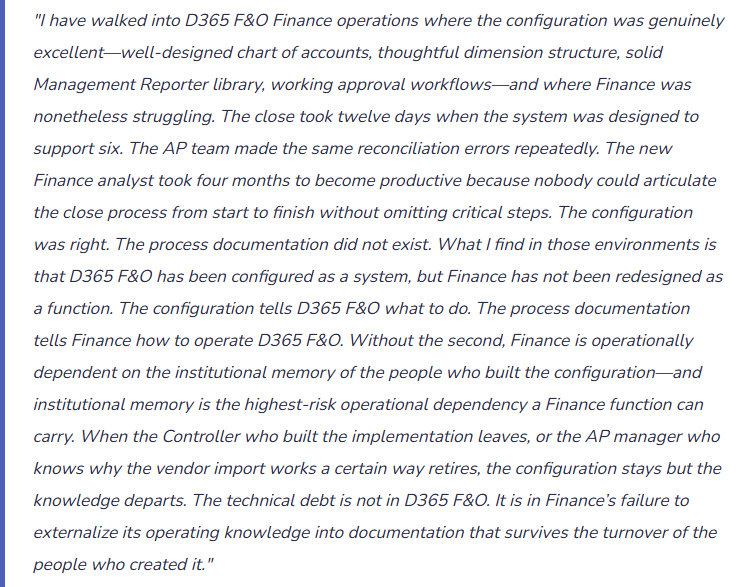
The Four Types of Finance Process Documentation Every D365 F&O Environment Requires
Period-Close Process Narrative
The complete sequence of steps Finance performs from the last day of each period through the distribution of the management pack—in the order they must be performed, with the responsible person, the D365 F&O action required, the expected output, and the validation criterion that confirms the step is complete before moving to the next.
What it enables: Any Finance team member can run the close following the narrative without the Controller’s involvement. New Finance staff become close-capable within their first month. The auditor can trace the close procedure to the Closing Cockpit completion records and confirm the steps were performed in the documented sequence.
Common gap: Most D365 F&O Finance environments have a Closing Cockpit but no written narrative. The Cockpit shows what tasks were completed and when; it does not explain how each task is performed, what the expected output looks like, or what Finance should do if the output is unexpected. The narrative fills that gap.
Role-Level Desktop Procedures
Step-by-step instructions for each recurring Finance task performed by each Finance role: the AP coordinator’s invoice processing procedure, the AR coordinator’s cash application procedure, the bank reconciliation procedure, the expense report approval procedure. Each procedure covers the specific D365 F&O navigation path, the expected screen behavior at each step, the exception handling for common error conditions, and the output Finance produces as evidence that the procedure was completed.
What it enables: Backup coverage when the primary person is absent. Consistent execution across team members performing the same task. A training resource that reduces time-to-productivity for new hires from months to weeks. A reference that Finance staff can consult when they encounter an unfamiliar situation rather than escalating to the Controller for every exception.
Common gap: Desktop procedures are most commonly absent for the tasks Finance considers routine—the tasks that the primary person has performed so many times they no longer think consciously about the steps. Those are precisely the tasks most at risk when the primary person is absent.
Configuration Rationale Documentation
The record of Finance’s configuration decisions and the reasoning behind them: why the chart of accounts has the structure it does, why specific dimension mandatory validation rules are set the way they are, why the vendor posting group has the GL mapping it carries, why the journal approval workflow threshold was set at the specific amount Finance chose. This documentation explains not just what the configuration is but why it is that way.
What it enables: Finance can evaluate the impact of a proposed configuration change against the original design intent. When a new implementation partner or IT team member questions a configuration decision, Finance has documented evidence of the reasoning. When a business change requires Finance to revisit a configuration decision, Finance has the context to make the revision intelligently rather than starting from scratch.
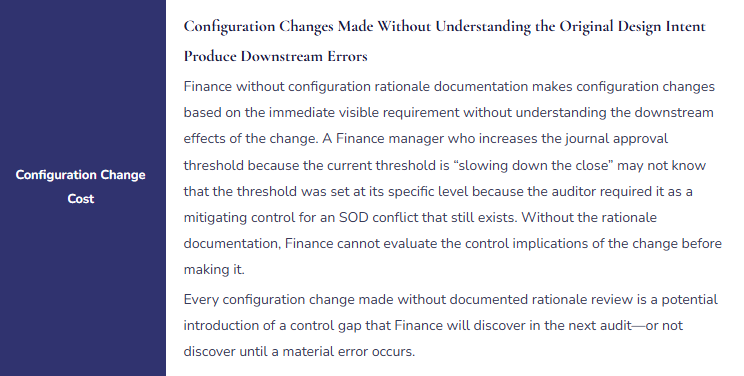
Common gap: Configuration rationale is almost never documented during implementation because the implementation timeline is too compressed and because the people making the configuration decisions consider the rationale obvious. Three years later, the rationale is not obvious to anyone still on the team, and Finance makes configuration changes without understanding their downstream effects on the carefully considered original design.
Exception and Escalation Playbooks
Documented procedures for the Finance situations that do not fit the standard workflow: what Finance does when a bank statement import fails, what happens when the three-way match flags an exception that cannot be resolved by the AP coordinator alone, what Finance does when a journal entry approval workflow is stuck waiting for an approver who is unreachable, what the escalation path is when a subledger reconciliation produces a discrepancy Finance cannot explain within the close timeline.
What it enables: Finance resolves common exceptions without escalating every unusual situation to the Controller. The close is not delayed by exceptions that Finance has encountered before and documented the resolution for. New Finance staff understand the boundaries of their own authority and the escalation path when they reach those boundaries.
Common gap: Exception procedures are typically not documented until after Finance has encountered each exception in live operations—often multiple times. Finance that documents exception procedures after each first occurrence builds a playbook incrementally. Finance that waits until the exception recurs in a close with a management pack deadline experiences the same delay each time.
The Technical Debt Created by Missing Process Documentation
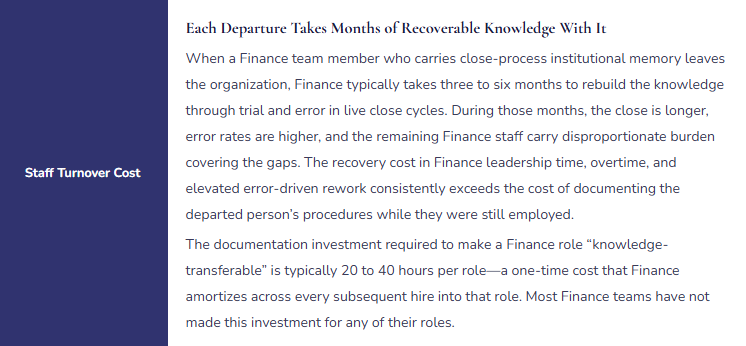
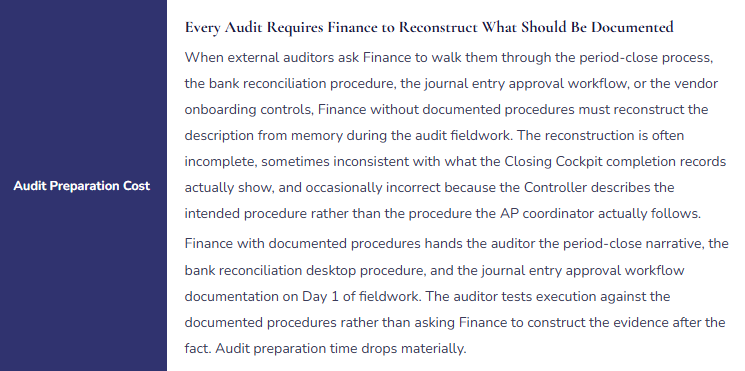
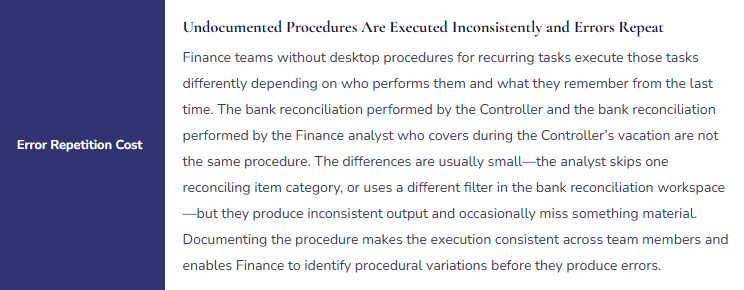
Technical debt in software development is the cost of rework created by choosing an expedient solution now rather than a better approach that would take longer. Process documentation debt in Finance is the operational cost Finance pays continuously because it chose to operate on institutional memory rather than written procedures. The debt compounds in five specific ways:
Process Documentation Debt—Where Finance Pays the Cost of Missing Documentation
Five Process Documentation Failures That Convert Good Configuration Into Fragile Operations
⚠️ Close Narrative Exists in One Person’s Head—Absent Controller Creates 4-Day Delay
The Controller is the only Finance team member who knows the complete D365 F&O close sequence from start to finish. The Finance Manager knows her portion. The AP Coordinator knows AP close steps. No one knows the full sequence or the dependencies between steps. When the Controller is hospitalized unexpectedly for six days during a close cycle, the Finance Manager attempts to run the close. She completes the AP subledger reconciliation and the bank reconciliation but does not know that the fixed asset depreciation batch must run before the accrual entries are posted, because the depreciation feeds into the accrual calculation. She posts the accruals using last month’s depreciation figure. She locks the period. When the Controller returns and reviews the financial statements, the depreciation is wrong for the month. The period must be reopened, the entries reversed, the batch run in the correct sequence, and the entries reposted. The correction takes two days and the management pack is delayed four days past its normal distribution date.
Fix: The period-close narrative must be documented, validated by running a full close cycle in the sandbox environment using the documentation as the only guide, and confirmed as sufficient for any senior Finance team member to use as a standalone reference. The validation exercise is the documentation quality test: if the Finance Manager can run the complete close cycle using the narrative without asking the Controller a single question, the narrative is complete. If she cannot, it is not. Finance schedules this validation exercise annually during a period with low operational pressure—not during a live close when documentation gaps have operational consequences.
⚠️ No Exception Procedure for Bank Statement Import Failure—Close Delayed While Finance Figures Out What to Do
The automated bank statement import for the main operating account fails on Day +1 of the close cycle. The job queue entry shows a format error—the bank changed a field delimiter in the statement format. The AP coordinator who runs the bank reconciliation has never seen this error before. She escalates to the Finance Manager, who has also never seen it. The Finance Manager escalates to IT. IT escalates to the implementation partner. The partner diagnoses the format change, updates the import configuration, and re-runs the import. Total elapsed time: 7.5 hours. Total delay to the bank reconciliation: one full close day. The bank reconciliation that should have been complete by Day +1 afternoon is not complete until Day +2 morning, pushing every subsequent close step by one day. The management pack is distributed one day late.
Fix: Bank statement import failure is one of the most predictable close exceptions—it happens to every D365 F&O Finance team eventually. Finance documents the exception procedure the first time it occurs: the job queue error log location, the error message categories and their common causes, the D365 F&O navigation path for manually importing a bank statement file, the process for obtaining the statement file from the bank portal as a fallback, and the escalation path to IT if the import format requires a configuration change. After the first occurrence, the documented procedure prevents the 7.5-hour resolution time from repeating. Finance can restore the bank reconciliation capability within 30 minutes because the exception procedure exists.
⚠️ Configuration Rationale Not Documented—Threshold Change Eliminates a Compensating Control Without Finance Realizing
Finance increases the journal entry approval workflow threshold from £5,000 to £25,000 because the £5,000 threshold generates too many small approval requests during the close. The journal threshold change is requested by the AP Manager and approved by the Controller without reference to any documentation of why the £5,000 threshold was chosen. What neither Finance manager knows is that the £5,000 threshold was specified by the external auditor during the prior year’s audit as a compensating control for an SOD conflict: the AP Coordinator can both create and post general journal entries below the threshold—a conflict that the auditor accepted only because the £5,000 threshold meant the AP Coordinator’s unsupervised posting access was limited to entries the auditor considered immaterial. After the threshold change, the AP Coordinator can post journal entries up to £25,000 without approval. The auditor, during the next audit cycle, identifies the change and the eliminated compensating control as a control deficiency that requires a management response.
Fix: Configuration rationale documentation specifies not just what each configuration setting is but why it was chosen, who approved it, and whether it is connected to an audit commitment, an SOD compensating control, or a regulatory requirement. Any configuration change must be reviewed against the rationale documentation before it is made. If the rationale documentation shows the setting is an audit-committed compensating control, the change requires auditor notification before implementation. Finance maintains the configuration rationale document as a living record: when a setting changes, the rationale documentation is updated with the new setting, the reason for the change, the approver, and the date. The document becomes Finance’s configuration governance evidence for audit purposes.
⚠️ Desktop Procedures Written During Implementation, Never Updated—Staff Follow Outdated Steps That No Longer Match the System
The implementation partner produced desktop procedures during the implementation training phase. Finance filed them in a shared folder. Over 30 months, D365 F&O has received four major release waves, the AP approval workflow has been redesigned twice, and the bank reconciliation workspace has been updated by Microsoft with a new matching logic interface. The desktop procedures have not been updated. New Finance staff hired after go-live are trained using the desktop procedures and spend their first weeks confused by the discrepancy between the documented steps and the actual system behavior. The AP coordinator who follows the outdated invoice approval procedure does not know there is now an additional step required for invoices from foreign vendors following a workflow redesign. Two foreign vendor invoices per month are posted without the required second approval because the procedure does not mention the second approval requirement.
Fix: Desktop procedures require a maintenance cadence aligned with D365 F&O’s change cycle. Finance reviews all desktop procedures at two trigger points: after each major release wave deployment (to identify any steps that have changed in the updated system behavior) and after any Finance-initiated configuration change that affects the execution of a documented procedure. The procedure owner—the Finance team member whose role uses the procedure most frequently—is responsible for confirming the procedure is accurate after each trigger event. Finance does not rely on the implementation partner or IT to update desktop procedures—they are Finance-owned documents maintained by Finance’s operational knowledge of what the system actually does in practice.
⚠️ New Finance Hire Takes Six Months to Reach Full Productivity—No Training Infrastructure Exists
A senior Finance analyst joins the organization nine months after go-live. The onboarding plan is: shadow the AP Manager for a week, shadow the Controller during the first close, ask questions when confused. There are no desktop procedures to reference. There is no close narrative. There is no documented explanation of why specific configuration choices were made. The new analyst’s learning is entirely dependent on the availability of her colleagues to answer questions and on her own ability to reverse-engineer Finance’s operating logic from the system behavior she observes. After six months, she is fully productive. Finance has spent approximately 120 hours of senior Finance staff time answering questions that documented procedures would have answered in the analyst’s first few weeks. Finance has also accepted six months of elevated error risk during the period when the analyst was operating without complete procedural knowledge.
Fix: Finance process documentation is the training infrastructure for Finance roles. When desktop procedures, close narratives, and configuration rationale documents exist, new Finance hires have a structured self-study path that supplements the shadowing experience with written reference material they can consult independently at any hour. Finance calculates the documentation investment required to make each Finance role independently trainable: for a mid-level Finance analyst role, the relevant procedures, narratives, and rationale documents might total 40 to 60 pages. Finance produces this documentation for each role during the first 12 months post-go-live and maintains it thereafter. The onboarding plan for each new Finance hire includes: read all relevant procedures before first live execution, shadow a close cycle with the procedures as the reference, execute independently with the procedures as backup from the second close cycle forward.
Do This / Don’t Do This
Do This
- Document the period-close narrative and validate it by having a backup Finance team member run a full close cycle using only the narrative
- Write desktop procedures for every recurring Finance task before the primary person performs it ten times—not after
- Document configuration rationale at the time of every configuration decision, not after the fact
- Document exception procedures the first time each exception is encountered and resolved
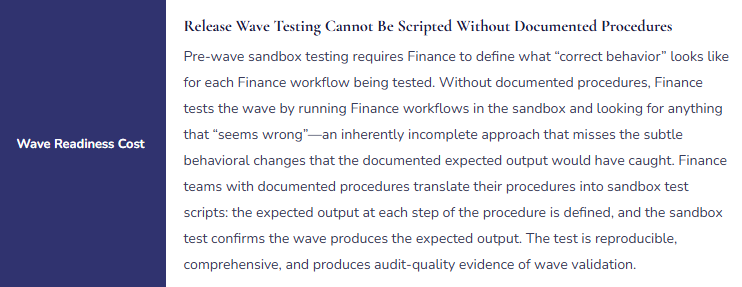
- Review and update all desktop procedures after every major release wave and every Finance-initiated configuration change
- Use Finance process documentation as the primary training infrastructure for new Finance hires
Don’t Do This
- Treat process documentation as something Finance will get to after the system is stable—it never becomes a higher priority than the close in progress
- Allow configuration changes without reviewing configuration rationale documentation for the setting being changed
- Keep close-process knowledge in the Controller’s memory as the only reliable source
- File implementation-era desktop procedures and consider them current without maintenance review after each release wave
- Accept six-month onboarding timelines as normal—they signal missing documentation, not inherent role complexity
What’s Next:
Process documentation addresses Finance’s operational resilience. The next post addresses a Finance module that is technically straightforward to configure and consistently misconfigured in practice: Fixed Assets in D365 F&O—The Finance Configuration Finance Gets Wrong—how D365 F&O’s fixed asset module handles acquisition, depreciation, and disposal across the asset lifecycle, the depreciation profile configuration Finance must own for every asset category, the asset register-to-GL reconciliation Finance must run at every period close, and the five fixed asset configuration failures that produce depreciation misstatements Finance discovers at the year-end audit.
— Bobbi
D365 Functional Architect · Recovering Controller
Thank you for reading!
If a post helped you solve a real problem, share it with a Finance colleague who is in the middle of an F&O implementation or a post-go-live optimization. If you have a topic the blog series did not cover, reach out. There is always one more post worth exploring.
Interested in learning more? Please check out some of my latest posts:
Leave a Reply