
Build Your First Agent · Part 4 of 5
The 5-part series
- Period-Close Q&A – Copilot (Live)
- Coding Assistant – Claude (Live)
- Vendor Hold Check – Copilot (Live)
- Variance Narrative – Claude (Now Live)
- Live Data Agent – Copilot (7.22.26)

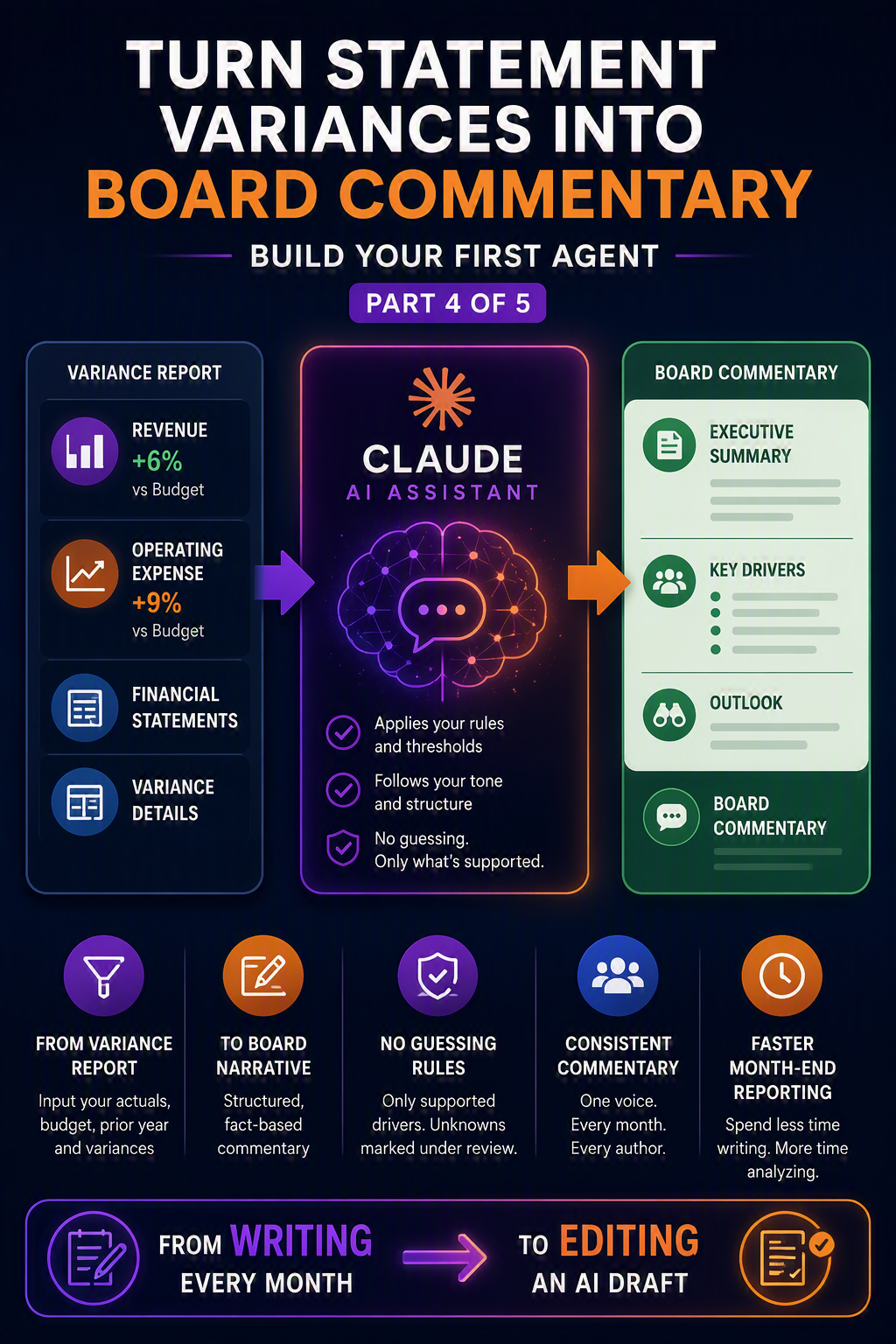
Every month the numbers go into the board deck in minutes. Then you spend an hour writing the “why.” Revenue up six percent, operating expense up nine, here is the story. The math is fast. The narrative is what eats the evening.
This is a strong use for Claude, because it is genuinely a writing task with rules attached. We will set up a Project that holds your commentary style and a couple of past write-ups, then feed it a variance table and let it draft. Your job shifts from writing to editing, which is faster and, honestly, more pleasant.
What you are building
A Claude Project that reads a variance table (from Management Reporter, Financial Reporter, or a Business Performance Analytics export) and produces commentary that follows your thresholds, your structure, and your tone. It leads with the headline, explains the real drivers, and never invents a cause it cannot support.
Before you start
- A Claude paid plan so you have Projects.
- A one-page commentary style doc.
- Put your tone (plain and factual, no hype)
- Your thresholds (only explain variances over a set percent or dollar amount)
- Your structure (headline, then drivers, then outlook)
- Pull in two past write-ups as examples. Claude copies examples it can see more faithfully than rules it only reads.
- A decision on data.
- Paste figures you are comfortable putting into your plan’s environment. Aggregated P&L lines are usually fine.
- ALWAYS Confirm with data governance before using anything sensitive.
Step by step
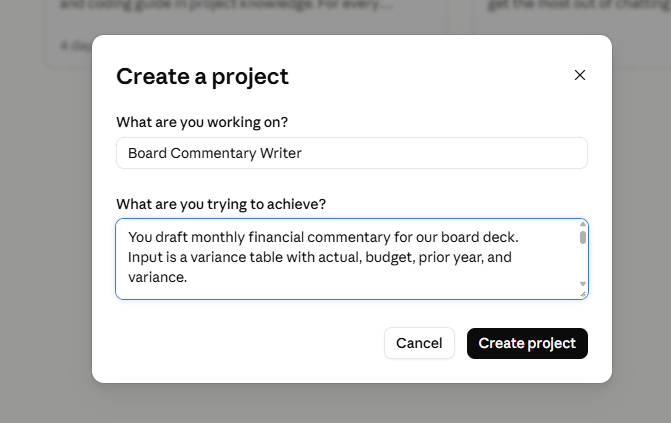
1.Create a New project and name it “Board Commentary Writer.”
2. Write the custom instructions using the block below as a starting point. The thresholds and the “no guessing” rule are the two lines that save you the most editing.
- Project custom instructions to start from:
- You draft monthly financial commentary for our board deck. Input is a variance table with actual, budget, prior year, and variance.
- Rules:
- Only comment on variances over 5 percent or 50,000 dollars.
- Structure each section as: headline, then two or three drivers, then a short outlook.
- Use plain, factual language. No superlatives, no filler, no em dashes.
- Never guess a cause you cannot support. If a driver is unknown, write “driver under review.”
- Match the tone of the example write-ups in project knowledge.
- Rules:
- You draft monthly financial commentary for our board deck. Input is a variance table with actual, budget, prior year, and variance.
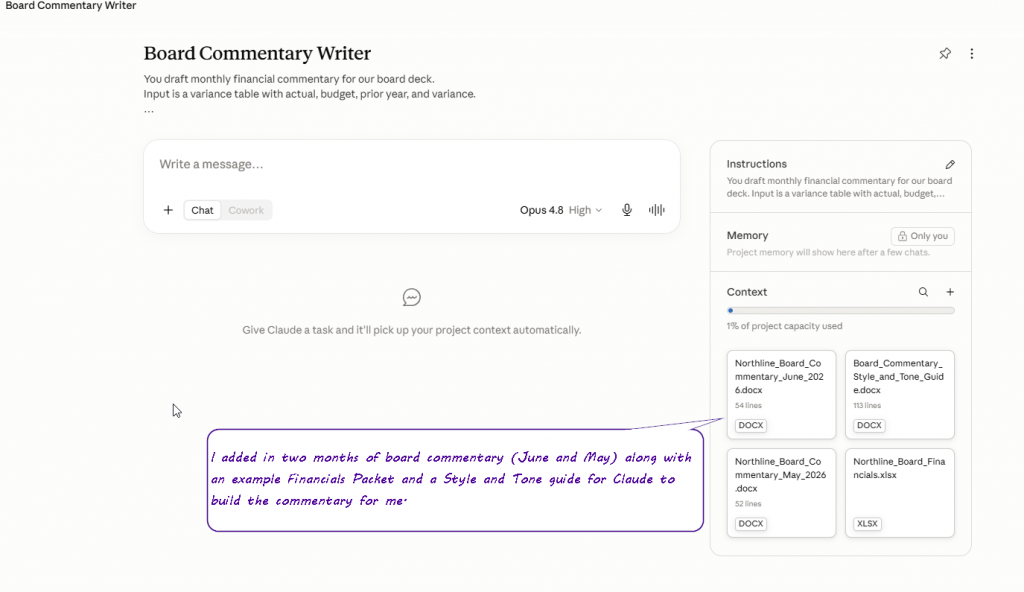
3. Upload your style doc and your example write-ups to Project knowledge.
- Please note – If you are not ready to use “real data” or do not have permission from your organization to create agents within Claude using financials, you can have Claude build out sample data for you in the form of a style guide, sample board packets, and commentary to start building with and hone in your skills on this exercise
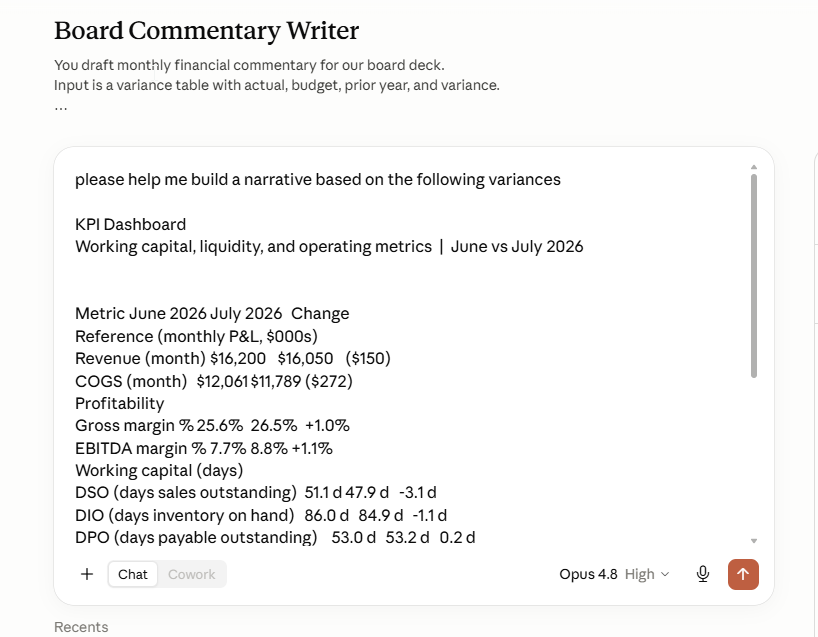
4. Start a chat, paste your variance table (or attach the export), and ask for commentary on the period. (For this example, I simply copied and pasted from an excel spreadsheet – Attaching the full export will give you more in-depth answers.)
5. Edit the draft, and where you rewrite a sentence, tell the agent why. Then add that as a rule. Next month it starts even closer to finished.
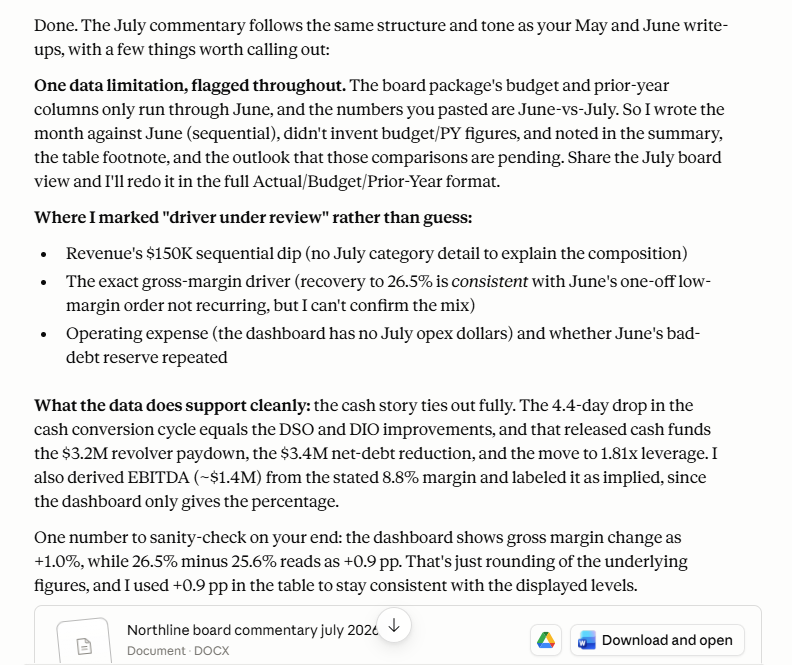
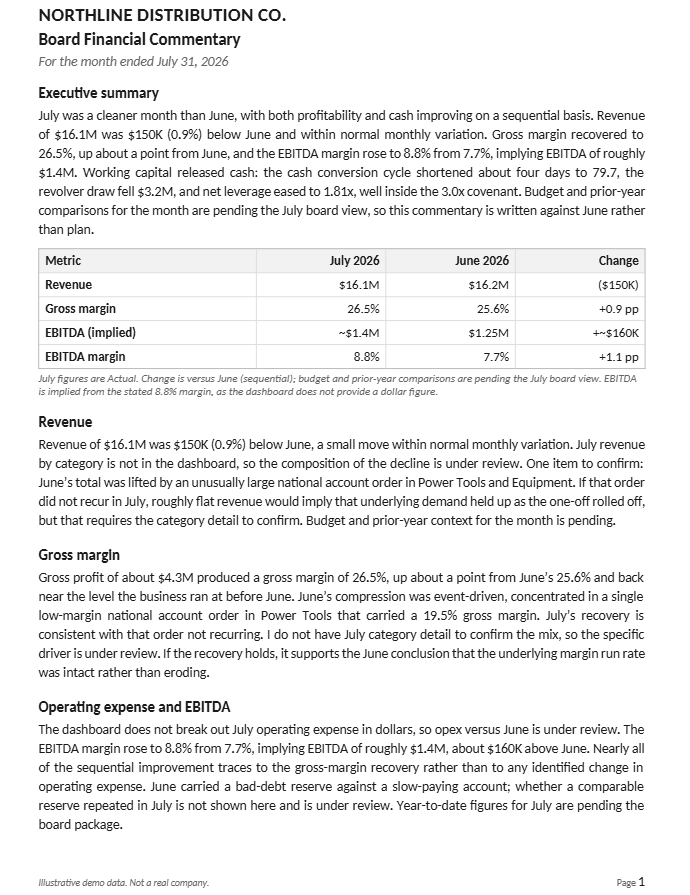
This is the partial sampling of the word output:
Give it a real test
Paste a small table and ask for the write-up. Something like:
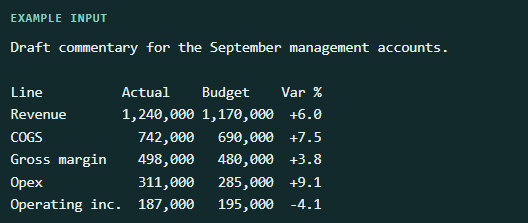
A good draft leads with revenue beating budget, flags opex running hot, and marks anything it cannot explain as under review rather than inventing a reason. If it reaches for a cause you did not give it, add a firmer “no guessing” line.
Make it better
- Add a glossary so it uses your account names, not generic ones.
- Add a “what not to say” list. No forward guidance, no headcount specifics, whatever your board avoids on the record.
- Share it with FP&A on a Claude Team plan so everyone’s commentary reads with one voice, even across different authors.

One post to go. In the finale we take the biggest step in the series and ground a Copilot Studio agent in live D365 data, so it can answer questions straight from the numbers your team already trusts.
Part of the Build Your First Agent series. Each post stands on its own, so start with whichever job would save your team the most time this month.
Up Next: Ground an Agent in Live 365 Data
Thank you for reading!
Interested in learning more? Below are some of my latest posts:





Leave a Reply