
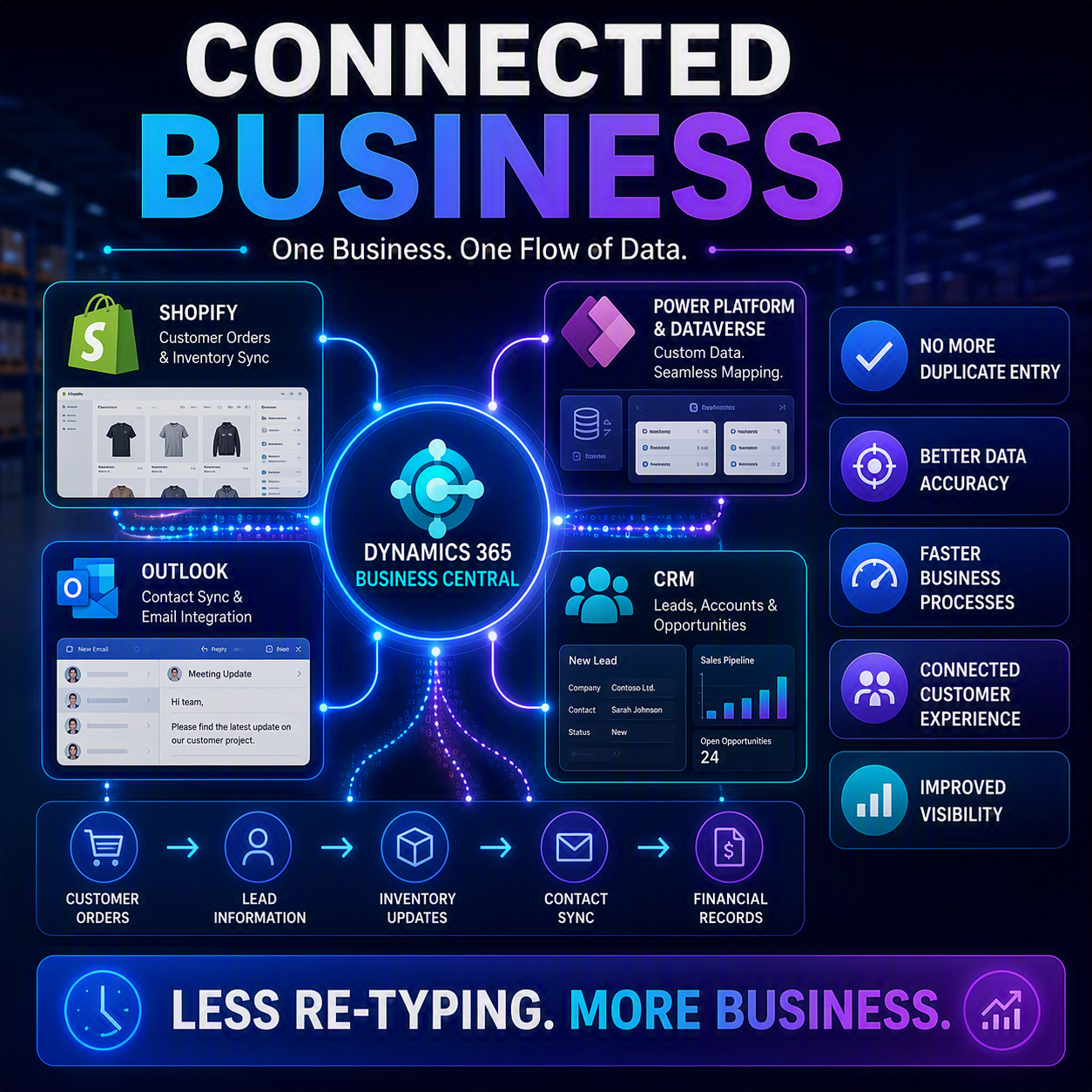
Picture this: an order lands in your Shopify store, a new lead shows up in your CRM (customer relationship management system), and somewhere a bookkeeper is retyping both into Business Central by hand. Again. If that sounds like your Tuesday, this post is for you.
This is post #4 in my series on The Future of D365 Business Central. Last time, in “Global Compliance, Simplified,” we looked at how the system is absorbing cross-border tax and e-invoicing rules. This time, it’s a different kind of housekeeping: tightening the links between Business Central and the other tools your business already runs on, so data stops needing a human to carry it from one system to the next.
The idea in one minute 💡
2026 release wave 1 gives Business Central a noticeably better handle on three connections small and mid-size businesses lean on every day. The Shopify connector gets refreshed under the hood and picks up real B2B (business-to-business) selling on more Shopify plans, automatic collection assignment, and two-way product variant image syncing. Power Platform/Dataverse integration lets admins map new custom fields into Business Central without a developer. And the Outlook add-in gets a security and contact-sync refresh. None of it is flashy, but all of it means less re-typing between your storefront, your CRM, and your books.
Your Shopify storefront gets chattier 🛍️
If you sell online, start here. First, the Shopify connector itself is getting an update to keep pace with changes on Shopify’s side, with more reliable inventory syncing and smoother handling of large product catalogs. Mostly invisible plumbing. Microsoft says the older connector version loses support June 30, 2026, though, so give whoever manages your BC updates a nudge.
The bigger news, if you sell wholesale: Business Central can now sync B2B companies from Shopify on more Shopify plans, not just Shopify Plus. Company records and locations sync in and map to the right customer, orders resolve to the correct bill-to and ship-to automatically, and you can assign pricing catalogs by company or market. If you’ve been running wholesale orders through a workaround because you weren’t on Plus, that barrier is coming down, though this piece lands a bit later, on July 8, 2026.
Two smaller updates round it out. Items can now carry custom collection assignments when exported to Shopify, so your storefront categories build themselves. And product variant images (the different photos for a shirt’s red, blue, and green versions) now sync between Business Central and Shopify at the variant level, in both directions, instead of one generic image per item.

Power Platform gets smarter about your data 🔗
If your organization uses Power Apps, Power Automate, or Copilot Studio alongside Business Central, you’re already working with Dataverse, Microsoft’s shared data layer underneath the Power Platform. Historically, a new custom field added in Dataverse needed a developer to build a table extension before Business Central could see it. Not exactly a same-day fix.
Now, admins can map new Dataverse fields directly in Business Central from the Integration Table Mappings page. No code required. Refresh the field list, pick the matching Business Central field, choose the sync direction, done. For finance teams working alongside a Power Platform-savvy ops or IT team, that shrinks “can we get that field connected” from a project into a few clicks.

Outlook gets a refresh too 📧
Last piece: the Outlook add-in is getting an update focused on security and staying in your workflow. Contact syncing between Business Central and Outlook/Microsoft 365 is faster via a new “Synchronize with Outlook” action, so sales, purchasing, and accounting folks can compose emails and book meetings with the right contacts without leaving their inbox. There’s a real deadline attached: because of upcoming changes to Exchange, you’ll want to be on Business Central version 28.0 or later before October 1, 2026, or these features may stop working.
What this actually means for you
None of these features will make headlines, and that’s kind of the point. Each one is a small convenience by itself. String them together, though, and they save real hours: less time spent being the human relay between systems that should already be talking to each other. You’ll export less by hand and stop second-guessing whether the number in Business Central actually matches what’s happening on your storefront and in your inbox. ✅
Thank you for reading!
Next up, post #5 and the final stop in this series: “Smarter Numbers,” where we get into how this release wave is changing the way you actually work with your financial data. ☕
Sources
- Planned features for Dynamics 365 Business Central, 2026 release wave 1
- Use the latest update for the Shopify connector
- Sell to business customers on more Shopify plans with B2B company sync
- Assign custom collections to items exported to Shopify
- Sync images of product variants between Business Central and Shopify
- Map new Dataverse fields in Business Central
- Stay in flow of work with updated Outlook integration
Interested in learning more? Check out some of my latest posts:





Leave a Reply