
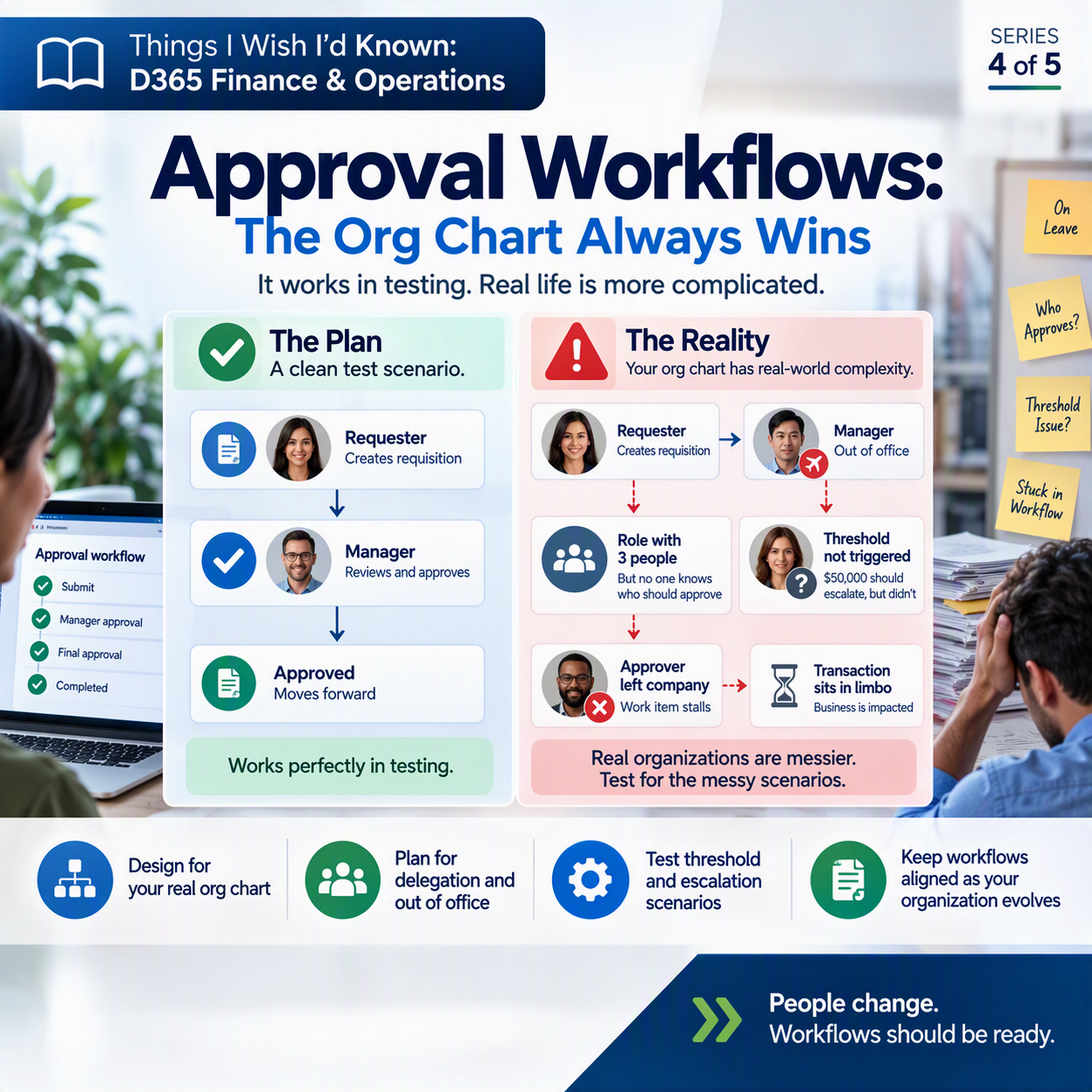
You build the approval workflow. You test it with a clean scenario: a $500 purchase requisition, one approver, one click, done. It works perfectly, and you move on feeling good about that piece of the project.
Then go-live happens, and the first real batch of transactions hits a version of your org chart nobody wrote down: an approver on leave, a role with three people in it but no one sure who’s supposed to act, a threshold that should have kicked things up a level and quietly didn’t.
I always suggest assigning work to User Groups vs Users to ensure that as individuals move on from or move up within an organization, those workflows don’t get stuck or have to be rebuilt. For the past year or so, I’ve been working with a client whose consultant (when they went live) created every single, complicated, workflow tied and tied to individual users. It has taken a very long time to reimagine and transform those workflows to ensure that as the business ebbs and flows, the workflows do as well, no more rebuilding, unless they want to.
The idea in one minute 💡
Approval workflows in Dynamics 365 Finance and Operations (the configurable process that routes things like purchase requisitions, journal entries, or vendor invoices through approval steps before they post) are easy to build for the happy path. One requester, one approver, everyone available and exactly where the org chart says. Real organizations are messier. Someone is always out. Someone reports to two people, functionally. Someone’s role has no obvious single owner. Test only the tidy version, and you find out about the messy version in production, one broken transaction at a time.
What a workflow config actually involves
At a basic level, a workflow in D365 F&O is just a defined path a document takes: who reviews it, who approves it, and in what order. You build that path out of a few building blocks. There are approval steps, where someone has to say yes or no. There are conditions, which decide whether a step even applies (an invoice under $1,000 might skip approval, while one over $50,000 needs an extra layer). And there’s who gets assigned to each step.
That assignment piece is where the real-world mess shows up. An approval step can be assigned to a specific named person, to a role or group, to the workflow’s current participants, or to a position in an organizational or reporting hierarchy, meaning the system looks up “this person’s manager” dynamically instead of you hardcoding a name. Hierarchy-based assignment sounds great because it’s supposed to follow reality automatically. In practice it only works as well as the hierarchy data behind it, and that data is rarely as clean as the org chart everyone nods along to in meetings.

Why the tidy test scenario lies to you
When you configure and test a workflow, it’s natural to use the simplest possible case. One requisition, one clear approver, everyone logged in and paying attention. That test tells you the mechanics work. It tells you almost nothing about whether the workflow survives contact with your actual company.
Real approval chains hit weird cases constantly. A manager position sits vacant for weeks between hires. Two departments share an approver who’s out several days a month traveling. A dollar threshold gets configured as “greater than” when it needed to be “greater than or equal to,” so the exact round number everyone uses slips right through. None of this shows up when your test plan is one clean transaction per workflow.
What to actually test before you trust it in production
Before go-live, walk through these specifically, not hypothetically. Actually create the test conditions.
✅ Delegation and out-of-office coverage. D365 F&O supports both a manual delegation of individual work items to another user, and an automatic delegation rule that reroutes new work items to a backup approver for a defined date range, set up under user options. Test that the automatic rule actually fires during the window you set, not just that the setting saves.
✅ Threshold-based escalation. If your workflow is supposed to escalate a document to a higher approver past a certain dollar amount or after it sits too long, test right at that boundary, not comfortably above or below it. Off-by-one errors in condition logic are common and easy to miss.
✅ What happens when an approver has left the company. If a role-based or hierarchy-based step points to someone whose user account is disabled or whose position is now vacant, does the work item stall silently, or does it route somewhere sensible? Find out before a real transaction gets stuck there for two weeks with nobody watching.
✅ Escalation paths with no response. Configure and actually test the escalation sequence and final action (reassign, or reject) for a step that nobody answers in time.
None of this is exotic. It’s testing the messy version of your organization instead of the clean demo version, and it takes an extra afternoon during UAT. It saves you weeks of ticket-fixing once real approvals start piling up.
Thank you for reading!
Last time, in post #3 of this series, we talked about how security roles are a starting point, not a finished product. Next up, post #5: data migration, where “garbage in, garbage out” stops being a cliché and starts being your Saturday.
Sources
- Workflow system overview
- Workflow elements
- Configure approval steps in a workflow
- Delegate work items in a workflow
Interested in learning more? Below are some of my latest posts:





Leave a Reply