
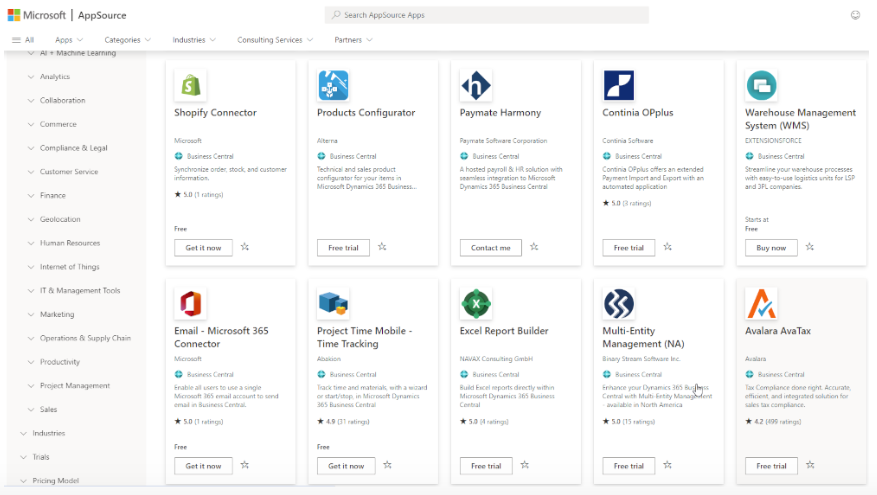
How BC’s extension model works, how Finance evaluates AppSource apps versus custom extensions, the upgrade risk of customizations in a SaaS environment, ISV solution governance, and the Finance controls that must govern every configuration and code change that touches the financial record.
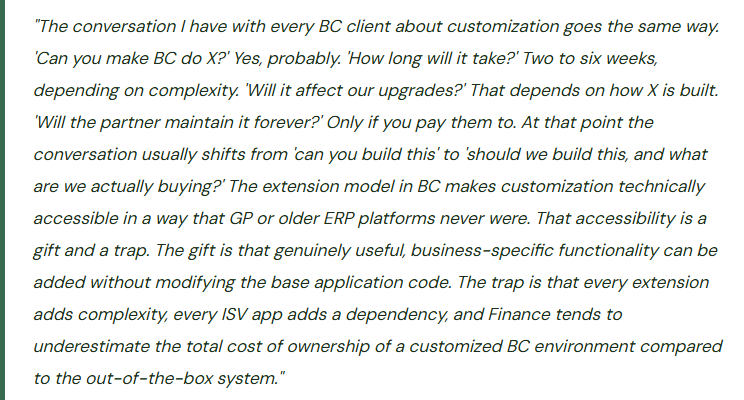
The Extension Model—Why BC Customization Is Architecturally Different
In older Dynamics products like GP and older versions of NAV, customization meant modifying the base application code—changing the source code of the ERP itself. Upgrades required reconciling those modifications with the new version of the application code, which was expensive, time-consuming, and often required the original developer to be involved. Each upgrade was a customization-renegotiation project.
BC uses an extension model: all customizations, additions, and third-party apps are built as separate extension packages that sit alongside the BC base application without modifying its underlying code. An extension can add new pages, new fields on existing pages, new tables, new reports, and new logic—but it does so by extending BC objects rather than changing them. When Microsoft releases a BC update, the base application code updates independently. Extensions are then validated against the new version and updated by their publisher if needed. In most cases, Microsoft-approved extensions (AppSource apps) update automatically with the BC version update. Custom-built extensions require the original developer to test and update them.
- AppSource Apps—Published Extensions
- Microsoft AppSource is the marketplace for BC extensions. Publishers (ISVs) submit extensions for Microsoft technical validation before they can be listed. AppSource apps install from the BC Extension Management page with a click, are automatically updated when Microsoft validates the new version against each BC release, and come with published support and documentation from the ISV.
- Finance evaluates AppSource apps through a structured process before installation. “Available on AppSource” means the extension passed Microsoft’s technical validation—it does not mean the business logic is correct for your industry, your processes, or your regulatory environment.
- PROS: Microsoft-validated · Auto-updated · ISV-maintained
- CONS: Licensing cost
- Custom Extensions—Partner-Built
- Custom extensions are written by your implementation partner or an internal developer in BC’s AL language (Application Language). They solve business-specific problems that no AppSource app addresses. They are maintained by whoever built them—which means if the partner relationship ends or the developer leaves, the extension enters an unsupported state. Custom extensions must be tested and updated by the developer after each BC release to maintain compatibility.
- Finance must understand that a custom extension is a software asset the organization must maintain for the life of the system. It is not a one-time purchase.
- PROS: Business-specific
- CONS: Partner-maintained · Upgrade testing required · Dependency on developer
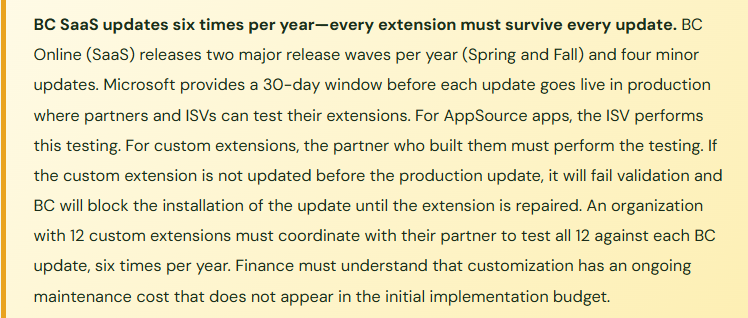
How Finance Evaluates an AppSource App Before Installing
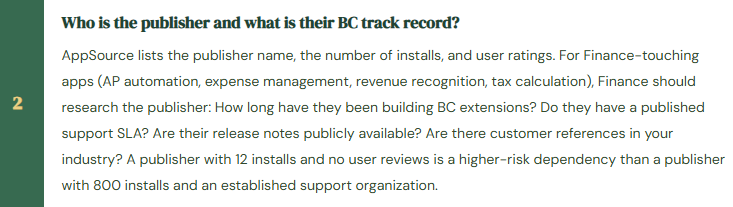
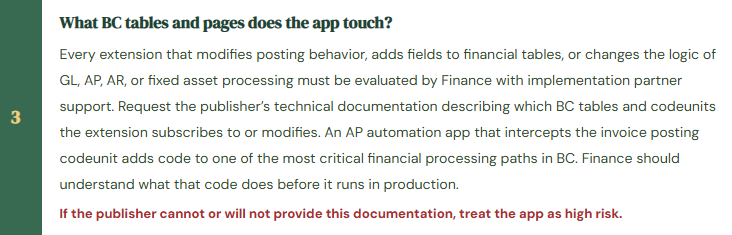
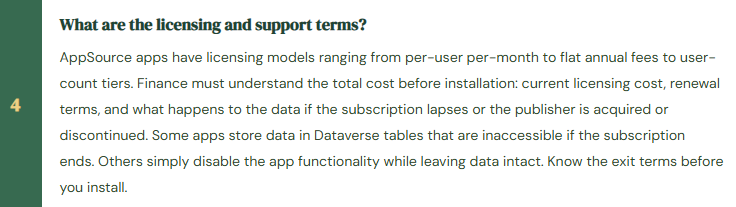
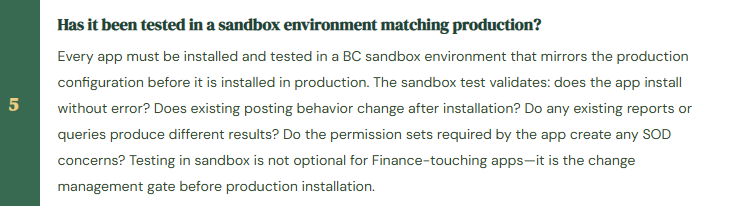
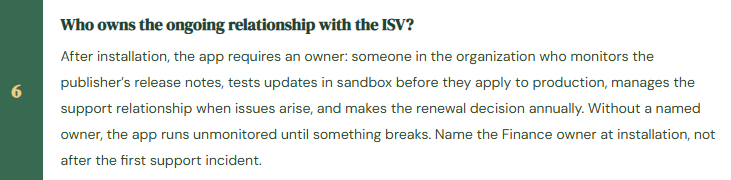
Finance teams often discover AppSource apps through Microsoft marketing, partner recommendations, or colleague referrals and want to “just try it” in production. An AppSource app installation in production is a configuration change that could affect posting behavior, financial data, report output, or user access—it must go through the same change management process as any other configuration change. The evaluation framework Finance should apply to every AppSource app under consideration:
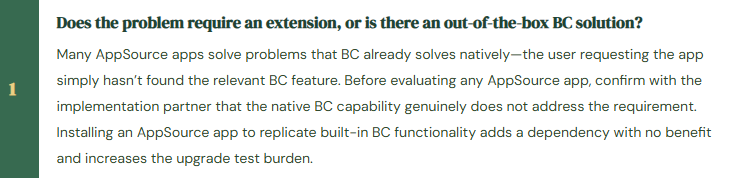
AppSource App Evaluation—Six Questions Before Installation
The Finance Controls Over Configuration Changes
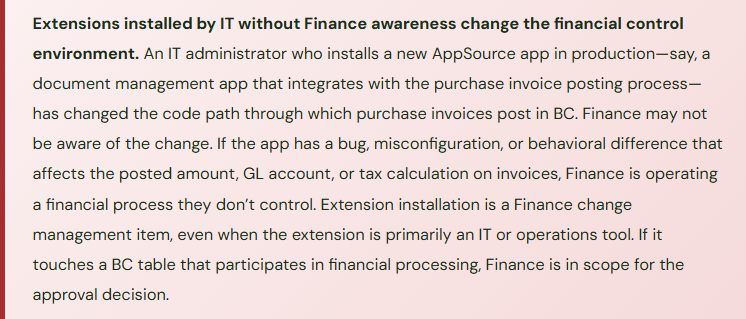
Every change to BC configuration that affects financial processing requires Finance oversight. “Configuration change” includes: chart of accounts modifications, posting group changes, number series changes, dimension value additions, payment terms changes, tax posting group updates, extension installations and removals, and any change to the General Ledger Setup page. These are not IT changes—they are financial controls changes.
Finance must own a change management protocol that covers: who can request a configuration change, who evaluates the financial impact, who approves changes before they are applied in production, who tests the change in sandbox first, and who documents the change in the configuration change log. The change management protocol does not need to be bureaucratic. For a mid-market company on BC, a one-page form submitted to the Controller, a sandbox test, and a Controller sign-off before production deployment is adequate. What is not adequate is allowing the implementation partner, IT, or individual Finance users to make production configuration changes without Finance management review.
Five Extension Mistakes Finance Ends Up Fixing
⚠️ A Custom Extension Is Built for One Process and Its Developer Leaves—Every BC Update Breaks It
During implementation, the partner builds a custom extension that automates the monthly intercompany journal allocation calculation—a genuinely useful tool that saves Finance three hours per month. The partner invoices for the extension, delivers it, and it works perfectly. Eighteen months later, a BC update changes the posting codeunit that the extension subscribes to. The extension is not updated to match. BC blocks the production update. Finance cannot process any transactions until the extension is compatible. The partner who built the extension was a contractor who no longer works for the firm. The firm’s current partner has to reverse-engineer the extension, understand its logic, update it for compatibility, test it, and redeploy it—a two-week engagement that Finance didn’t budget for and couldn’t have predicted.
Fix: Every custom extension must have a documented maintenance agreement with the developer that explicitly covers: who tests the extension against each BC release wave, what the turnaround time commitment is for compatibility updates, what happens if the developer is unavailable, and how much each compatibility update costs. The maintenance agreement should be a contractual obligation, not an informal understanding. If the partner cannot commit to a maintenance SLA for a custom extension, Finance must weigh the value of the extension against the risk of an incompatibility event that blocks the entire system. Some custom extensions are worth the maintenance overhead. Some are not—especially when a comparable AppSource app from a maintained publisher exists.
⚠️ AppSource App Changes Posting Behavior—GL Accounts Receive Unexpected Transactions
Finance installs a popular AP automation app from AppSource to streamline the invoice capture and coding process. The app is installed in production on a Friday afternoon. Monday morning, the AP team notices that vendor invoices processed through the new app are posting to different GL accounts than expected for certain vendor types—the app has its own posting logic that overrides the standard BC general posting setup for invoices that it processes. Vendor invoices that should post to the Raw Materials account are posting to the General Supplies account. By the time Finance identifies the issue on Thursday, 34 invoices have posted to the wrong account. The reclassification journals require Finance management approval and produce a messy audit trail for the month.
Fix: Any AppSource app that modifies invoice posting, payment posting, or journal posting behavior must be tested in a sandbox environment with a full posting scenario test before production installation. The test process: in sandbox, post a sample invoice of each vendor type and transaction type the app will process. Compare the GL entries produced by the app-processed invoice to the GL entries produced by the standard BC posting process for the same invoice. Any difference in GL account, amount, or dimension requires investigation and resolution before the app is installed in production. Schedule the sandbox test with Finance involvement, not just IT. Finance knows what the posting is supposed to produce—IT can run the test but only Finance can evaluate whether the result is correct.
⚠️ Configuration Change Made in Production Without Sandbox Test—Number Series Conflict Prevents Posting
The Controller asks the implementation partner to set up a new document number series for a second company that is being added to the BC environment. The partner makes the change directly in production during a Thursday morning call. The new number series overlaps with an existing series used for sales invoices in the primary company. By Thursday afternoon, sales invoices in the primary company are failing to post because BC detects a number series conflict and cannot assign the next invoice number. The error surfaces at 4:00 PM on a Thursday when a shipment needs to be invoiced before the end of the week. The partner diagnoses and corrects the number series conflict within an hour, but the posting backlog takes two hours to clear.
Fix: Every production configuration change must be tested in a sandbox environment before it is applied to production, regardless of how simple the change appears. Number series setup, posting group assignments, dimension value additions, and chart of accounts changes all have the potential to interact with existing configuration in unexpected ways. The sandbox test for a number series change takes fifteen minutes. Discovering a number series conflict in production takes fifteen minutes plus the time to clear the posting backlog plus the opportunity cost of the delay to the business. Build the sandbox-first rule into the change management protocol and enforce it without exception—including for “simple” changes that experienced consultants are confident won’t cause problems.
⚠️ Extension Count Grows Without Governance—Six Extensions Are Running That Nobody Remembers Installing
Three years after go-live, the BC Extension Management page shows 19 installed extensions. Finance and IT together can explain the purpose and owner for 13 of them. The other 6 were installed during various projects, trials, and partner visits over the three years. Two appear to be trial versions of apps that were evaluated and rejected but never uninstalled. One was installed by a partner as part of a support engagement and never documented. None of the 6 unknown extensions are causing visible problems—but each one adds code to BC’s processing paths and each one must be tested against every BC update. The testing burden for 19 extensions is significantly larger than for 13. Two of the unknown extensions fail validation during a BC update, blocking the update until a partner investigates, identifies the extensions, and determines that they can be safely uninstalled.
Fix: Maintain a current extension inventory: every installed extension documented with its name, publisher, business purpose, Finance owner, installation date, licensing cost, and maintenance contact. Review the inventory at the quarterly change management review and at each BC release wave cycle. Any extension that is not in the inventory should not be in production. Any extension whose purpose and owner cannot be identified should be evaluated for removal. Uninstalling an extension that stores data in BC tables can result in data loss—verify data implications before removing. The extension inventory is a Finance configuration management document, not an IT document. Finance owns the decision about what runs in the BC environment that processes financial transactions.
⚠️ Custom Extension Built Instead of Process Change—BC Is Customized to Match a Broken Process
The AP team’s invoice coding process requires that every vendor invoice be routed to the department manager for cost center assignment before posting. This routing happens in a shared email inbox with manual follow-up. The implementation team proposes building a custom extension that replicates this email-routing process inside BC. Finance approves the custom extension because “that’s how we’ve always done it.” The extension is built, adds complexity to the posting process, requires ongoing maintenance, and—two years later—the organization transitions to a cost center structure where departments are no longer responsible for their own cost center coding. The extension, which was built to replicate a process that has now been eliminated, must be uninstalled and its logic removed from the posting chain.
Fix: Before approving a customization request, Finance should ask whether the process being automated is the right process or just the current process. BC implementations are an opportunity to redesign processes, not just digitize them. If the process being replicated in a custom extension is inefficient, ambiguous, or likely to change, the customization investment is a liability from day one. The decision framework: Is this process required by regulation, audit, or contractual obligation? If not, should the process be redesigned to leverage BC’s native capabilities before we add code to make BC accommodate the current process? The answer is not always “change the process”—but the question must be asked before the customization is approved.
Do This / Don’t Do This
Do This
- Confirm native BC capability is truly insufficient before approving any AppSource or custom extension
- Test every extension in a sandbox environment that mirrors production before production installation—including “simple” configuration changes
- Document a maintenance agreement with the developer for every custom extension before go-live delivery
- Maintain a current extension inventory: name, publisher, purpose, owner, cost, maintenance contact
- Apply the full AppSource evaluation framework before installing any Finance-touching app
- Own the change management protocol for BC configuration as a Finance function, not IT
- Review the extension inventory at each BC release wave cycle and at the quarterly change management review
- Ask whether a process should be redesigned before it is customized into BC
Don’t Do This
- Install AppSource apps in production without a sandbox test and Finance approval
- Allow custom extensions to be deployed without a documented maintenance agreement
- Let IT make production configuration changes without Finance management review and sign-off
- Treat “available on AppSource” as equivalent to “appropriate for our financial environment”
- Build a custom extension to replicate an existing process without evaluating whether the process itself should change
- Allow the extension inventory to go undocumented—unknown extensions add upgrade risk and no benefit
- Underestimate ongoing maintenance cost when approving custom extensions—six updates per year means six compatibility tests per year
Up Next:
Extensions close the system configuration arc. The next post turns to one of BC’s most powerful and underused Finance tools: Account Schedules and Advanced Financial Reporting in Business Central—how Account Schedules work, the difference between Account Schedules and standard GL reports, how to build a multi-section income statement and balance sheet with custom subtotals and ratios, the Analysis Views that support dimensional reporting, and the Finance team’s path from the default BC reports to the reporting infrastructure a controller actually needs.
— Bobbi
D365 Functional Architect · Recovering Controller
Thank you for reading!
If this post helped you solve a real problem, share it with a Finance colleague who is in the middle of an ERP implementation or a post-go-live optimization. If you have a topic that I haven’t covered, please reach out. There is always one more post worth writing.
Interested in learning more? Check out some of my latest posts –
- AI and Fixed Assets in D365: Smarter Capitalization, Depreciation, and Disposal
- AI in D365 Project Operations: From WBS to Margin Analysis
- AI and Cash Management in D365: Finance Insights, Payment Predictions, and the Treasury Opportunity
- Reading the Roadmap: Microsoft’s AI Vision for ERP in 2026–2027
- AI and ERP Security: What Copilot Means for Your D365 Security Roles and Internal Controls
Leave a Reply