
Post #014 – AI In Microsoft ERP
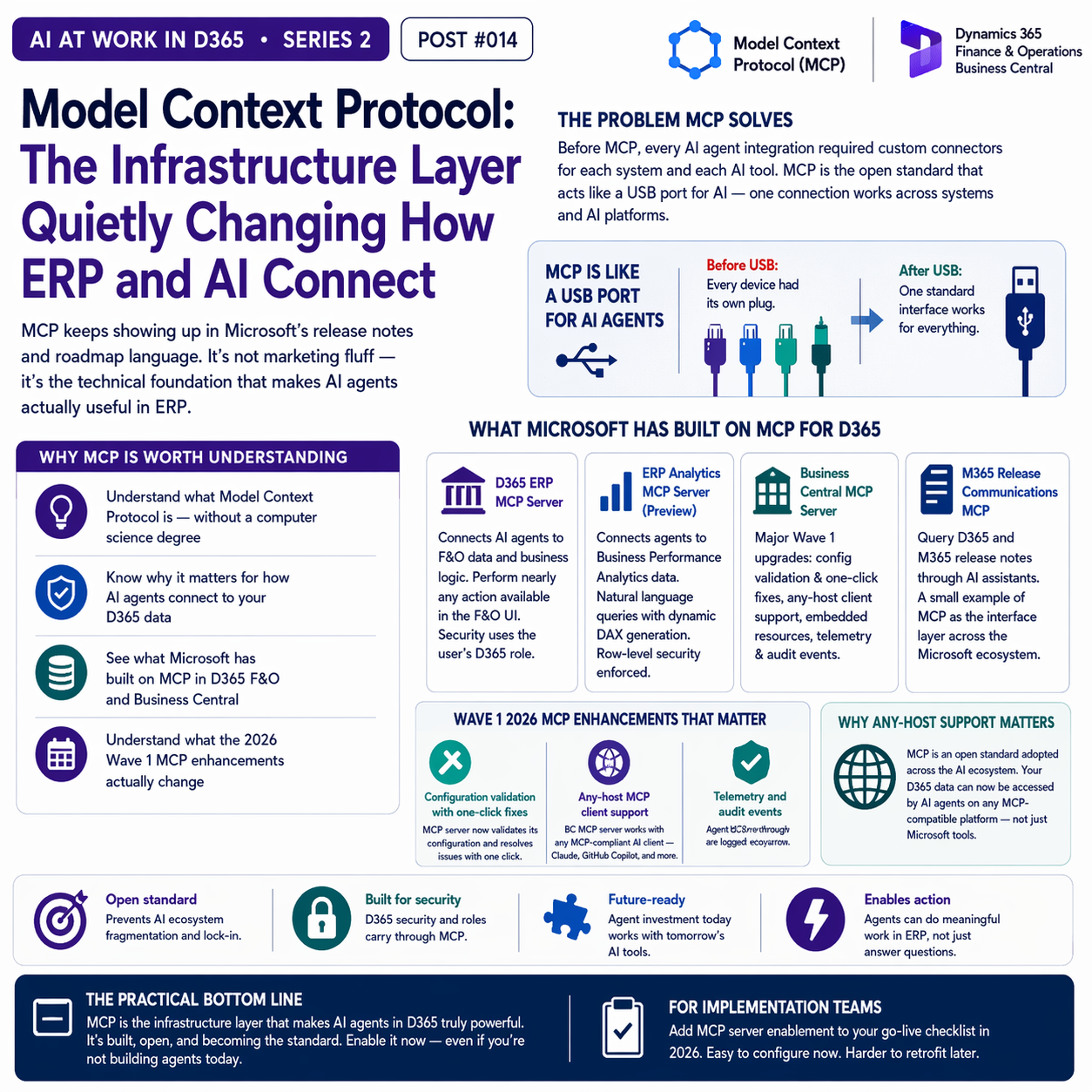
MCP keeps showing up in Microsoft’s release notes and roadmap language. It’s not marketing fluff — it’s the technical foundation that makes AI agents actually useful in ERP. Here’s what it is and why it matters.


The Problem MCP Solves
Before MCP, connecting an AI agent to a specific system — like your ERP — required building a custom integration for every combination of AI model and target system. Want your Copilot Studio agent to query D365 vendor data? Build a custom connector. Want it to also check purchase order status? Build another connector. Want a different AI tool to do the same thing? Build it all again.
This is the same problem that REST APIs solved for system-to-system integration — and MCP is, in a sense, the REST API equivalent for AI agent integrations. It provides a standardized way for AI agents to connect to data sources and take actions within systems, without requiring custom code at every integration point.
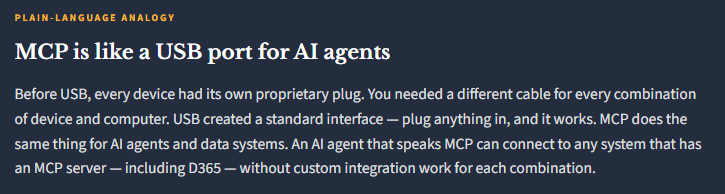
What Microsoft Has Built on MCP for D365
Microsoft has invested significantly in MCP servers for D365, and the 2026 Wave 1 release accelerated this considerably. Here’s what’s currently available:
Dynamics 365 ERP MCP Server
Connects AI agents to F&O data and business logic. Agents can perform nearly any operation available through the F&O user interface — querying vendors, accessing purchase orders, reading journal data, executing workflow actions. Security inherits the user’s role in D365. This is what powers custom Copilot Studio agents for F&O.
D365 ERP Analytics MCP Server
Connects AI agents to Business Performance Analytics data. Agents can query BPA dimensional models in natural language, with dynamic DAX generation. Row-level security from D365 is enforced. Currently in preview; enables “ask your data a question and get an answer” scenarios for finance teams.
Business Central MCP Server
BC received major MCP server upgrades in Wave 1: configuration validation with one-click fixes, environment import/export, any-host MCP client support, embedded resources for live BC data access, and telemetry and audit events. Agent Designer reaching GA in May 2026 builds on this MCP foundation.
Microsoft 365 Release Communications MCP
Microsoft even released an MCP server for querying D365 and M365 release notes. AI assistants can now query Microsoft’s release plans directly. A small example of the broader direction: MCP as the interface layer for the entire Microsoft ecosystem.
What the Wave 1 2026 MCP Enhancements Changed:
The 2026 Wave 1 release included specific MCP improvements that are worth calling out because they address real practical gaps that existed in earlier versions:
Configuration validation with one-click fixes. The MCP server can now validate its own configuration and surface specific issues — with one-click resolution options. Previously, troubleshooting a misconfigured MCP agent connection was a manual investigation process.
Any-host MCP client support. The BC MCP server now works with any MCP-compliant AI client – not just Microsoft’s tools. This opens the door to using the MCP connection with Claude, with GitHub Copilot, with other AI systems that support the open MCP standard.
Telemetry and audit events. Agent actions taken through MCP are now logged with telemetry, giving administrators visibility into what agents are doing in the system. This is a meaningful governance improvement for organizations deploying agents in production.

Why “Any-Host” Support Matters
The BC MCP server’s support for any MCP-compliant client is worth spending a moment on, because it’s not just a technical detail. The MCP standard is open — it was originally developed by Anthropic and has been adopted broadly across the AI ecosystem. What this means in practice: your D365 Business Central data can now be accessed by AI agents running on Claude, on GitHub Copilot, or on any other MCP-compatible AI platform — not just Microsoft Copilot.
This is significant for organizations that use multiple AI tools, or that want flexibility in which AI model they use for different tasks. The data connection is the asset; the AI model becomes interchangeable.

The Practical Bottom Line for Finance and Operations Leaders
You don’t need to understand MCP at a technical level to make decisions about AI in your ERP. What you do need to understand is this: MCP is the reason that AI agents in D365 can actually take meaningful actions in the system rather than just answering questions about it. It’s also the reason that the agent investments you make today are likely to remain valuable as the AI landscape evolves — the standard is open, Microsoft has committed to it, and it’s becoming the common interface layer across the ecosystem.
📚 Go Deeper — Microsoft Resources
- Use Model Context Protocol for Finance and Operations Apps
- Build an Agent with D365 ERP MCP Server
- BC 2026 Wave 1 — MCP Server Enhancements
- D365 ERP Analytics MCP Server (Preview) — BPA Natural Language Queries
MCP is the infrastructure conversation that most finance leaders don’t need to have — but every implementation team does. If you’re evaluating a D365 AI strategy, understanding that MCP is the connection layer between agents and ERP data is enough. Your implementation partner should be handling the rest. What matters is that this infrastructure exists, it’s built, and it’s the foundation the rest of the AI agent story is built on.
BB
Bobbi Bricker
ERP Capability Lead and D365 Functional Architect at Centric Consulting. Former controller. This series reflects fifteen + years in ERP (as an end user and a Consultant) and a genuine belief that AI, used thoughtfully, makes finance and operations teams more capable — not less. Reach out with questions, pushback, or war stories from your own organizations.
Thank you for reading!
If you are interested in learning more, below are some of my latest posts:



Leave a Reply