
Build Your First Agent · Part 5 of 5
The 5-part series
- Period-Close Q&A – Copilot (Live)
- Coding Assistant – Claude (Live)
- Vendor Hold Check – Copilot (Live)
- Variance Narrative – Claude (Live)
- Live Data Agent – Copilot (Now Live)
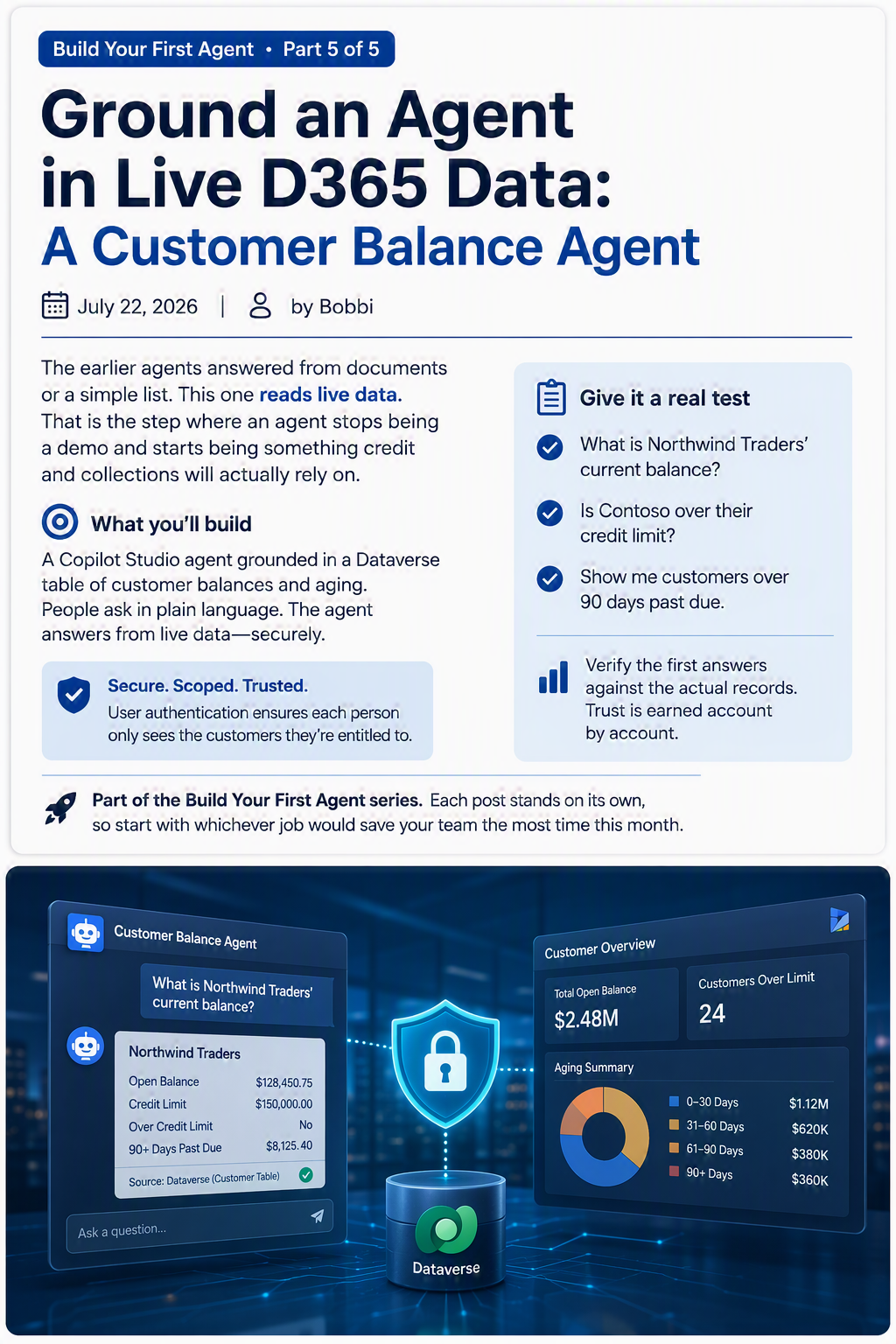
The earlier agents in this series answered from documents or a simple list. This one reads live data. That is the step where an agent stops being a demo and starts being something credit and collections will actually rely on.
Be honest with yourself about scope here. Connecting to real customer data is the most involved build in the series, and it touches security. You will want your admin in the room. That is not a failure, it is how responsible finance systems get built.
What you are building
A Copilot Studio agent grounded in a Dataverse table of customer balances and aging. People ask about customer position in plain language, and the agent answers from live data, while authentication makes sure each person only sees rows they are entitled to see.
Before you start
- Copilot Studio with permission to add Dataverse knowledge and configure authentication. This is admin territory. Loop them in at the start, not after you have built something you cannot ship.
- The data in Dataverse. In a Business Central or Finance and Operations landscape, customer balance data often reaches Dataverse through your integration, virtual tables, or a scheduled export. Confirm where it lives and that you are cleared to expose it.
- User authentication configured so the agent respects each person’s access rather than showing everyone everything.
Step by step
- Confirm the source. Identify the Dataverse table that holds customer, balance, credit limit, and aging, and write down the exact table and column names. Precision here saves you debugging later.
- In Copilot Studio, open your agent, go to Knowledge, choose Add knowledge, then Dataverse, and select the table.
- Add synonyms and a short glossary so plain language maps to your columns. People say “balance,” your column is cust_open_balance.
- This step quietly makes or breaks answer quality.
- Turn on user authentication so the agent only surfaces rows a given user can see.
- This is the reason admin involvement matters.
- Get it right before anyone points the agent at real customers.
- Write clear instructions:
- “Answer customer balance and credit questions from the Dataverse customer table. Always state the balance, the credit limit, and whether the customer is over. If a customer is not found, say so. Report the numbers, do not advise on releasing orders.”
- Test against a couple of accounts you can verify by hand, and use the activity map to confirm the answer came from Dataverse and not from somewhere else.
- Publish to Teams for your credit and collections team.
Give it a real test
- Try: What is Northwind Traders’ current balance?
- Try: Is Contoso over their credit limit?
- Try: Show me customers over 90 days past due.
Verify the first answers against the actual records yourself. Trust in a data-connected agent is earned account by account, and a single wrong balance in front of a credit committee undoes a lot of goodwill.
Make it better, and govern it
- Start read-only. Reporting balances is a fine first job. Flagging or changing accounts is a later, more careful project.
- Document what the agent can see and who can use it, so a security review is a short conversation rather than a fire drill.
- Use the analytics page. Sessions and resolution tell you whether people trust it. Give managers the Analytics Viewer role so they can see the numbers without edit rights.
- Grow it slowly. Add a second table (open orders) or a careful action (flag an account for review) only once the first version has earned its keep.
That is the series. You have built five agents: two that answer from documents, one that calls an action, one that writes, and one that reads live data. The recipe never changed. Give the agent a narrow job, good source material, clear instructions, and a real test before you trust it. Pick the one that would save your team the most time this month, and build that one first.
Part of the Build Your First Agent series. Each post stands on its own, so start with whichever job would save your team the most time this month.
Leave a Reply