
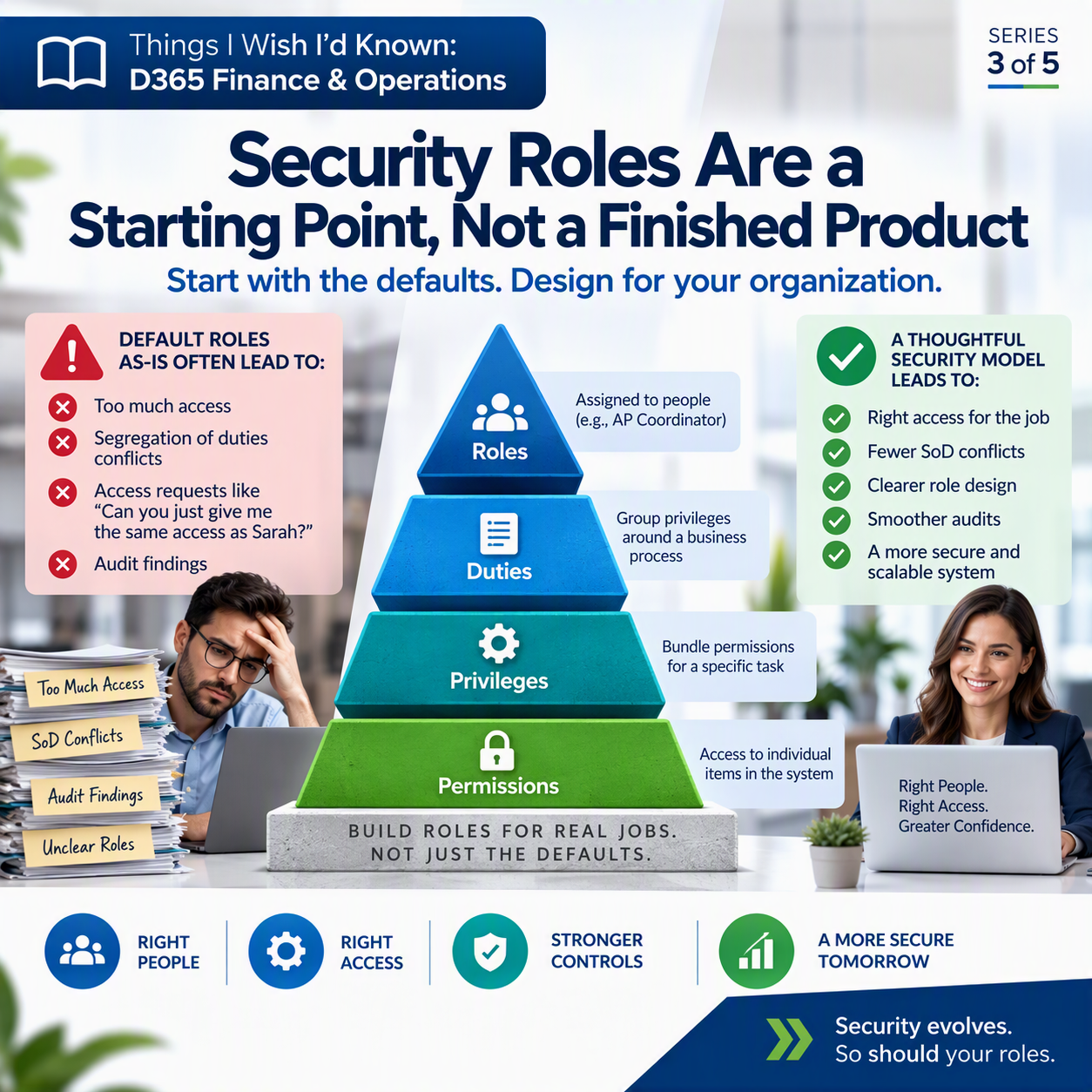
Has anyone on your project ever asked, “Can you just give me the same access as Sarah?” It sounds harmless. It happens on almost every implementation. It’s also exactly how a security model turns into something nobody can explain six months later.
Here’s the thing a lot of teams don’t realize until it’s a problem: the security roles that ship with Dynamics 365 Finance and Operations aren’t your final access model. They’re a template, a starting draft. Treating them like a finished product is one of the most common, and most expensive, mistakes I see.
The idea in one minute 💡
D365 F&O builds security from the ground up in layers, and the system ships with a set of default roles already assembled from those layers. Those defaults are a reasonable starting point, but they’re generic by design. They were built to cover common functionality, not your specific organization, your specific job descriptions, or your specific controls requirements. Leave them as-is and you usually end up in one of two ditches: people with far more access than their job needs, or duties landing on the same role (or the same person) that should never sit together. Both problems tend to stay invisible until an audit finds them for you.
How the layers actually stack up
D365 F&O uses a role-based security model, built like a pyramid from very granular at the bottom to very broad at the top.
Permissions sit at the foundation: access rights to individual things in the system, a specific menu item, a table, a field, a button. Nobody assigns these one by one. They’re just the raw building blocks.
Privileges bundle permissions around a task someone actually does, like canceling a payment. Grant the privilege, and you get everything needed for that task in one piece.
Duties group privileges around a slice of a real business process, like maintaining bank transactions. A duty might include the privileges to generate deposit slips and to cancel payments, because those naturally belong together.
Roles sit on top, built from duties (Microsoft’s own guidance recommends building roles from duties rather than privileges whenever you can). A role is what actually gets assigned to a person: Accounts Payable Coordinator, Accounts Receivable Clerk, Controller.
That stacking is genuinely useful once you understand it. The catch is that Microsoft’s default roles were assembled to demonstrate functionality, not to match your org chart or your internal controls. A reasonable place to begin. Not where you should stop.
Where the defaults tend to go wrong
Leaving default roles untouched usually breaks in one of two directions.
Too much access. A default role built to “cover” a function often includes duties your actual users will never touch. Someone gets assigned the closest-fitting role, picks up a pile of access they don’t need, and now more people can post journal entries, change vendor bank details, or approve their own transactions than you’d ever intentionally design for.
Segregation of duties conflicts. This one shows up in audit findings. Segregation of duties (SoD) is the principle that certain tasks shouldn’t be performed by the same person, like receiving goods and also approving payment for them. D365 lets you define SoD rules that mark two duties as incompatible, but the system won’t stop you from creating a role, or assigning a user, that violates one. You have to actively check for conflicts and resolve them. Skip that check, and the conflict sits there quietly until your external auditor finds it during testing, a much worse time to discover it than during design.

Design roles around the job, not the defaults
The fix isn’t complicated, but it takes discipline. Before you assign or copy a role, ask:
✅ What does this specific job actually need to do, start to finish, not what’s convenient to grant?
✅ Which duties does that require, and does bundling them together create an SoD conflict with something else this person does?
✅ If I’m starting from a default role, what’s in it that this person doesn’t need, and am I comfortable removing it rather than leaving it “just in case”?
✅ Who’s checking new or modified roles against your SoD rules before they go live, not after?
Build roles from the actual job, layer by layer, and treat the defaults as raw material, not a finished catalog. It’s slower up front. It’s a lot cheaper than a finding.
Thank you for reading!
Last time, in Number Sequences: Plan for Growth, Not Just Day One, we talked about a different kind of setup decision that quietly gets harder to fix the longer you wait. Next up in the series: Approval Workflows: The Org Chart Always Wins, on why your workflow design keeps drifting back to who actually reports to whom.
Sources
Interested in learning more? Below are some of my latest posts:





Leave a Reply