

AI in Microsoft ERP · Business Case & ROI · Series 3 · Post #026
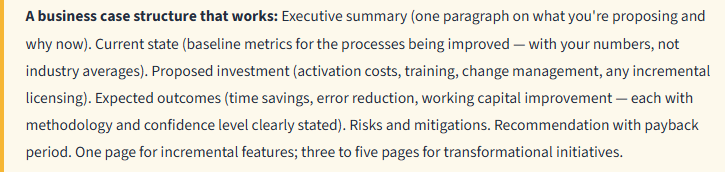
AI investments in ERP need to justify themselves against real business outcomes — not technology enthusiasm. Here’s how to build a business case that’s credible, defensible, and grounded in what D365 AI actually delivers.
The ROI Category Framework for D365 AI
AI investments in ERP generate value in several categories that require different framing and different levels of confidence in the numbers. Being explicit about which category you’re in is the most important thing you can do to build a credible business case.
| Category | Example | Quantifiability | What You Need to Support It |
|---|---|---|---|
| Direct time savings | Bank reconciliation from 4 hrs to 45 min with Copilot | High — measurable baseline and post-implementation | Time study of current process; reasonable assumption on adoption rate |
| Error reduction | AP coding errors down 30% with AI matching | Medium — requires error tracking baseline | Current error volume and cost to correct; rework hours |
| Working capital improvement | DSO reduction from earlier collections via payment predictions | Medium-High — Finance Insights provides baseline data | Current DSO; estimated improvement from targeted collections; cost of capital |
| Cycle time compression | Close cycle reduced by 1.5 days | Medium — depends on honest close time tracking | Current close calendar and bottleneck analysis; where AI specifically accelerates |
| Headcount avoidance | Scale AP volume without adding headcount | Medium — future headcount plans needed | Volume growth projections; without-AI headcount plan vs. with-AI plan |
| Strategic / risk | Better governance, faster auditor response, reduced compliance risk | Low — difficult to quantify directly | Frame as risk mitigation; reference regulatory environment; don’t over-claim |
Building the Numbers: The Honest Approach
The single most important thing in building an AI ROI case is using your own baseline data rather than industry benchmarks. When you say “AI will save 40% of AP processing time,” the CFO’s first question is “what’s our current AP processing time?” If you don’t have a clean answer, the 40% number collapses immediately. Start with a baseline measurement, even an informal one, before you build your case.
The second most important thing: be explicit about adoption rate. A feature that saves 2 hours per reconciliation only generates ROI if people use it. An adoption rate assumption of 80% in year one is more credible than 100% — and if you beat it, the business case looks better in retrospect rather than worse.
The third: separate one-time implementation costs from ongoing benefits. AI feature activation and training is a one-time cost. The time savings are ongoing. A properly structured business case shows the investment payback period, not just the annual benefit in steady state.
What Not to Put in an AI Business Case
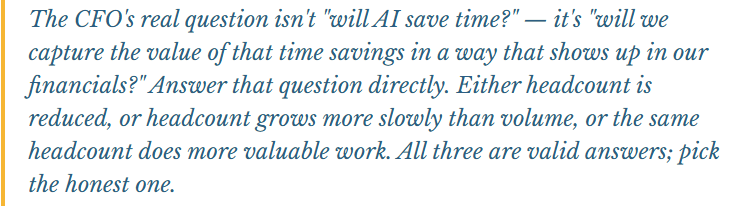
A few things that will get your business case dismissed by a rigorous CFO: unvalidated industry benchmarks cited as if they’re your numbers. Productivity improvements claimed for features that haven’t been piloted with your team. Headcount reduction claims that don’t align with your actual staffing plans. ROI calculations that don’t account for training time, adoption curve, and change management investment. And (most importantly) AI business cases that assume 100% straight-through processing from day one.
The Incremental vs. Transformational Frame
Most D365 AI investments right now are incremental. Copilot features that save time on specific tasks, agents that automate specific workflows. These have real, measurable ROI. They also don’t require a massive business case; a well-structured one-page summary with a few concrete numbers is often sufficient for decisions about activating features that are included in existing licenses.
The transformational business case – agent-driven AP automation, agentic supply chain planning, AI-powered financial analysis – requires a more rigorous investment framework because it involves implementation work, change management, governance investment, and process redesign. These are worth building a proper business case for, with phased investment and stage-gated benefit realization.
For the Copilot features already in your license: If you’re on D365 Finance or BC and you have features available at no additional license cost (Finance Insights, bank reconciliation assist, in-app Copilot guidance), the business case is the simplest possible version: “here’s the cost of activation and training, here’s the time savings estimate at a conservative adoption rate, here’s the payback period in months.” For most of these features, the payback period is measured in weeks. You don’t need a sophisticated ROI model, you need a baseline measurement and an honest adoption assumption.
📚 Go Deeper — Microsoft Resources
- Microsoft Copilot Adoption Hub — ROI Resources and Case Studies
- Microsoft 365 Copilot ROI Calculator and Framework
- Finance Insights — Value Documentation
Building a credible AI business case is fundamentally the same work as any investment analysis — baseline measurement, realistic benefit estimation, honest investment costing, and a clear payback calculation. The organizations that do this work carefully get AI investments approved and build the track record that enables larger future investments. Post 27 returns to the close process with a focused look at accruals — one of the most judgment-intensive steps that AI is starting to touch.
BB
Bobbi Bricker
ERP Capability Lead and D365 Functional Architect at Centric Consulting. Former controller. This series reflects fifteen + years in ERP (as an end user and a Consultant) and a genuine belief that AI, used thoughtfully, makes finance and operations teams more capable — not less. Reach out with questions, pushback, or war stories from your own organizations.
Thank you for reading!
Interested in learning more? Here are a few of my latest posts:





Leave a Reply