

The ten recurring Finance failures observed across D365 F&O implementations of every size and industry, the root cause pattern behind each one, and the corrections that transform a D365 F&O implementation from a complex transaction-processing system into the Finance infrastructure a large organization actually needs.
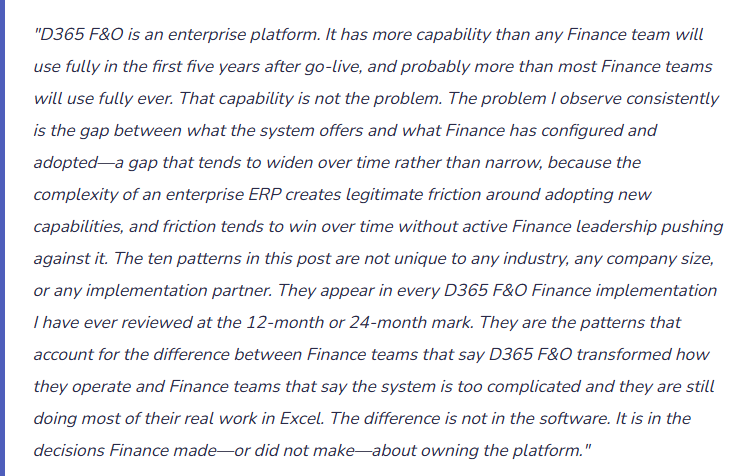
The Ten Patterns
- Finance Was Not in the Room When the Financial Dimension Structure Was Designed
- D365 F&O’s financial dimension structure is more consequential than any other single configuration decision in the Finance suite. It determines how every GL transaction is tagged, how every financial report is sliced, how cost accounting allocations work, how security restrictions can be applied by dimension value, and how the chart of accounts interacts with operational reporting. The dimension structure is also decided early in the implementation—typically in the first two weeks, during the fit-gap workshops—when Finance is often not yet deeply engaged and the implementation partner is working from a template optimized for the supply chain workstream.
- The symptom is a dimension structure that supports the sales dashboard and the inventory report but does not support the departmental P&L Finance needs to produce monthly. The fix—restructuring financial dimensions after transactions have been posting for months or years—requires rebuilding the dimension value assignments on historical transactions, which is a data migration project and a significant investment.
- Fix: The Controller must be in every financial dimension design workshop. Finance produces the list of management reports it needs D365 F&O to support—the departmental P&L, the legal entity rollup, the product line margin report, the cost center analysis—and the dimension structure is designed backward from those reports. Every proposed dimension configuration is tested against the question: can we produce all of these reports with this dimension structure? If the answer is no for any report on the list, the structure is not ready. I previously touched on financial dimension design in detail. Finance should read it before the first implementation workshop.
- The Chart of Accounts Was Migrated From the Prior System Instead of Designed for D365 F&O
- The most common chart of accounts decision in a D365 F&O implementation is: import the current chart of accounts from the prior ERP, plus or minus a few adjustments. The resulting COA carries the structural compromises of the prior system into D365 F&O—account ranges designed for a different dimension architecture, account granularity calibrated to a different reporting tool, segment structure inherited from a GP or SAP configuration that made sense fifteen years ago and has been accumulating workarounds ever since.
- D365 F&O’s account structure and financial dimension architecture represent a genuinely different design space from most prior-generation ERPs. An implementation is the right time to redesign the COA for D365 F&O’s architecture, not the right time to avoid the conversation because it is difficult. Finance teams that migrate their existing COA into D365 F&O without redesign typically spend the next three years asking to add accounts and segments to compensate for the structural limitations they carried forward.
- Fix: Treat the D365 F&O implementation as a COA redesign event, not a COA migration event. The redesign does not mean starting from zero—it means deliberately evaluating the existing account structure against D365 F&O’s architecture and the management reporting requirements Finance needs to support, and designing the account/dimension combination that best supports both. Involve the external auditors and tax advisors early: the COA design should be reviewed by the audit team before go-live to confirm it produces the financial statement presentation required. I previously covered the COA design decision framework Finance must own.
- Posting Profiles Were Set Up by the Implementation Partner and Finance Has Never Reviewed Them
- Posting profiles in D365 F&O determine how every subledger transaction flows to the GL: which AP invoice posts to which payables account, which customer payment settlement posts to which cash account, which inventory valuation method posts to which COGS account, which fixed asset acquisition posts to which asset account. The posting profiles are configured during implementation by the implementation team—typically by the functional consultant—and almost never reviewed by Finance afterward.
- Posting profile errors are invisible until they produce reconciliation differences. An AP posting profile that maps to the wrong liability account produces AP aging that does not reconcile to the GL. An inventory posting profile that maps COGS to an overhead account produces a gross margin that is systematically wrong. These errors are in the system from day one and produce incorrect financial statements from the first transaction—but they are discovered only when Finance runs the subledger reconciliations that many Finance teams run inconsistently or not at all.
- Fix: Finance owns the posting profile review, not the implementation partner. Before go-live, Finance traces every material transaction type through the posting profile configuration and confirms the target GL account is correct. After go-live, Finance runs the complete subledger-to-GL reconciliation (AR aging to GL, AP aging to GL, inventory to GL, fixed assets to GL) at the first period close and immediately resolves any difference. A difference at the first close that is traced to a posting profile misconfiguration is corrected before the second close. A difference that is not investigated propagates until the auditor finds it. I covered this a couple of months ago in my blog on posting profile design and the reconciliation requirements Finance must enforce.
- Management Reporter Was Never Configured Past the Default Templates
- Management Reporter (Financial Reporting) is D365 F&O’s native management reporting infrastructure. When configured with a comprehensive report library, it produces the income statement, balance sheet, cash flow statement, departmental P&L, budget variance report, and entity-level rollups directly from D365 F&O data—current, formatted, and distributable to management without any Excel intermediate step.
- In most D365 F&O implementations I review post-go-live, Management Reporter has one or two reports configured: the income statement from the default template and occasionally a balance sheet. The departmental P&L, the consolidated group financials, the rolling-forecast variance report, the operational KPI dashboard—Finance produces all of these in Excel from data exported from D365 F&O. Management Reporter was purchased, is maintained by Microsoft, and is available to produce all of these reports natively. Finance is doing the work to maintain Excel models that Management Reporter was designed to replace.
- Fix: Build the Management Reporter library that Finance actually needs. For each report Finance currently produces in Excel from D365 F&O data, create the Management Reporter definition that produces the same report directly from the system. The first-time setup for a standard management package (income statement, balance sheet, cash flow, departmental P&L, budget variance) takes two to three days for someone who knows Management Reporter’s row/column/tree architecture. The time savings on every subsequent reporting cycle—no export, no pivot, no formatting, no version control problem—pay back that investment within three months. This is where I covered Management Reporter configuration in depth.
- Budget Control Was Enabled Without Configuring the Commitment Accounting That Makes It Useful
- D365 F&O’s budget control module can prevent transactions from posting when they would exceed the approved budget. When it is enabled correctly, Finance has a real-time view of budget availability that accounts not just for actual expenditures but for committed expenditures—purchase orders that have been approved but not yet invoiced. When it is enabled incorrectly, the budget control feature creates user friction (rejected purchase orders that should have been approved), produces available-budget calculations that Finance cannot trust (because the commitment tracking is incomplete), and is eventually disabled because it causes more problems than it solves.
- The most common misconfiguration: budget control is enabled for the GL actual balance (expenditures already posted) but not configured to include purchase order commitments in the available-budget calculation. Finance sees a budget availability number that includes actual spend but not the $2 million of purchase orders already approved and in-flight. The available-budget number is overstated by the committed amount, and managers make new spending decisions based on a false budget availability picture.
- Fix: Budget control configuration requires Finance to explicitly define the documents whose committed amounts are included in the budget availability calculation. At minimum, Finance includes approved purchase requisitions and purchase orders in the commitment layer. For organizations with other pre-approval documents (project resource commitments, travel pre-approvals), those should be included in the commitment layer as well. Finance runs a monthly validation of the budget control commitment balance: pull the open purchase orders for the period and confirm that the sum of open PO amounts matches the commitment balance in D365 F&O’s budget control tracking. Here is where I covered budgeting and budget control configuration in detail.
- Period Close Is a Twelve-Day Tribal Knowledge Exercise
- In every D365 F&O Finance environment where the close takes more than seven business days, there is the same root cause: the close sequence lives in the Controller’s head, not in a documented system. The Controller knows which task must precede which, which team member is responsible for which reconciliation, which D365 F&O batch must run before the income statement can be finalized, and which accounts consistently have reconciling items that require investigation. The rest of the Finance team knows the tasks they personally do. Nobody has a view of the full close sequence or where they are in it.
- The Financial Period Close workspace exists to encode the Controller’s tribal knowledge into a governed, transparent, dependency-driven workflow. When it is configured with task-level granularity, dependency mapping, and due dates calibrated to a target close timeline, it transforms a twelve-day tribal knowledge exercise into a seven-day managed workflow. When it is configured with five generic tasks, it adds administrative overhead without reducing close time.
- Fix: I covered this subject earlier this week, please check out the post for more information on configuration. The minimum viable Financial Period Close workspace investment: document every close step the Finance team currently does, enter each step as a closing task with the responsible owner, map all dependencies, assign due dates that reflect the target close timeline, and run two close cycles analyzing the completion timestamp data before drawing any optimization conclusions. The optimization conclusions will be specific, actionable, and grounded in actual data rather than in general impressions about where the close is slow.
- Security and Segregation of Duties Was Configured Once and Never Reviewed
- D365 F&O’s security model is role-based and permission-based with fine-grained controls that can enforce tight segregation of duties across Finance functions. It is also a security model that requires active maintenance—users change roles, the organization adds new processes, the implementation team may have provisioned generous permissions to get through go-live that were never rationalized after the project closed. Twelve months after go-live, many D365 F&O Finance environments have users with broader access than their current role requires, former employees with active accounts (because IT did not notify Finance when the employee departed), and SOD conflicts that the implementation team noted but did not resolve because resolving them required process design work the project timeline did not accommodate.
- The audit that finds any of these conditions produces a finding that costs more in remediation time than the quarterly access review that would have prevented it.
- Fix: Quarterly access review, documented and signed off by the Controller. The review process: run the D365 F&O user security report, compare the current user list to the active employee roster, deactivate any user not on the active roster, review the security role assignments for each Finance user and confirm the roles are consistent with the user’s current job responsibilities, run the SOD conflict report and investigate any conflicts, confirm that no Finance user has the System Administrator role without a documented business justification. I’ve linked to a previous post covered D365 F&O security and segregation of duties in detail.
- Finance Treats Every Release Wave as an IT Event and Discovers Changes in Production
- D365 F&O receives two major release waves per year, each introducing changes to Finance functionality: new capabilities in Financial Reporting, changes to the bank reconciliation workspace, modifications to workflow behavior, additions to the Electronic Reporting framework, updates to tax calculation logic. Each wave is documented in the Microsoft release plan published months before the wave reaches production. Each wave is available in sandbox environments weeks before it hits production.
- In organizations where the release wave is treated as an IT event (IT applies the update, Finance learns about it when something looks different), Finance discovers changes during live workflows: a reconciliation page that looks different on close day two, a Management Reporter column definition that stopped working after the update, a tax calculation that changed in a jurisdiction Finance operates in. The discovery-in-production pattern is the same pattern I see in both the BC series and the F&O series—it is not a system-specific problem, it is a Finance governance problem.
- Fix: Finance owns the release wave Finance impact assessment. Before every major wave, Finance reads the Finance-relevant sections of the release plan (posted on Microsoft Learn), updates the sandbox environment to the wave preview build, and runs a Finance test script against the sandbox covering: the period-close sequence, the bank reconciliation workspace, Financial Reporting report output, workflow approval routing, and any ER format submissions the organization uses. The test takes four to eight hours for a thorough coverage. The wave arrives in production with no Finance surprises. Here’s a link to my post on D365 F&O release wave readiness.
- Advanced Finance Modules Purchased and Never Deployed
- D365 F&O licensing includes modules that most implementations do not fully deploy:
- Cost Accounting (actual activity-based cost allocation beyond financial reporting dimensions)
- Cash Flow Forecasting (integrated liquidity projection from AR, AP, and GL budgets)
- Asset Leasing (IFRS 16 / ASC 842 right-of-use asset and lease liability tracking)
- Finance Insights (AI-assisted cash flow prediction, customer payment prediction, budget proposals)
- Electronic Reporting for jurisdictions the organization operates in but has not yet configured.
- Finance is paying for these capabilities every month. In most implementations, they are unused because the go-live implementation scope was optimized for the core transactional modules and the advanced Finance modules were designated as “Phase 2.”
- Phase 2 rarely has a scheduled start date. The advanced modules remain unused for the duration of the implementation, while Finance continues the manual processes those modules were designed to replace.
- Fix: Finance audits the D365 F&O module inventory annually: which licensed modules are currently deployed and in active use, which are deployed but not used, and which are licensed but not yet deployed. For each licensed-but-undeployed module with a Finance use case, Finance evaluates the deployment investment and the operational value. Cash Flow Forecasting and Finance Insights can typically be deployed in two to four weeks; they require configuration investment but not a full implementation project. The Cost Accounting module requires a month or more of configuration, but once deployed it replaces manual spreadsheet allocations. The Asset Leasing module, if the organization has operating leases subject to IFRS 16 or ASC 842, replaces a manual lease tracking process with a governed, auditable module. Each of these is an investment that pays back quickly—but only if Finance makes the deployment decision.
- D365 F&O licensing includes modules that most implementations do not fully deploy:
- Finance Operates D365 F&O as a Transaction System Rather Than an Enterprise Finance Platform
- This is the pattern behind all nine of the patterns above. Organizations that invest in D365 F&O and deploy it correctly get an enterprise finance platform: a system that runs their close process, enforces their controls, produces their management reporting, supports their regulatory compliance, tracks their asset base, governs their project profitability, and provides their treasury with real-time liquidity visibility. Organizations that invest in D365 F&O and treat it as a sophisticated transaction processor get a system that posts journal entries, generates invoices, and processes payments—surrounded by the same Excel infrastructure they were using before the implementation.
- The difference is not technical. D365 F&O has the same capabilities in both organizations. The difference is in Finance’s posture toward the system: whether Finance treats the platform as something they own and actively develop, or whether Finance treats it as something IT manages and Finance uses. Organizations where Finance owns the platform—where the Controller reviews the dimension structure annually, where Management Reporter reports are updated when the business changes, where posting profiles are reconciled monthly, where the Cockpit drives close improvement—are the organizations where D365 F&O delivers on the investment that was made to acquire and implement it.
- Fix: Finance assigns a named D365 F&O Finance Platform Owner—typically the Controller or a Senior Finance Director—who is responsible for the platform as a Finance governance asset. This person owns: the annual financial dimension review, the Management Reporter library maintenance, the posting profile reconciliation, the Financial Period Close workspace configuration and improvement cadence, the quarterly access review, the release wave Finance assessment, the module deployment roadmap, and the posting group and configuration change approval process.
- The Finance Platform Owner is not the system administrator (that is IT) and is not a power user (that is every Finance team member). The Finance Platform Owner is the person who ensures D365 F&O continues to serve Finance’s needs as the organization grows and as the platform evolves. Without this ownership, the gap between what D365 F&O offers and what Finance uses widens with every release wave and every business change, until the organization is spending enterprise-scale license costs for mid-market-scale utilization.
In closing…
What I hope Finance teams take from my blog posts so far… D365 F&O is an enterprise-grade Finance platform. The capabilities are documented documented — multi-book fixed asset management, intercompany transfer pricing, ASC 606 revenue recognition, DCAA-compliant project accounting, Electronic Reporting for global regulatory submissions, the Financial Period Close workspace, Cost Accounting, Finance Insights—are not aspirational features. They are available in the system Finance is already paying for. The organizations that use them do not have more resources, more technical capability, or more time than the organizations that do not. They have Finance leadership that treats the platform as something to be actively managed and developed, not passively used. They have Controllers who read the release plan before the wave hits production, who run the posting profile reconciliation every month, who built the Management Reporter library instead of the Excel alternative, and who assigned a backup owner to every Closing Cockpit task on the critical path. D365 F&O at full Finance utilization is a qualitatively different capability than D365 F&O as a transaction processor. My hope is to help Finance teams close the gap between the two.
Thank You for Reading!
If there’s been a post that has helped you solve a real problem, share it with the Finance friend who is two weeks away from the same problem, or is having those current struggles. If I missed a topic that belongs in this series, please reach out. There is always one more post worth writing.
— Bobbi
Interested in learning more? Check out some of my latest posts:
Leave a Reply